આ યોજના હેઠળ, ગ્રાહકો નાની માસિક બચત થાપણો કરીને તેમના ખાતામાં ₹1 લાખ કે તેથી વધુ રકમ જમા કરાવી શકે છે અને પરિપક્વતા પર “લખપતિ” બની શકે છે. SBI માં ₹610 મહિને જમા કરશો તો બની જશે ₹1,00,000, જાણો ફિક્સ વ્યાજની સ્કીમ
સ્ટેટ બેંક ઓફ ઈન્ડિયા પાસે હર ઘર લખપતિ યોજના નામની એક ખાસ બચત યોજના છે. આ યોજના હેઠળ, ગ્રાહકો નાની માસિક બચત થાપણો કરીને તેમના ખાતામાં ₹1 લાખ કે તેથી વધુ રકમ જમા કરાવી શકે છે અને પરિપક્વતા પર “લખપતિ” બની શકે છે. આ યોજના એવા લોકો માટે આદર્શ છે જેઓ નાની રકમથી સુરક્ષિત અને શિસ્તબદ્ધ રોકાણ યાત્રા શરૂ કરવા માંગે છે. નિયમિત બચત અને નિશ્ચિત વ્યાજ દર સાથે, આ યોજના ધીમે ધીમે મજબૂત નાણાકીય મજબૂત બનાવવામાં મદદ કરે છે.
Quick ReadKey points by sbi benk
સ્ટેટ બેંકની ‘હર ઘર લખપતિ’ યોજના, નાની બચતથી ₹1 લાખ.
નિવાસી વ્યક્તિઓ, સગીરો 3-10 વર્ષ માટે ખાતું ખોલી શકે છે.
દર મહિને ₹610 જમા કરતા પાકતી મુદતે ₹1 લાખ મળે છે.
છ હપ્તા ચૂકી જવાથી ખાતું બંધ થાય છે, દંડ વસૂલાય.
ખાતું કોણ ખોલી શકે છે ?
એક રીતે, આ રિકરિંગ ડિપોઝિટ યોજનાનો એક નવો પ્રકાર છે. બધા નિવાસી વ્યક્તિઓ આ યોજના હેઠળ ખાતું ખોલી શકે છે, એકલા અથવા સંયુક્ત રીતે. સગીરો (10 વર્ષથી વધુ ઉંમરના અને સ્પષ્ટ રીતે સહી કરી શકતા) એકલા અથવા તેમના માતાપિતા/કાનૂની વાલીઓ સાથે ખાતું ખોલી શકે છે. આ યોજનાઓ માટે ડિપોઝિટનો સમયગાળો 3 થી 10 વર્ષનો છે. એ પણ ધ્યાનમાં લેવું જોઈએ કે હપ્તાઓની એડવાન્સ ચુકવણી પરિપક્વતા મૂલ્યમાં ફેરફાર કરતી નથી. જો કે, મોડી હપ્તાની ચુકવણી માટે પરિપક્વતા રકમમાંથી દંડ કાપવામાં આવે છે. 10 વર્ષ સુધી દર મહિને ₹610 જમા કરાવવા પરના વળતરને સમજો આ યોજના મુજબ, જો કોઈ સામાન્ય ગ્રાહક 6.30 ટકાના વ્યાજ દરે સતત 10 વર્ષ સુધી માત્ર ₹610 જમા કરાવે છે, તો પાકતી મુદતે તેમની પાસે કુલ ₹1,02,144 નું ભંડોળ હશે. આ યોજના હેઠળ, તમને વ્યાજ તરીકે ₹28,944 મળશે, અને બાકીની રકમ તમારી રોકાણ રકમ હશે.
હપ્તાઓ અને સર્વિસ ચાર્જ જો હર ઘર લખપતિ યોજના હેઠળ ખોલવામાં આવેલા ખાતામાં સતત છ હપ્તા જમા કરવામાં ન આવે તો ખાતું સમય પહેલા બંધ થઈ જશે અને બાકીની રકમ ખાતાધારકના લિંક્ડ સેવિંગ્સ બેંક ખાતામાં ટ્રાન્સફર કરવામાં આવશે. વધુમાં, પરિપક્વતા તારીખે અથવા તે પછી ચૂકવવામાં આવતા RD ખાતાઓ પર ₹10નો સર્વિસ ચાર્જ વસૂલવામાં આવે છે જ્યાં ત્રણ કે તેથી વધુ સળંગ હપ્તાઓની ચુકવણીમાં ડિફોલ્ટ થાય છે અને ખાતું નિયમિત કરવામાં આવ્યું નથી.
A good mobile security app should stop harmful apps, phishing links, fake shopping pages and scam messages without making your phone slow. This guide compares the best antivirus apps for mobile using current product information and independent Android security testing—not advertising promises alone
Quick answer: Bitdefender Mobile Security is our best overall choice for Android because it combines malware scanning, web protection and a light cloud-based design. Avast is a practical free option, while Norton and Malwarebytes are strong choices for people who want broader scam, web, identity or multi-device protection. On iPhone, choose security tools for phishing, unsafe websites, scam calls and breach monitoring; iOS does not allow a normal third-party app to scan every system file like desktop antivirus.
Bitdefender Mobile Security – Best Overall for Android
Bitdefender is a strong all-round recommendation for users who want automatic malware protection without constantly managing settings. Its Android product uses cloud-based scanning and includes protection against malicious apps and risky web pages. Depending on the current plan and region, it may also provide scam alerts, account privacy checks, anti-theft tools or a limited VPN.
Bitdefender has also appeared among the products tested by independent security lab AV-TEST. The lab’s mobile evaluations consider protection, performance impact and false warnings, which is more useful than relying only on a company’s “best antivirus” claim.
Norton 360 – Best for Families and Multi-Device Security
Norton is suitable when you want to protect more than one phone, laptop or family member under a broader security plan. Its mobile offering commonly combines app or web threat protection with features such as unsafe Wi-Fi alerts, scam or SMS protection, VPN access and dark-web monitoring. Exact features are controlled by the plan, device and country, so compare the India plan carefully before paying.
Norton can be valuable for a family that wants one dashboard and subscription instead of installing unrelated free apps on every device. However, buying an expensive bundle only makes sense if you will use the included VPN, identity monitoring or PC protection.Visit Official Norton Page
Malwarebytes – Best for Scam and Phishing Protection
Modern mobile attacks often do not begin with a traditional virus. They arrive as a fake delivery SMS, an investment message, a fraudulent customer-care number or a link that copies a bank login screen. Malwarebytes focuses strongly on this wider threat category.
Its official mobile product describes an Android threat scanner and remover alongside web and scam protection. On iOS, its value comes mainly from safe browsing, scam text or call features, ad and tracker blocking, VPN and identity tools—not full access to scan the iPhone operating system.Visit Official Malwarebytes Page
4. Avast Mobile Security – Best Free Antivirus App for Android
Avast is one of the easier free options for someone who wants app scanning without immediately buying a subscription. The Android version advertises scanning for malware types such as spyware, Trojans, adware and ransomware. Extra tools can include scam assistance, web protection, cleaner features or VPN access, though several features may require payment.
The trade-off is that a free security app may show advertisements, upgrade prompts or collect more diagnostic information than a minimal paid product. Read the Play Store Data Safety section, review permissions and disable any optional feature you do not need.Visit Official Avast Page
Google Play Protect – Best Built-In Android Protection
Google Play Protect is already available on Play Protect-certified Android devices and is enabled by default. Google explains that it checks apps during installation, periodically scans the device and may warn about, disable or remove a potentially harmful app. It can also examine apps installed from outside Google Play.
Play Protect is a useful baseline, especially for careful users who install only well-known Play Store apps. A separate mobile antivirus can add features such as stronger web filtering, scam detection, breach alerts, app locking or security for family devices. Do not switch off Play Protect merely because you install another antivirus.
Software
How to check Google Play Protect
Open the Google Play Store.
Tap your profile picture.
Select Play Protect.
Open Settings and keep Scan apps with Play Protect enabled.
If you install apps outside the Play Store, consider enabling improved harmful-app detection.
An iPhone can still face phishing, account theft, malicious calendar invitations, unsafe websites, scam messages and privacy risks. However, iOS isolates apps and does not give a normal App Store antivirus permission to inspect every other app or system file. Therefore, an app claiming to perform a complete iPhone virus scan should be treated carefully.
For an iPhone, look for useful security features instead:
Most important iPhone protection: keep iOS updated, use a strong device passcode, enable two-factor authentication for important accounts, install apps only from trusted sources and never approve an unknown configuration profile.
How We Chose the Best Antivirus Apps for Mobile
A useful comparison should consider more than the number of features printed on a sales page. We considered these factors:
For many Android owners, Google Play Protect plus safe browsing habits is a reasonable starting point. Choose a paid app if you want automatic web protection, advanced scam blocking, support for multiple devices or identity-monitoring features. Before purchasing, compare the renewal price—not only the discounted first-year price
How to Install a Mobile Antivirus Safely
Open the official product page or your phone’s official app store.
Verify the developer name, reviews, download count and recent update date.
Avoid “premium unlocked,” mod APK or cracked antivirus downloads.
Install only one primary real-time antivirus scanner on Android to reduce conflicts and battery use.
Review every requested permission. Enable Accessibility access only when a trusted anti-phishing feature clearly needs it.
Run the first scan and remove only items you understand or that the app identifies clearly.
Enable automatic updates and web/scam protection if included.
Warning about fake antivirus apps: A page that shows “47 viruses found” before it has scanned your phone is usually using a scare tactic. Do not install an APK from such a pop-up, call its support number or enter card details. Close the tab and run a scan using a trusted app from the official store.
Mobile Security Tips That Matter More Than Antivirus Alone
Install Android and iOS security updates promptly.
Do not install APK files received through WhatsApp, Telegram or unknown websites.
Check the full domain name before entering a password, OTP or UPI PIN.
Never share an OTP, card CVV, UPI PIN or screen-sharing access with “customer care.”
Use different passwords and enable two-factor authentication.
Keep backups of photos, documents and authentication recovery codes.
Remove unused apps and revoke permissions they no longer need.
For more practical app guides and online safety information, explorehttps://onlinefinancetips.org/ . If you often install utility apps, checking the official source and permissions before installation is as important as running an antivirus scan.
Software
Frequently Asked Questions
Which is the best antivirus app for Android?
Bitdefender is our best overall Android choice for users who want a light premium product with malware and web protection. Avast is a useful free alternative, while Norton and Malwarebytes suit users who need broader scam, privacy or multi-device features.
What is the best free antivirus app for mobile?
Google Play Protect is the built-in free baseline on certified Android phones. Avast also provides a free Android antivirus option, although advertisements and premium limitations may apply.
Can antivirus remove malware from an Android phone?
A reputable Android antivirus can detect and help uninstall many harmful apps. If malware has gained deep control, you may also need to remove device-admin or Accessibility permission, restart in safe mode, update Android or perform a carefully prepared factory reset.
Android OS
Can an antivirus scan every file on an iPhone?
No normal App Store app receives unrestricted access to scan the complete iOS system and all other apps. iPhone security products mainly protect web browsing, messages, calls, accounts, identity and network privacy.
Will two antivirus apps give double protection?
Usually not. Running two real-time Android scanners can cause conflicts, duplicate alerts and higher battery use. Keep one primary security suite and use built-in Play Protect alongside it.
Is a mobile antivirus safe for online banking?
A trusted antivirus can reduce risk, but it cannot make every transaction safe. Install the official banking app, check links, protect the screen lock and never share an OTP or UPI PIN.
For most Android users seeking the best antivirus app for mobile,Bitdefender Mobile Security offers the most balanced combination of malware and web protection. Choose Avast if a free scanner is the priority, Malwarebytes for a scam-focused toolkit, or Norton for family and multi-device coverage. Keep Google Play Protect enabled in every case.
For iPhone users, focus less on “virus scanning” and more on phishing protection, scam filtering, breach alerts, safe passwords and iOS updates. No app replaces careful downloading and account security.
Disclaimer: This article provides general cybersecurity information and is not a guarantee that any app will stop every threat. Product features, prices and availability can change. Download apps only from official stores or vendor websites, review current permissions and verify subscription renewal terms before payment.
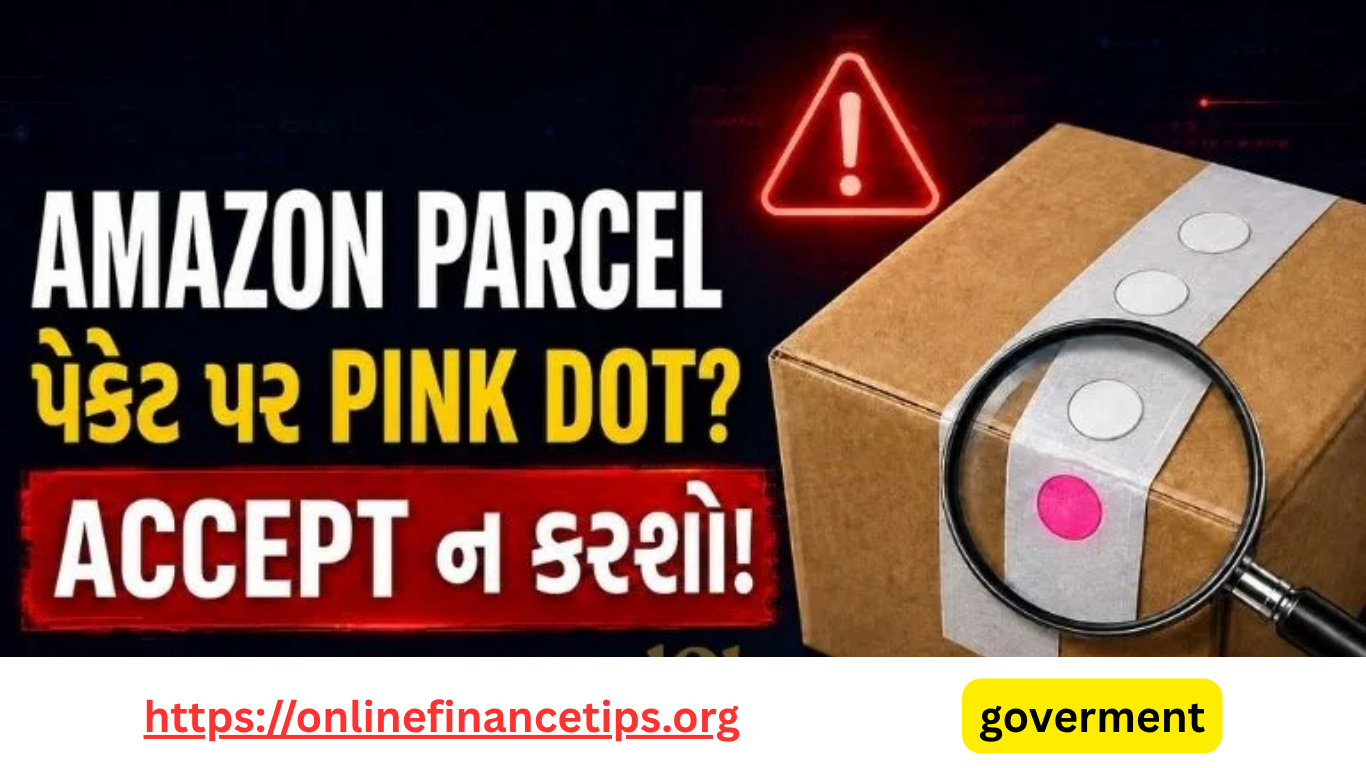
મુખ્ય ચેતવણી: Amazonની અધિકૃત customer-service માહિતી મુજબ secured tamper-evident parcelની દરેક seal પર ચાર heat-sensitive ink spots સફેદ હોવા જોઈએ. કોઈપણ spot pink દેખાય તો shipment સ્વીકારવું નહીં. Parcelની તપાસ કર્યા પહેલાં delivery OTP પણ આપવો નહીં.
Online shoppingમાં mobile, earbuds, smartwatch, laptop અને બીજા મોંઘા products મંગાવતી વખતે parcel બહારથી બરાબર દેખાતું હોવા છતાં અંદરની વસ્તુ બદલાયેલી હોવાની ફરિયાદો સાંભળવા મળે છે. આવા tampering riskને ઓળખવામાં મદદ કરવા માટે કેટલાક Amazon orderstamper-evident packaging સાથે મોકલવામાં આવે છે. તેની seal પર ખાસ heat-sensitive marks હોય છે.
Amazon parcel પર pink dot દેખાય તો package accept ન કરવાની સલાહ આપવામાં આવી છે. Reelનો મૂળ મુદ્દો સાચો છે, પરંતુ દરેક Amazon parcel પર આવું marker હશે એવું માનવું યોગ્ય નથી. આ feature ખાસ secured tamper-evident packaging ધરાવતા orders માટે લાગુ પડે છે.https://onlinefinancetips.org/ ની આ guideમાં pink dotનો અર્થ, delivery સમયે કરવાની તપાસ અને શંકાસ્પદ parcel મળે તો લેવાં યોગ્ય પગલાં સરળ રીતે સમજાવવામાં આવ્યા છે.
Amazon Parcel પર Pink Dotનો અર્થ શું છે?
Tamper-evident seal પર રહેલા spots સામાન્ય સ્થિતિમાં સફેદ હોય છે. આ spotsમાં heat-sensitive inkનો ઉપયોગ થાય છે. કોઈ વ્યક્તિ adhesive નરમ કરવા માટે sealને ગરમી આપી parcel ખોલવાનો પ્રયાસ કરે તો inkનો રંગ બદલાઈ pink થઈ શકે છે. આ colour change package ગરમીના સંપર્કમાં આવ્યું હોઈ શકે અથવા seal સાથે છેડછાડ થઈ હોઈ શકે તેવો warning signal આપે છે.
Official ruleનો સરળ અર્થ: દરેક sealના ચારેય spots white હોવા જોઈએ. એક પણ spot pink હોય તો parcel reject કરો. Pink dot tamperingનો warning indicator છે; તેને સામાન્ય printing design સમજીને અવગણશો નહીં.
આ markerનો હેતુ customerને delivery સ્વીકારતાં પહેલાં બહારથી જ શંકાસ્પદ ગરમી અથવા seal tampering ઓળખવામાં મદદ કરવાનો છે. જોકે pink dot ન હોય એટલે અંદરનો product ચોક્કસ સાચો જ હશે તેની સંપૂર્ણ guarantee મળતી નથી. Box damage, extra tape, cut marks, barcode mismatch અને અપ્રાકૃતિક રીતે ફરી લગાવેલી seal પણ તપાસવી જરૂરી છે.
Delivery Accept કરતાં પહેલાં આ 7 Checks જરૂર કરો
Package label વાંચો: Parcel પર secured delivery અથવા tamper-evident packaging સંબંધિત instruction લખેલી છે કે નહીં તે જુઓ.
બંને seals તપાસો: Packageની ઉપર અને નીચે અથવા બંને opening points પર seal intact છે કે નહીં તે ધ્યાનથી જુઓ.
ચાર spotsનો રંગ જુઓ: દરેક applicable seal પર ચાર spots white હોવા જોઈએ. કોઈ spot pink કે red દેખાય તો parcel સ્વીકારશો નહીં.
Barcode અને SPTP code સરખાવો: બંને security seals પર આપેલા barcode તથા SPTP code એકબીજા સાથે match થાય છે કે નહીં તે તપાસો.
Repackingના નિશાન શોધો: Double tape, cut, torn edge, glue mark, damaged corner, hole અથવા અલગ પ્રકારની tape દેખાય તો સાવચેત રહો.
વજન અને size તપાસો: મંગાવેલા productની સરખામણીમાં parcel અસામાન્ય રીતે હળવું, ભારે અથવા નાનું લાગે તો delivery agentને તરત જણાવો.
Inspection પહેલાં OTP ન આપો: OTP અથવા delivery PIN આપવાથી delivery acceptance record થઈ શકે છે. તેથી visible checks પૂર્ણ કર્યા પછી જ OTP share કરો.
Pink Dot દેખાય તો તરત શું કરવું?
Parcel ખોલશો નહીં અને delivery agentને pink spot બતાવો.
Delivery OTP/PIN share ન કરો.
Shipment reject કરીને reason તરીકે damaged અથવા tampered package જણાવો.
શક્ય હોય તો personal details દેખાય નહીં તે રીતે seal અને pink dotsના clear photos અથવા short video લો.
Amazon app અથવા websiteના Your Orders વિભાગમાંથી customer supportને જાણ કરો.
જો OTP અગાઉથી આપી દીધો હોય તો parcel ખોલતાં પહેલાં continuous unboxing video record કરો અને supportને તરત contact કરો.
ધ્યાન રાખો: Delivery personને OTP ફોન પર અગાઉથી ન જણાવો. OTP માત્ર package તમારી સામે આવ્યા બાદ, જરૂરી inspection પૂરી થયા પછી અને delivery processમાં ખરેખર જરૂરી હોય ત્યારે જ આપો.
White Spot અને Pink Spot વચ્ચેનો તફાવત
Indicator
સામાન્ય અર્થ
Customerએ શું કરવું?
White Spots
Heat-sensitive indicator trigger થયેલો દેખાતો નથી.
બીજી તમામ seal, barcode અને package checks કર્યા બાદ delivery process આગળ વધારો.
Pink/Red Spot
Seal ગરમીના સંપર્કમાં આવી હોય અથવા tampering attempt થયો હોય તેવો warning signal.
Parcel ન ખોલો, OTP ન આપો અને shipment reject કરો.
No Special Spots
આ parcel tamper-evident spot system હેઠળનું ન પણ હોઈ શકે.
સામાન્ય damage, seal, label અને open-box eligibility checks કરો.
શું દરેક Amazon Parcel પર Pink Dot Security હોય છે?
ના. Amazonના દરેક order અથવા દરેક delivery locationમાં એકસરખું packaging format હોવું જરૂરી નથી. Product category, seller, fulfilment process, shipment value અને delivery method પ્રમાણે packaging બદલાઈ શકે છે. તેથી parcel પર special white spots ન હોય તો તે આપમેળે fake અથવા unsafe છે એવું કહી શકાય નહીં.
પરંતુ parcel પર tamper-evident security label અને white spots આપેલા હોય તો તેની સાથે છાપેલી instruction અવશ્ય અનુસરો. Pink spot, mismatched barcode અથવા damaged sealમાંથી કોઈ એક warning મળે તો delivery સ્વીકારવામાં ઉતાવળ ન કરો.
Open Box Inspection ઉપલબ્ધ હોય તો તેનો લાભ લો
કેટલાક eligible products અથવા delivery locations માટે Open Box Inspection ઉપલબ્ધ હોઈ શકે છે. આ સુવિધામાં delivery પૂર્ણ કરતાં પહેલાં product સાચો છે કે નહીં, બહારથી damage છે કે નહીં અને જરૂરી accessories સામેલ છે કે નહીં તેની તપાસ કરવાની તક મળે છે. Service દરેક order માટે ઉપલબ્ધ હોતી નથી; order page અથવા delivery instructionમાં eligibility તપાસો.
મોંઘા electronics માટે package seal સાથે product model, colour, visible condition અને accessories તપાસવાથી wrong-item અથવા damaged-item disputeનું જોખમ ઘટાડી શકાય છે. વધુ online safety અને ઉપયોગી technology guides માટેhttps://onlinefinancetips.org/ ની નવી માહિતી નિયમિત તપાસી શકો છો.
“Amazon pink dot seal is a heat-sensitive security indicator printed on packaging tape to help catch delivery tampering and prevent product-swapping scams.”
High-Value Parcel માટે વધારાની Safety Tips
Delivery પહેલાં order status અને seller details official appમાં જ તપાસો.
SMS અથવા WhatsAppમાં મળેલી અજાણી payment/refund link પર click ન કરો.
Delivery agentને UPI collect request દ્વારા વધારાની payment ન કરો, જો official orderમાં તે દર્શાવેલી ન હોય.
Unboxing video એક જ continuous shotમાં બનાવો; shipping label, intact seal અને product serial number દેખાડો.
Invoice, packaging, barcode અને serial/IMEI number સમસ્યા ઉકેલાય ત્યાં સુધી સાચવી રાખો.
Complaint માટે માત્ર official Amazon app, website અથવા verified customer-service routeનો ઉપયોગ કરો.
Amazon Parcel Pink Dot અંગે વારંવાર પૂછાતા પ્રશ્નો
1. Amazon parcel પર pink dot હોય તો શું parcel ખોલી શકાય?
Official tamper-evident packaging instruction અનુસાર pink spot દેખાય તો shipment reject કરવું જોઈએ. Parcel ખોલ્યા વગર delivery agentને warning બતાવો અને OTP share ન કરો.
Packaging
2. Pink dotથી ચોક્કસ સાબિત થાય છે કે product ચોરી થયો છે?
Pink dot tampering અથવા heat exposureનો warning indicator છે; તે અંદરનો product ચોરી થયો જ છે તેનો અંતિમ પુરાવો નથી. છતાં official safety instructionને ધ્યાનમાં રાખીને parcel reject કરવું વધુ સુરક્ષિત છે.
3. દરેક seal પર કેટલા spots હોવા જોઈએ?
Amazonની secured tamper-evident packaging guide મુજબ દરેક applicable seal પર ચાર heat-sensitive ink spots હોવા જોઈએ અને તે white દેખાવા જોઈએ.
4. OTP આપી દીધા પછી pink dot દેખાય તો શું કરવું?
Parcel તરત ખોલશો નહીં. Seal, label અને pink spotsના photos/video લો, delivery agentને જાણ કરો અને official Amazon supportમાં તરત complaint register કરો. Support તરફથી મળતી instruction અનુસરો.
5. Parcel પર white spots જ હોય તો તે સંપૂર્ણ safe છે?
White spotsનો અર્થ heat indicator activate થયેલો દેખાતો નથી. તેમ છતાં torn seal, extra tape, box damage, barcode mismatch, wrong weight અને open-box eligibility જેવી બીજી checks પણ જરૂરી છે.
Amazon parcel પર pink dot માત્ર design નથી; secured tamper-evident packagingમાં તે મહત્વનો warning signal હોઈ શકે છે. Delivery સ્વીકારતાં પહેલાં ચારેય spots white છે કે નહીં, બંને seals અને SPTP/barcode match થાય છે કે નહીં તથા box પર tamperingના નિશાન છે કે નહીં તે તપાસો. કોઈ spot pink હોય તો parcel ખોલશો નહીં, OTP આપશો નહીં અને shipment reject કરો.
આ માહિતી તમારા પરિવાર અને online shopping કરતા મિત્રો સુધી પહોંચાડો, કારણ કે delivery સમયે કરેલી એક મિનિટની યોગ્ય તપાસ પછીની લાંબી complaint processથી બચાવી શકે છે.
સ્રોત અને નોંધ: આ લેખ Amazon Indiaની official Customer Service guidance વિષયના આધારે સ્વતંત્ર રીતે લખાયો છે. Packaging અને service availability order તથા location પ્રમાણે બદલાઈ શકે છે; તમારા parcel પર છાપેલી તાજી instruction અને official support guidanceને પ્રાથમિકતા આપો.
Quick Answer: Social media પર iPhone 17ની કિંમત August 2026માં લગભગ ₹12,000 વધીને ₹94,990 થવાની ચર્ચા છે. પરંતુ 6 August 2026 સુધી Apple Indiaના official store પર base iPhone 17 256GBની કિંમત ₹82,900 જ દર્શાવવામાં આવે છે. Apple તરફથી આ ₹12,000 price hike અથવા iPhone 18 Seriesની India price અંગે કોઈ official announcement ઉપલબ્ધ નથી.
iPhone Price Hike, iPhone 17 Price અને iPhone 18 Series અંગેના keywords હાલમાં social media તથા Google searchમાં ઝડપથી trend થઈ રહ્યા છે. fresh stock આવતાં પહેલાં iPhone 17ની કિંમતમાં મોટો વધારો થવાનો દાવો બતાવવામાં આવ્યો છે
પરંતુ online shoppingનો નિર્ણય માત્ર viral Reel અથવા unsourced screenshot પરથી કરવો યોગ્ય નથી. Technology https://onlinefinancetips.org/guidesની જેમ આ articleમાં પણ official price, retailer discount અને unconfirmed future priceને અલગ રાખીને સરળ fact check આપવામાં આવ્યો છે.
Viral Reelમાં iPhone 17 Price વિશે શું દાવો કરવામાં આવ્યો છે?
Reelમાં બતાવેલો મુખ્ય headline એવો છે કે Indiaમાં iPhone 17ની કિંમત fresh stock arrivals પહેલાં Augustમાં ₹12,000 વધી શકે છે. આ claimનું મૂળ એક independent technology websiteનો report છે, જેમાં anonymous dealer communication અને component-cost pressureનો ઉલ્લેખ કરવામાં આવ્યો હતો.
જરૂરી સ્પષ્ટતા: Dealer communication, retailer tip અથવા independent report Appleની official announcement સમાન નથી. Apple Indiaના store, newsroom અથવા press releaseમાં price change દેખાય ત્યાં સુધી ₹12,000 hikeને confirmed fact કહેવું યોગ્ય નહીં બને.
Apple Indiaની 6 August 2026ની online pricing પ્રમાણે iPhone 17 familyના મુખ્ય starting prices નીચે મુજબ છે. Storage વધતાં કિંમત પણ વધે છે. Retailer, bank card, exchange અને festive offerને કારણે customerને મળતો effective price official MRP કરતાં ઓછો હોઈ શકે છે.
Model
Starting Storage
Official Starting Price
Status
iPhone 17e
256GB
₹64,900
Apple confirmed
iPhone 17
256GB
₹82,900
Apple confirmed
iPhone Air
Base variant
₹1,19,900
Apple confirmed
iPhone 17 Pro
256GB
₹1,34,900
Apple confirmed
iPhone 17 Pro Max
256GB
₹1,49,900
Apple confirmed
Confirmed position: Appleના હાલના official store પર base iPhone 17 256GB ₹82,900માં listed છે. એટલે ₹94,990ની viral “new price” આ તારીખ સુધી official Apple India price નથી.
₹12,000 Price Hikeનો દાવો કેટલો વિશ્વસનીય છે?
આ claimને સંપૂર્ણપણે અસંભવ કહી શકાય નહીં, કારણ કે companies currency movement, import cost, component pricing, inventory અથવા tax-related કારણોસર productsની MRP બદલાવી શકે છે. પરંતુ કોઈ future business decisionની શક્યતા અને official price revision એક જ વાત નથી
Model
Apple Official Price
Viral Reportમાં Expected Price
Verification
iPhone 17
₹82,900
Around ₹94,990
Not confirmed by Apple
iPhone 17 Pro
₹1,34,900
Around ₹1,46,900+
Not confirmed by Apple
iPhone 17 Pro Max
₹1,49,900
Around ₹1,61,900+
Not confirmed by Apple
ઉપરનો expected-price column viral report સમજાવવા માટે છે; તે buying advice અથવા official quotation નથી. Final payment પહેલાં Apple India અને authorised sellerની displayed invoice price જ માન્ય ગણવી.
Retailer Price અને Apple Official Price અલગ કેમ દેખાય છે?
ઘણા users discounted price અને MRP વચ્ચેનો તફાવત price hike સમજી લે છે. Online store અથવા authorised retailer પર નીચેના કારણોસર price રોજ બદલાતી દેખાઈ શકે છે:
Bank instant discount: ચોક્કસ credit card અથવા EMI transaction પર temporary discount.
Exchange value: જૂનો phone આપવાથી દેખાતો effective price દરેક user માટે સમાન નથી.
Coupon અથવા sale offer: Offer પૂરો થયા પછી price ઊંચી દેખાય, પરંતુ MRP બદલાઈ હોય એવું જરૂરી નથી.
Storage difference: 256GB અને 512GB variantની price સરખાવવાથી ખોટો conclusion આવી શકે છે.
Seller variation: Marketplace પર અલગ sellersની pricing અને warranty condition અલગ હોઈ શકે છે.
Old અને fresh stock: Older inventory પર discount મળી શકે છે, જ્યારે fresh stock full MRP પાસે વેચાય.
Simple rule: “Offer price વધી” અને “Appleએ MRP વધારી” બે અલગ બાબતો છે. Official MRP Apple India store અથવા updated invoice પરથી verify કરવી.
iPhone 18 Series અંગે શું Official છે?
6 August 2026 સુધી Appleએ India માટે iPhone 18 Seriesની official launch date, model list, specifications અથવા price જાહેર કરી નથી. Online articlesમાં design, processor, camera, foldable model અથવા launch schedule અંગે અલગ-અલગ claims મળી શકે છે, પરંતુ Apple announcement પહેલાં તેને rumor તરીકે જ વાંચવું.
Astrology & Divination
Apple સામાન્ય રીતે નવા flagship iPhone અંગે announcement event અને Newsroom press release દ્વારા official information આપે છે. તેથી “iPhone 18ની કિંમત એટલી રહેશે” અથવા “iPhone 17 તરત discontinue થશે” જેવા social-media claims પરથી advance payment અથવા panic buying ન કરવી.
iPhone 18 Fact Check: આ તારીખે કોઈ official India price ઉપલબ્ધ નથી. iPhone 17ના viral price-hike reportથી iPhone 18ની price સાબિત થતી નથી.
iPhone 17 અત્યારે ખરીદવો કે રાહ જોવી?
અત્યારે ખરીદી વિચારવી જો
તમારો હાલનો phone ખરાબ છે અથવા કામ માટે તરત device જરૂરી છે.
Authorised seller પાસે official invoice અને meaningful bank discount મળે છે.
તમે exact storage, colour અને warranty condition verify કરી છે.
Deal price તમારા નક્કી કરેલા budgetમાં આવે છે.
રાહ જોવી યોગ્ય હોઈ શકે જો
હાલનો phone સારી રીતે ચાલે છે અને upgrade urgent નથી.
તમે next-generation modelની official announcement જોવા માંગો છો.
Launch પછી model comparison અને long-term value તપાસવી છે.
Viral hikeના ડર સિવાય ખરીદવાનું બીજું કારણ નથી.
સૌથી સારું decision “ભાવ કાલે ચોક્કસ વધશે” જેવા pressure પરથી નહીં, પરંતુ current need, verified price, warranty અને budget પરથી લેવાય. Price futureમાં વધે પણ શકે, ઘટે પણ શકે અથવા retailer discounts બદલાઈ શકે છે.
iPhone ખરીદતા પહેલાં 8 જરૂરી Checks
Apple India પર official MRP અને selected storage check કરો.
Authorised seller અથવા trusted marketplace listing verify કરો.
Bank discountને base priceથી અલગ ગણો.
Exchange value વગરનું actual payable amount જુઓ.
GST invoice અને warranty eligibility confirm કરો.
Sealed box, serial number અને activation status તપાસો.
Return/replacement policy order પહેલાં વાંચો.
Unknown social-media sellerને token અથવા advance payment ન કરો.
6 August 2026 સુધી Apple Indiaના official store પર base iPhone 17 256GB ₹82,900માં listed છે. ₹12,000 hike અંગે Appleની official confirmation ઉપલબ્ધ નથી.
2. iPhone 17ની હાલની official price કેટલી છે?
Apple India પ્રમાણે iPhone 17 256GBની starting price ₹82,900 છે. Higher storage modelની price અલગ છે.
3. iPhone 17 Pro અને Pro Maxની price કેટલી છે?
Official starting prices અનુક્રમે ₹1,34,900 અને ₹1,49,900 છે. Storage, trade-in અને offer પ્રમાણે payable amount બદલાઈ શકે છે.
4. શું Appleએ iPhone 18 Series જાહેર કરી છે?
ના. 6 August 2026 સુધી Appleએ iPhone 18 Seriesની India launch date, specifications અથવા official price જાહેર કરી નથી.
5. Viral price hikeને કારણે iPhone તરત ખરીદવો જોઈએ?
માત્ર viral claimના દબાણમાં ખરીદી ન કરવી. Official price, genuine offer, warranty અને તમારી actual જરૂરિયાત તપાસ્યા પછી નિર્ણય લો.
6. Retailer પર iPhone સસ્તો કેમ મળે છે?
Bank offer, exchange bonus, coupon, old stock અથવા seller discountને કારણે effective price official MRP કરતાં ઓછી હોઈ શકે છે.
iPhone 17ની કિંમત August 2026માં ₹12,000 વધવાની વાત social-media trend અને independent dealer-based reportમાંથી આવી છે. હાલ Apple Indiaની official listing આ વધારો બતાવતી નથી. તેથી responsible conclusion એ છે કે price hike શક્ય હોવાની ચર્ચા છે, પરંતુ તે આ તારીખે confirmed Apple announcement નથી.
iPhone 18 Series અંગે પણ official details જાહેર ન થાય ત્યાં સુધી price અને specificationsને rumor તરીકે જ જોવી. આવી verified tech news, online safety અને digital guides માટે https://onlinefinancetips.org/ની મુલાકાત લેતા રહો.
Sources and editorial note: Official prices Apple India Store અને Apple Newsroom પરથી 6 August 2026ના રોજ verify કરવામાં આવ્યા છે. Retail prices, offers અને inventory સમય પ્રમાણે બદલાઈ શકે છે. ખરીદી પહેલાં latest official price ફરી તપાસો
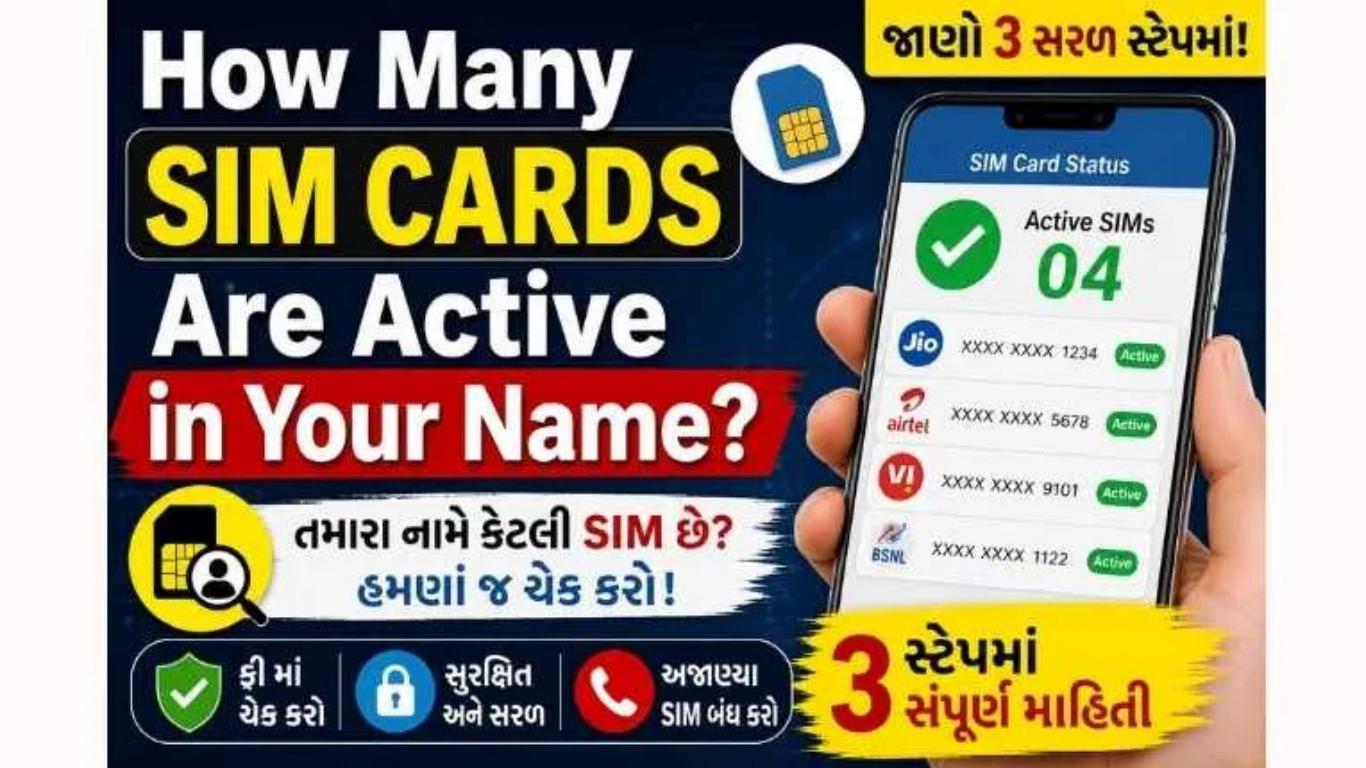
f you are wondering how to check how many SIMs are on your Aadhaar card, the safest method is to use the Government of India’s Sanchar Saathi portal. Its TAFCOP service lets you review the mobile connections issued in your name, identify an unfamiliar number and request action without using a paid app or third-party Aadhaar checker
Quick answer: Visit the official Sanchar Saathi website, select Know Mobile Connections in Your Name, enter your active 10-digit mobile number and captcha, and complete OTP verification. You will then see the mobile connections registered in your name. If a connection is unfamiliar, mark it as This is not my number. If it is yours but no longer needed, select Not required.Check SIMs on Official TAFCOP PortalVisit Sanchar Saathi
Always confirm that the address ends in .gov.in before entering a mobile number or OTP.
Can You Check SIM Cards Directly with an Aadhaar Number?
The popular search phrase “Aadhaar card SIM check” can create the wrong impression. The official public process does not ask you to type your 12-digit Aadhaar number into a general search box. Instead, TAFCOP verifies an active mobile number through OTP and then displays the connections issued in the subscriber’s name
This difference matters for digital identity security. You should never upload an Aadhaar image, enter an Aadhaar number or share an OTP on an unknown website that promises to reveal “all SIM details.” Use only the official Sanchar Saathi domain or contact your telecom operator through its verified customer-care channel.
Privacy warning: No legitimate agent needs your OTP over a phone call, WhatsApp chat or screen-sharing app to perform this check. Enter the OTP yourself only on the official government page. Never share an Aadhaar OTP, banking OTP, UPI PIN or card CVV.
How to Check How Many SIMs Are Registered in Your Name
The following steps work on an Android phone, iPhone, laptop or desktop browser. Keep a mobile number issued in your name nearby because the portal uses it for OTP authentication.
Open the official portal. Go to sancharsaathi.gov.in. Avoid sponsored look-alike pages and similarly named private websites.
Choose the correct service. On the portal, select Know Mobile Connections in Your Name. This is the TAFCOP consumer-protection service.
Enter your active mobile number. Type the 10-digit Indian mobile number that you currently use and can access.
Complete the captcha. Enter the security code displayed on the page. If it is unclear, refresh the captcha instead of guessing repeatedly.
Request and verify the OTP. Tap the OTP button, enter the one-time password received on your phone and complete verification. Do not tell the OTP to anyone.
Review the mobile connections. The dashboard will show the mobile numbers issued in your name. Some digits may be masked for security. Compare the list with your active, spare, family-use and old connections.
Report a connection only when necessary. Choose This is not my number for a connection you never obtained. Choose Not required if the number is yours but you no longer want it.
Save the reference details. Submit the request and take a screenshot or note the reference number so you can track or discuss it with the telecom operator later.
What the Options on TAFCOP Mean
Option
When to Select It
What You Should Do First
This is not my number
You do not recognize the connection and never requested it.
Check the digits carefully and confirm that it is not an old, spare or family-use SIM obtained by you.
Not required
The number belongs to you, but you no longer use or need the connection.
Move any bank, UPI, email, social-media and government-service accounts away from that number first.
Required / My number
The connection is yours and you want to keep it active.
No disconnection request is needed. Continue protecting the SIM and linked accounts.
Do not rush: A partly masked number can look unfamiliar. Check old recharge messages, dual-SIM phones, family devices and numbers used for business before reporting it. A wrong report could interrupt access to accounts linked with that SIM.
What Happens After You Report an Unknown SIM?
A TAFCOP report is not the same as instantly switching off a number from your screen. The request is sent through the official process so the concerned telecom service provider can verify it and take appropriate action. Keep the reference number and monitor any status update shown by the portal.
If the unfamiliar number appears connected with active fraud, financial loss, threats or impersonation, preserve screenshots and transaction records. For suspected fraud communications, Sanchar Saathi also provides the Chakshu reporting facility. If money has already been lost in a cyber fraud, use the official national cybercrime reporting channel or call 1930 promptly; a normal SIM-review request is not a replacement for an urgent financial-fraud complaint
How Many SIM Cards Can Be Registered in One Person’s Name?
According to the official Sanchar Saathi information, an individual subscriber can acquire a maximum of nine mobile connections. The stated limit is six connections for subscribers in Jammu and Kashmir, Assam and North Eastern states. This is a maximum limit, not a recommendation to keep many unused connections.
Having fewer active SIMs makes account recovery and identity management easier. Close numbers you no longer use after safely updating every bank account, UPI profile, DigiLocker account, email address, social-media login, insurance account and other online service connected to that number.
Review and report mobile connections issued in your name
Yes, after mobile OTP verification
UIDAI / myAadhaar
Manage Aadhaar-related services and authentication features
It is not the primary public portal for viewing your complete telecom connection list
Telecom operator
Manage a specific Jio, Airtel, Vi, BSNL or other operator account
It can assist with connections and KYC records under that operator
Unknown SIM-checking app or website
Often unclear; may collect personal data
Do not trust it with Aadhaar, OTP or identity documents
Can You Find Phone Number Details with a Name?
No official consumer tool should reveal another person’s private subscriber details simply because you enter a phone number or name. TAFCOP is not a reverse phone lookup service. It is designed to let a subscriber check connections issued in their own name after OTP verification.
Apps that show crowdsourced caller labels may display an informal name entered by other users, but that is not verified telecom ownership or legal KYC proof. Do not use such a label to accuse someone, publish personal information or make a financial decision. For harassment, threats or fraud, preserve the evidence and report the communication through the proper telecom, cybercrime or police channel.
Why an Unknown SIM in Your Name Is a Serious Risk
A mobile connection is more than a calling number. It may be used for account verification, password recovery, digital payments and access to online services. An unauthorized connection issued against your identity can create avoidable cybersecurity, financial and legal complications.
Identity theft risk: Misused identity documents may be connected with an unauthorized telecom account.
Online fraud exposure: Fraudsters can use illegally obtained connections for deceptive calls, messages or fake accounts.
Account security problems: An old number may still receive password-reset or verification messages if you forgot to update an account.
Investigation difficulties: A number shown in your name may require explanation if it is misused.
Personal data exposure: Uploading Aadhaar documents to fake checking sites can create a second privacy problem.
Checking the list periodically is a simple part of personal data protection, just like reviewing bank statements, updating passwords and monitoring sign-in alerts.
What to Do Before Closing an Old SIM
If a connection is genuinely yours but no longer needed, take a few precautions before selecting Not required or asking the operator to close it:
Identify every bank account, UPI app, wallet and credit-card profile using the number.
Update the number in Aadhaar-related, PAN, income-tax, DigiLocker and other government accounts where applicable.
Change the recovery number for Gmail, Apple ID, Microsoft, social media and cloud storage.
Move WhatsApp or other messaging accounts using the platform’s official change-number feature.
Download important bills, contacts or messages and remove the number from business listings.
Confirm the closure method and final status with the telecom operator.
Best practice: Keep a simple private list of your active mobile numbers, telecom operators, recharge dates and the important accounts linked to each number. Do not store Aadhaar images or OTPs in that list.
TAFCOP OTP Not Received or Portal Not Working
OTP is delayed
Confirm that the phone has network coverage, the number was entered correctly and SMS services are active. Wait briefly before requesting another OTP. Repeated requests can trigger a temporary delay.
Refresh the captcha, check uppercase and lowercase characters, and try a current version of Chrome, Edge, Firefox or Safari. Disable a problematic browser extension only if you trust the device.
Page does not load
Use the main Sanchar Saathi homepage and open the service from there. Try another network or browser later if the government portal is temporarily busy. Do not switch to an unofficial clone merely because it loads faster.
A known SIM does not appear
Recheck whether the connection was obtained in your name, recently activated, transferred or closed. For an operator-specific record or KYC discrepancy, contact the telecom provider through its official store or verified support channel.
Digital Identity and SIM Fraud Prevention Tips
Use only the official Sanchar Saathi or telecom-operator channel for SIM verification.
Never give an OTP to a caller claiming to “verify,” “upgrade” or “block” your SIM.
Do not allow an unknown person to use screen-sharing or remote-control apps on your phone.
Write the purpose and date on an identity-document photocopy when a copy is legitimately required.
Do not leave a signed blank customer form or unattended Aadhaar copy at a shop.
Protect your email and telecom accounts with strong, unique passwords.
Review mobile connections after losing identity documents or noticing suspicious KYC messages.
Report a lost phone and protect its SIM promptly; use CEIR when device blocking is required.
This article answers the main search intent behind the following closely related questions without using unsafe reverse-lookup methods:
how to check how many SIMs on Aadhaar card how to check how many SIMs on my Aadhaar card how many SIMs are on my name Aadhaar card SIM check how many SIM cards are on my name SIM number details TAFCOP Aadhaar card check Sanchar Saathi SIM check mobile connections in my name report unknown SIM card online phone number details with name check SIM owner details online
Frequently Asked Questions
How can I check how many SIMs are linked to my Aadhaar card?
Open the official Sanchar Saathi portal, choose Know Mobile Connections in Your Name, enter your active mobile number and captcha, and verify the OTP. TAFCOP will then show the mobile connections issued in your name.
Government
Do I need to enter my Aadhaar number on TAFCOP?
No. The official checking process uses an active Indian mobile number, captcha and OTP. Do not enter your Aadhaar number or upload its image on an unofficial SIM-checking website.
What should I do if an unknown SIM appears in my name?
First make sure it is not an old or family-use connection obtained by you. If it is truly unfamiliar, select This is not my number, submit the report and save the reference details.
Is the Sanchar Saathi TAFCOP service free?
Yes. It is a citizen service provided through India’s Department of Telecommunications and does not require a paid subscription.
Can TAFCOP show someone else’s phone number details with name?
No. TAFCOP lets a subscriber review mobile connections issued in their own name after OTP verification. It is not a public tool for revealing someone else’s private identity or KYC information.
Computer Security
How many SIM cards can one person have in India?
Official Sanchar Saathi information states a maximum of nine mobile connections for an individual subscriber, with a limit of six for subscribers in Jammu and Kashmir, Assam and North Eastern states.
Can I report an unused number instead of an unknown number?
Yes. Use Not required when the SIM belongs to you but is no longer needed. Use This is not my number only when you did not obtain or recognize the connection.
Does reporting an unknown SIM disconnect it instantly?
No. The report is forwarded through the official process for verification and appropriate action. Save the reference number and follow the status or contact the concerned operator if needed.
The safest answer to how to check how many SIMs are on an Aadhaar card is to use the official Sanchar Saathi TAFCOP service. Verify your active number through OTP, review every displayed connection and report only those that are unknown or no longer required. You do not need to enter your Aadhaar number into a third-party checker, buy an app or pay an agent.
A two-minute review can help detect an unauthorized connection early, but careful action is equally important. Confirm masked numbers before reporting, update important accounts before closing an old SIM and use the correct cybercrime channel if fraud or financial loss has already occurred
Disclaimer: This article provides general consumer-awareness information. Portal labels, rules and procedures can change. Verify the current instructions on the official Sanchar Saathi and Department of Telecommunications websites. Do not share an OTP, Aadhaar image, banking credential or identity document with an unknown person or website.