The Pradhan Mantri MUDRA Yojana (PMMY) is one of India’s important government-backed credit schemes for small and micro entrepreneurs. The scheme was launched in 2015 to provide institutional credit for income-generating businesses in sectors such as manufacturing, trading, services and allied agricultural activities.
Under the latest structure, eligible borrowers can access MUDRA loans up to ₹20 lakh. However, the ₹10 lakh–₹20 lakh Tarun Plus category has a specific eligibility condition: the applicant must have previously taken and successfully repaid a MUDRA loan under the Tarun category.
PMMY was launched on 8 April 2015 with the objective of providing institutional credit to non-corporate and non-farm micro and small enterprises.
The scheme supports businesses that need finance for activities that generate income and employment. Loans are provided through eligible lending institutions such as banks, NBFCs and MFIs.
The exact eligibility, loan amount, interest rate, repayment period and documentation requirements can vary according to the lending institution and applicant’s profile.
Is Collateral Required?
PMMY is designed to provide collateral-free institutional credit to eligible micro and small businesses. The government has also extended guarantee coverage for eligible MUDRA loans through the Credit Guarantee Fund for Micro Units.
However, collateral-free does not mean guaranteed approval. The lending institution will assess the applicant, business proposal and applicable requirements before sanctioning a loan.
How to Apply for a MUDRA Loan?
pplicants can approach participating banks, NBFCs or MFIs.
The government has also highlighted platforms such as Jan Samarth for accessing credit-linked government schemes and facilitating the loan application journey.
A typical application may require documents such as:
Identity proof
Address proof
Bank account details
Business-related documents
Business plan or project details
Financial documents, where applicable
Other documents requested by the lender
Applicants should check the latest requirements directly with the concerned lending institution before applying.
Important Point About the ₹20 Lakh MUDRA
A common misunderstanding is that every applicant can directly receive ₹20 lakh under MUDRA.
That is not correct.
The Tarun Plus category provides loans above ₹10 lakh and up to ₹20 lakh specifically to entrepreneurs who have previously availed and successfully repaid a loan under the Tarun category.
Therefore, applicants should check their eligibility before assuming that the maximum ₹20 lakh amount will be available to them.
Why MUDRA Loans Are Important for Small Businesses
MUDRA supports entrepreneurs who may need formal finance to start, stabilise or expand their businesses.
According to government data, as of 27 March 2026, PMMY had sanctioned 57.79 crore loans amounting to ₹40.07 lakh crore cumulatively.
The scheme therefore continues to play an important role in financial inclusion and small-business financing.
Final Words
The PM MUDRA Yojana 2026 can be an important financing option for eligible small and micro entrepreneurs. The scheme has four categories—Shishu, Kishor, Tarun and Tarun Plus—with the maximum loan limit reaching ₹20 lakh.
If you are planning to start or expand a small business, carefully check your eligibility, prepare a realistic business plan and compare the applicable terms offered by participating lenders before applying.
Important:A government scheme does not mean automatic loan approval. Final sanction, interest rate, repayment conditions and documentation depend on the applicable rules and the lending institution.
Meta Description: Meta plans new Instagram and Facebook restrictions for teens, including a two-hour daily limit and Night Mode from midnight to 6 AM in participating U.S. states.
Focus Keyword: Instagram and Facebook 12 AM to 6 AM Secondary Keywords:Instagram Facebook Night ModeMeta new rules 2026Instagram new update 2026Facebook new rules for teens Meta teen safety updateInstagram two hour limitFacebook two hour limitInstagram midnight to 6 AMMeta $18 billion settlementSocial media rules for teenagers
nstagram and Facebook to Be Blocked for Teens from Midnight to 6 AM: Meta’s Major New Decision
Meta has agreed to major new safety measures for teenagers using Instagram and Facebook in participating U.S. states and territories. Under the proposed agreement, users under 18 would face a default two-hour daily limit across both platforms and a Night Mode block from midnight to 6 AM. The agreement is still subject to judicial approval.
What Is Meta’s New Decision?
Meta, the parent company of Facebook and Instagram, has reached an agreement with a bipartisan group of U.S. state attorneys general following legal claims concerning children’s safety and social-media use.
The agreement includes stronger controls designed to help parents manage teenagers’ social-media usage. The measures would apply automatically to users under 18 in participating U.S. states and territories, once approved.
Instagram and Facebook Night Mode: 12 AM to 6 AM
One of the most important changes is the proposed Night Mode.
Under the agreement:
🌙 Teen accounts would be blocked from Facebook and Instagram from 12:00 AM to 6:00 AM.
🚫 During this period, teens would not be able to view or post on Feed, Stories, Explore or Reels.
👨👩👧 The restriction is designed to support healthier online habits and parental control.
🇺🇸 The measure applies to participating U.S. states and territories, not automatically to every country.
Therefore, the viral headline that “Instagram and Facebook will be completely shut down worldwide from midnight to 6 AM” would be misleading.
Two-Hour Daily Limit for Teens
Meta also agreed to a default two-hour daily usage limit for users under 18 across Facebook and Instagram.
The two-hour limit is cumulative, meaning time spent on both apps counts toward the same daily total. Teens would generally need parental permission to turn off the restriction.
School Mode
Another proposed feature is School Mode.
Notifications would be muted by default between 8 AM and 3 PM, although direct messages and important account-security or safety alerts would still be allowed.
This feature is intended to reduce distractions during school hours.
Regular Screen-Time Reminders
Meta also plans to introduce more frequent reminders about usage.
Teens would receive prompts after every 15 minutes of continuous screen time, along with additional reminders when total daily usage reaches 60 minutes and 90 minutes.
Other Changes Coming to Instagram and Facebook
The agreement includes several other protections for younger users, including:
Better age-assurance technology
More parental controls
Reduced visibility of likes and reactions for teens
Options for a non-personalized feed
Restrictions on certain cosmetic and extreme makeup filters
Additional reporting and safety measures
Meta’s $18 Billion Agreement
The agreement includes approximately $18 billion in payments, distributed over a 10-year period. Meta says the funds can support youth online-safety initiatives and other state priorities.
The settlement follows legal claims involving the impact of Meta’s platforms on young users. Meta has not admitted wrongdoing as part of the agreement.
Will These Rules Apply in India?
Not automatically.
The current agreement is connected to participating U.S. states and territories. It does not mean that Instagram and Facebook will automatically stop working for teenagers in India from midnight to 6 AM.
However, the development is attracting attention in India because policymakers are also examining possible approaches to children’s online safety and social-media use.
What Could Happen Next?
The agreement still requires judicial approval. If approved, Meta will implement the agreed protections in participating U.S. jurisdictions.
Meta has also called on TikTok and YouTube to adopt similar protections so that teenagers do not simply move from one platform to another.
Conclusion
Meta’s new agreement represents a significant change in how teenagers may use Instagram and Facebook in the United States. The proposed midnight-to-6 AM Night Mode, two-hour daily limit, School Mode, and stronger parental controls are intended to promote safer and more responsible social-media use.
However, it is important to understand that this is not a worldwide shutdown of Instagram and Facebook. The restrictions are aimed at under-18 users in participating U.S. states and territories, and implementation is subject to judicial approval.
Meta, Instagram, Facebook, Social Media, Technology News, Instagram Update, Facebook Update, Teen Safety, Meta News 2026
Meta Description: Learn how to earn money from Pinterest in 2026 using affiliate marketing, website traffic, digital products, services, courses, and brand collaborations. Pinterest earning How to make money on Pinterest Pinterest monetization Pinterest affiliate marketing Make money with Pinterest Pinterest income Pinterest marketing Pinterest SEO Pinterest business account Earn money online with Pinterest
Pinterest is more than a platform for discovering ideas, recipes, fashion, education resources, home décor, and inspiration. It can also become a powerful source of online income when used with the right strategy.
Unlike traditional social media platforms, Pinterest works more like a visual search engine. People visit Pinterest to discover ideas and often click on Pins to learn more, visit websites, purchase products, or find useful resources. This makes Pinterest an attractive platform for bloggers, content creators, affiliate marketers, website owners, and online businesses.
In this guide, we will explain how to earn money from Pinterest, different Pinterest monetization methods, how to create successful Pins, and how beginners can start building an income stream.
What Is Pinterest?
Pinterest is a visual discovery and search platform where users can find, save, and organize ideas using Pins and Boards.
Users can search for topics such as:
Education
Recipes
Fashion
Beauty
Travel
Technology
Blogging
Digital products
Home decoration
Fitness
Quotes and motivation
Printable resources
A well-designed Pin can continue generating clicks and traffic for a long time because Pinterest content can appear in search results even after it is published.
Can You Make Money from Pinterest?
Yes, Pinterest can be used to generate income, but Pinterest itself should generally be viewed as a traffic and discovery platform, rather than simply a platform that pays users for views.
The most common ways to make money include:
Affiliate marketing
Driving traffic to a blog or website
Selling digital products
Promoting your own services
Selling physical products
Sponsored content and brand collaborations
Building an email list
Promoting an online course
Using Pinterest to grow an online business
Your income will depend on your niche, content quality, audience, traffic, conversion rate, and monetization strategy.
Earn Money Through Affiliate Marketing
Affiliate marketing is one of the popular ways to monetize Pinterest traffic.
In affiliate marketing, you promote a product or service using a special affiliate link. If someone makes a qualifying purchase through your link, you may receive a commission according to the affiliate program’s terms.
How It Works
The basic process is:
Create useful content → Design a Pinterest Pin → Get Pinterest traffic → Recommend a relevant product → Earn commission
For example, if your Pinterest niche is education, you could create content around educational resources, study tools, books, templates, or other relevant products where affiliate promotion is permitted.
Always follow the rules of Pinterest, the affiliate program, and applicable advertising/disclosure requirements.
If you own a blog or website, Pinterest can become an important traffic source.
You can create attractive Pins for your website articles and link each Pin to the relevant page.
For example, a website about education could create Pins about:
Study tips
School worksheets
Exam preparation
Educational activities
Printable resources
Teaching ideas
Learning materials
When Pinterest users click on your Pin and visit your website, that traffic can potentially be monetized through advertising, affiliate marketing, product sales, or other legitimate methods.
Make Money by Selling Digital Products
Digital products are another excellent monetization option.
Pinterest can be used to showcase these products visually and send interested users to your product page.
The advantage of digital products is that they can often be created once and sold repeatedly, although you still need to consider platform fees, taxes, customer support, marketing, and ongoing updates.
Promote Your Online Services
Pinterest can also help freelancers and service providers find potential customers.
You can promote services such as:
Graphic design
Website design
Content writing
SEO services
Social media management
Pinterest management
Online tutoring
Digital marketing
Video editing
Create Pins that explain the problem you solve and direct users to a professional landing page or contact form.
Sell Physical Products
If you operate an online store, Pinterest can help people discover your products.
Product-focused Pins can showcase:
Clothing
Home décor
Stationery
Handmade products
Craft products
Accessories
Educational products
Use accurate descriptions and send users to the appropriate product or store page.
Sponsored Content and Brand Collaborations
As your Pinterest presence grows, brands may become interested in collaborating with you.
A brand may pay for promotional content when your audience and niche are relevant to its products.
For successful brand collaborations, focus on:
A clear niche
High-quality Pins
Consistent content
Genuine audience engagement
Professional communication
Transparent advertising disclosures
A large follower count is not the only factor brands consider. Relevance and quality can be equally important.
Promote an Online Course
If you have expertise in a particular subject, Pinterest can help promote an online course.
For example:
Pinterest Pin → Educational Blog Post → Course Landing Page → Student Enrollment
You can create Pins around common questions and problems related to your course topic.
For example:
How to improve English vocabulary
Study tips for students
Beginner blogging guide
Canva design tips
Digital marketing basics
Useful educational content can attract people who are already interested in your topic.
Build an Email List
Pinterest can also be used to grow an email audience.
You can offer a useful free resource, such as:
Free checklist
Free printable
Mini e-book
Study planner
Educational worksheet
Beginner’s guide
Users can visit your landing page and voluntarily subscribe to receive the resource.
Once you have an email list, you can provide useful content and promote relevant products or services responsibly.
How to Start Pinterest for Making Money
Beginners can follow these simple steps.
Step 1: Choose a Niche
Select one clear topic instead of trying to cover everything.
Good Pinterest niches can include:
Education
Blogging
Recipes
Travel
Home décor
Fashion
DIY
Crafts
Personal finance
Technology
Choose a niche where you can consistently create useful content.
Step 2: Create a Pinterest Business Account
A business account provides tools and features designed for creators and businesses.
Complete your profile with:
Profile name
Profile picture or logo
Description
Website
Relevant keywords
Step 3: Create Keyword-Focused Boards
Create boards around topics that match your niche.
Use natural keywords in board names and descriptions.
Avoid keyword stuffing. Your content should remain useful and understandable for real users.
Step 4: Design Attractive Pins
Your Pin is the first thing users see.
A good Pin should have:
Clear headline
High-quality image
Easy-to-read text
Strong visual hierarchy
Relevant branding
Accurate destination link
Vertical designs generally work well for Pinterest’s visual format.
Step 5: Publish Consistently
Consistency is more important than simply publishing a large number of Pins for a short period.
Create a realistic publishing schedule that you can maintain.
Focus on quality, originality, relevance, and useful information.
Step 6: Track Your Results
Use Pinterest analytics and your website analytics to understand:
Impressions
Saves
Outbound clicks
Top-performing Pins
Popular topics
Traffic sources
Conversions
Then create more content around topics that perform well.
Pinterest SEO Strategy
Pinterest SEO is important because Pinterest functions as a visual search and discovery platform.
Use relevant keywords in:
Profile name
Profile description
Board names
Board descriptions
Pin titles
Pin descriptions
Website content
Research what your target audience is searching for and create content that answers those searches.
How Much Money Can You Make from Pinterest?
There is no fixed income amount from Pinterest.
One person may earn nothing initially, while another may build a significant business through Pinterest traffic and conversions.
Your potential income depends on factors such as:
Traffic × Conversion Rate × Average Revenue per Conversion
For example, if Pinterest sends qualified visitors to your website, those visitors may generate income through affiliate sales, advertisements, digital products, services, or other business models.
Therefore, do not focus only on followers. Focus on quality traffic and conversions.
Common Pinterest Mistakes to Avoid
Beginners often make these mistakes:
Posting without a clear niche
Using poor-quality images
Writing unclear Pin titles
Ignoring keywords
Sending users to irrelevant pages
Copying other creators
Using misleading headlines
Expecting instant income
Ignoring analytics
Publishing inconsistently
Avoiding these mistakes can help you build a stronger Pinterest strategy.
Final Thoughts
Pinterest can be a valuable platform for generating online income when it is used strategically. The best approach is to create useful content, understand what your audience searches for, build attractive Pins, send visitors to valuable destinations, and use a suitable monetization method.
For beginners, the most practical strategy is to start with one niche, one website or landing page, and one monetization method. As traffic grows, you can expand into affiliate marketing, digital products, services, courses, advertising, and brand partnerships.
Pinterest income is usually not instant. Consistency, useful content, Pinterest SEO, and patience are important for long-term results.SEO Details
FAQs
Can beginners make money from Pinterest? Yes. Beginners can use Pinterest to generate traffic and monetize that traffic through affiliate marketing, websites, digital products, services, and other legitimate methods.
Does Pinterest pay users for views? Pinterest should not be treated simply as a platform that pays users for ordinary views. Most creators monetize through traffic, products, affiliate marketing, services, or business opportunities.
How long does it take to make money from Pinterest? There is no fixed timeline. Results depend on niche, content quality, consistency, search demand, traffic, and conversion rates.
Is Pinterest good for affiliate marketing? Pinterest can be useful for affiliate marketing when the content, links, disclosures, and promotional practices comply with Pinterest’s rules and the relevant affiliate program’s terms.
What is the best Pinterest niche for earning money? There is no single best niche. Education, home décor, recipes, fashion, travel, DIY, blogging, technology, and digital products can all have monetization opportunities when there is strong audience demand.
Do I need a website to make money from Pinterest? Not necessarily. However, having a website or landing page can give you more control over your content, audience, and monetization options.
NPS PRIDE-DISHA Calculator for pension fund comparison
How to calculate XIRR in NPS
NPS projected corpus calculator
Compare NPS pension funds online
PFRDA PRIDE-DISHA Calculator
Dear Subscriber,
We have an important update for you:
As part of ongoing commitment efforts towards enhancing subscriber awareness and informed decision-making under NPS, PFRDA has enabled PRIDE DISHA calculator, which can be accessed at ( https://pfrda.org.in/pride-calculator ). The objective is to facilitate Subscribers to access and review performance of schemes and Pension Funds available under NPS through this PRIDE DISHA calculator and thereby enabling informed subscriber choices under NPS.
NPS PRIDE-DISHA is a new initiative designed to help National Pension System (NPS) subscribers make more informed decisions about their retirement planning. The calculator allows users to compare pension funds and schemes, understand investment performance, calculate XIRR, and view their projected retirement corpus.
PRIDE stands for P‑Pension Fund | R‑Returns for | I‑Informed | D‑Decision & | E‑Empowerment. It is a comparison and decision‑support tool that leverages historical NAV data that is updated daily to present XIRR‑based performance of the various Pension Fund Managers under the National Pension System (NPS). It is tailored to a subscriber’s investment choice (Active or Auto), date of investment and amount contributed for Tier I (Pension Account). The intent is to help subscribers identify significant retirement wealth creators by evaluating historical performance in a choice‑specific manner rather than only scheme‑wise, point‑to‑point returns.
What is NPS PRIDE-DISHA?
NPS PRIDE-DISHA is a digital calculator that provides useful insights into NPS investments. It helps subscribers understand how their contributions could have grown across different pension funds and schemes.
The tool is designed to support informed decision-making for NPS subscribers.
Key Features of NPS PRIDE-DISHA
Compare Pension Funds Side by Side
Subscribers can select up to two eligible pension funds and compare their performance. This makes it easier to understand the differences between available investment options.
XIRR Calculation
The calculator provides XIRR (Extended Internal Rate of Return), which helps users understand the annualised return of investments involving contributions made at different times.
Projected Retirement Corpus
NPS PRIDE-DISHA can provide an estimated view of the potential retirement corpus based on the relevant investment information. This can help subscribers understand their long-term retirement planning.
Benchmark Against the Market
Users can compare the performance of eligible pension funds and understand how different funds have performed.
Data-Based Insights
The platform uses available performance data to provide subscribers with useful information for understanding their NPS investment choices.
How Can NPS Subscribers Use PRIDE-DISHA?
Using the calculator can help subscribers:
Understand NPS investment performance.
Compare different pension funds.
Check annualised returns through XIRR.
Estimate their potential retirement corpus.
Make more informed retirement-planning decisions.
The promotional information indicates that no login is required to explore the PRIDE-DISHA calculator.
Why Is NPS PRIDE-DISHA Useful?
Retirement planning is a long-term financial decision. Simply looking at the amount contributed may not provide a complete picture of investment performance.
PRIDE-DISHA brings important information together so that NPS subscribers can better understand fund performance and potential outcomes. It can therefore be a useful tool for financial awareness and retirement planning.
Where Can You Explore NPS PRIDE-DISHA?
The NPS PRIDE-DISHA Calculator is promoted for access through PFRDA and Protean CRA websites. Subscribers should always use the official website and verify the latest information before making any investment-related decision.
«Important: PRIDE-DISHA is an informational and comparison tool. Projected returns or corpus figures should not be treated as guaranteed returns. Investment performance can vary, and subscribers should carefully consider their individual circumstances before making decisions.»
FAQs – NPS PRIDE-DISHA
Q1. What is NPS PRIDE-DISHA? NPS PRIDE-DISHA is a calculator designed to help NPS subscribers understand and compare pension fund performance.
Q2. What can I calculate using PRIDE-DISHA? You can calculate XIRR, compare pension funds and view a projected retirement corpus.
Q3. Can I compare different pension funds? Yes. The tool allows users to compare eligible pension funds side by side.
Q4. Is login required to use the PRIDE-DISHA Calculator? The promotional information states that no login is required to explore the calculator.
Q5. Does PRIDE-DISHA guarantee future returns? No. Projected corpus and historical performance are not guaranteed future returns. Users should verify official information before making investment decisions.
Conclusion
NPS PRIDE-DISHA provides NPS subscribers with a simple way to calculate, compare and understand pension fund performance. Features such as XIRR calculation, pension fund comparison, projected corpus and market benchmarking can help subscribers become more informed about their retirement investments.
For NPS subscribers looking to understand their investment performance and plan for retirement, PRIDE-DISHA can be a useful financial-awareness tool.
DA Hike 2026: Check the latest updates on July DA increase, 8th Pay Commission, salary hike expectations and whether central government employees may get a Raksha Bandhan gift.
Focus Keyword: DA Hike 2026 DA Hike 2026, DA Increase July 2026, Dearness Allowance Hike, 8th Pay Commission 2026, Central Government Employees, July DA Hike, Government Salary Hike, Raksha Bandhan DA News
દેશભરના લાખો કેન્દ્રીય કર્મચારીઓ જુલાઈ માસના મોંઘવારી ભથ્થામાં વધારાની આતુરતાપૂર્વક રાહ જોઈ રહ્યા છે. સપ્ટેમ્બરના પ્રથમ સપ્તાહમાં સરકાર દ્વારા 2 થી 3% ના ડીએ વધારાની જાહેરાત કરવામાં આવે તેવું અનુમાન નિષ્ણાતો દ્વારા કરવામાં આવ્યું છે.
🎁 રક્ષાબંધન પર મળી શકે છે ભેટ?
રક્ષાબંધનના પવિત્ર અવસરે કેન્દ્રીય કર્મચારીઓને ભેટ આપશે? જાન્યુઆરીના ડીએ વધારાની જાહેરાત માર્ચ કે એપ્રિલ મહિનામાં કરવામાં આવે છે, જ્યારે જુલાઈના ડીએ વધારાની જાહેરાત સામાન્ય રીતે સેપ્ટેમ્બર અથવા ઓક્ટોબરમાં થતી હોય છે. પરંતુ તહેવારોની મોસમ નજીક હોવાથી શું સરકાર આ વખતે રક્ષાબંધનના પવિત્ર અવસરે કેન્દ્રીય કર્મચારીઓને ભેટ આપશે? આ અંગે નિષ્ણાતોએ મહત્વની બાબતો રજૂ કરી છે.
જો જુલાઈ 2026ના DAમાં વધારો મંજૂર થાય છે, તો તેની જાહેરાત આગામી મહિનાઓમાં થઈ શકે છે. રક્ષાબંધન નજીક હોવાથી સોશિયલ મીડિયા અને કર્મચારી વર્ગમાં એવી ચર્ચા ચાલી રહી છે કે સરકાર તહેવારની આસપાસ DA વધારાની જાહેરાત કરીને કર્મચારીઓને ભેટ આપી શકે છે.
જોકે, રક્ષાબંધન પર જ DA વધારાની જાહેરાત થશે તેવી કોઈ સત્તાવાર પુષ્ટિ હાલમાં નથી. તેથી કર્મચારીઓએ સરકારની સત્તાવાર જાહેરાતની રાહ જોવી જરૂરી છે.
📈 DA કેટલો વધી શકે?
DAમાં વધારો મુખ્યત્વે AICPI-IW (All India Consumer Price Index for Industrial Workers)ના આંકડાઓના આધારે નક્કી કરવામાં આવે છે. આ આંકડાઓના આધારે DAમાં સંભવિત વધારાનો અંદાજ લગાવવામાં આવે છે.
નિષ્ણાતોના અંદાજ મુજબ જુલાઈ 2026 માટે DAમાં વધારો થઈ શકે છે, પરંતુ ચોક્કસ ટકાવારી સરકારની સત્તાવાર જાહેરાત બાદ જ નક્કી થશે.
કન્ઝ્યુમર પ્રાઇસ ઇન્ડેક્સ (CPI) ના ટ્રેન્ડ્સ અનુસાર આ વખતે ડીએ માં 3% નો વધારો થવાની પૂરી શક્યતા દર્શાવવામાં આવી રહી છે. જો સરકાર 3% નો વધારો મંજૂર કરે છે, તો કેન્દ્રીય કર્મચારીઓનું મોંઘવારી ભથ્થું વધીને બેઝિક સેલરીના 63% થઈ જશે.
💰 કર્મચારીઓના પગારમાં શું અસર થશે?
DAમાં વધારો થતાં કેન્દ્રીય કર્મચારીઓના કુલ માસિક વેતનમાં વધારો થશે. DA મૂળ પગારની ટકાવારી તરીકે ગણવામાં આવતું હોવાથી, મૂળ પગાર જેટલો વધારે હોય તેટલી વધારાની રકમ પણ વધુ થઈ શકે છે.
આ ઉપરાંત DA વધારાની અસર કેટલાક અન્ય ભથ્થાઓ પર પણ પડી શકે છે, જેના કારણે કર્મચારીઓના કુલ પગારમાં વધારો થઈ શકે છે.
નિષ્ણાતોની માંગ અને રક્ષાબંધનની ભેટ મોંઘવારી ભથ્થામાં વધારાને કેન્દ્રીય કેબિનેટ દ્વારા મંજૂરી આપવામાં આવે છે. જ્યાં સુધી 8મું પગાર પંચ લાગુ ન થાય ત્યાં સુધી 7મા પગાર પંચ હેઠળ જ ડીએ માં વધારો થતો રહેશે. મોદી સરકારે એપ્રિલ મહિનામાં મોંઘવારી ભથ્થામાં 2% નો વધારો કરીને તેને 58% થી વધારીને 60% કર્યું હતું. હવે તેમાં ફરીથી 2 થી 3% નો વધારો થવાની પ્રબળ શક્યતા છે.
કર્મચારીઓનો પગાર 1-2 દિવસ વહેલો જારી કરી દેવો જોઈએ ઓલ ઇન્ડિયા એનપીએસ એમ્પ્લોઇઝ ફેડરેશન અને નેશનલ મિશન ફોર ઓલ્ડ પેન્શન સ્કીમ ભારતના રાષ્ટ્રીય અધ્યક્ષે જણાવ્યું હતું કે, તહેવારોની મોસમ, ખાસ કરીને રક્ષાબંધન અને ઓણમને ધ્યાનમાં રાખીને સરકારે કર્મચારીઓનો પગાર 1-2 દિવસ વહેલો જારી કરી દેવો જોઈએ. આ સાથે જ જો સરકાર સપ્ટેમ્બરમાં મોંઘવારી ભથ્થામાં વધારાની યોજના બનાવી રહી હોય, તો તેની જાહેરાત ઓગસ્ટના અંત સુધીમાં એટલે કે રક્ષાબંધનના અવસરે જ કરી દેવી જોઈએ.”
🏛️ 8મા પગાર પંચ પર પણ નજર
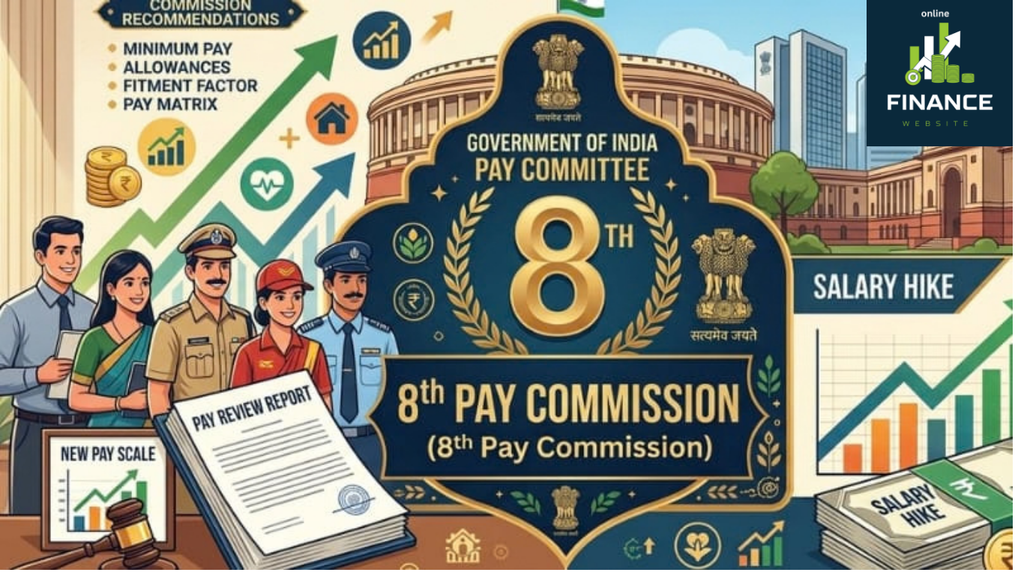
કેન્દ્રીય કર્મચારીઓ માટે 8મો પગાર પંચ પણ મહત્વપૂર્ણ છે. નવા પગાર પંચની ભલામણો અમલમાં આવ્યા બાદ પગાર, ભથ્થાં અને પેન્શન સંબંધિત માળખામાં ફેરફાર થઈ શકે છે.
હાલમાં કર્મચારીઓ માટે બે બાબતો સૌથી વધુ ચર્ચામાં છે:
➖ જુલાઈ 2026નું DA વધારું ➖ 8મા પગાર પંચની ભલામણો અને તેનો અમલ
⚠️ મહત્વપૂર્ણ નોંધ
રક્ષાબંધન પર DA વધારાની ભેટ મળવાની ચર્ચા ચાલી રહી છે, પરંતુ હાલ સુધીમાં આ અંગે કોઈ અંતિમ સત્તાવાર જાહેરાત થઈ નથી. DAની ચોક્કસ ટકાવારી અને જાહેરાતની તારીખ માટે કેન્દ્ર સરકારના સત્તાવાર નિર્ણયની રાહ જોવી જરૂરી છે.
Disclaimer: આ લેખમાં આપવામાં આવેલી DA Hike, 8મા પગાર પંચ અને રક્ષાબંધન પર સંભવિત જાહેરાત સંબંધિત માહિતી માત્ર સામાન્ય માહિતી અને સમાચાર અહેવાલોના આધારે રજૂ કરવામાં આવી છે. DA વધારાની ચોક્કસ ટકાવારી, તારીખ અથવા જાહેરાત અંગે Online Finance Tips કોઈ સત્તાવાર દાવો કરતું નથી. અંતિમ નિર્ણય માટે કેન્દ્ર સરકાર/સંબંધિત સત્તાવાર વિભાગની જાહેરાતને જ માન્ય ગણવી.
Online Finance Tips (onlinefinancetips.org) માત્ર માહિતી અને જાગૃતિના હેતુથી આ સામગ્રી પ્રકાશિત કરે છે. કોઈપણ નાણાકીય અથવા પગાર સંબંધિત નિર્ણય લેતા પહેલાં સત્તાવાર માહિતી ચોક્કસપણે તપાસો.
You might be thinking that Facebook is outdated, but Meta is constantly making the platform better and more engaging! Let’s take a look at some of the recent and important updates: AI tools and personalized experiences 🤖 Privacy and safety updates 🔒 Encrypted Messaging: Meta is now rolling out default end-to-end encryption in Facebook Messenger,…
નવો સ્માર્ટફોન ખરીદ્યા પછી માત્ર Google/Apple IDથી લોગિન કરીને ફોનનો ઉપયોગ શરૂ કરવો પૂરતું નથી. બેટરી, સુરક્ષા, પરફોર્મન્સ, ડેટા અને સ્ટોરેજ માટે શરૂઆતમાં કેટલીક મહત્વપૂર્ણ સેટિંગ્સ કરવી ખૂબ જરૂરી છે. અહીં નવા મોબાઈલમાં સૌથી પહેલાં કરવા જેવી 7 જરૂરી સેટિંગ્સ સરળ ભાષામાં જાણીએ. ✅ નવા ફોન માટે Quick Checklist સેટિંગ શું કરવું? 🔋 Battery Adaptive…
નવો સ્માર્ટફોન ખરીદ્યા પછી માત્ર Google/Apple IDથી લોગિન કરીને ફોનનો ઉપયોગ શરૂ કરવો પૂરતું નથી. બેટરી, સુરક્ષા, પરફોર્મન્સ, ડેટા અને સ્ટોરેજ માટે શરૂઆતમાં કેટલીક મહત્વપૂર્ણ સેટિંગ્સ કરવી ખૂબ જરૂરી છે.
અહીં નવા મોબાઈલમાં સૌથી પહેલાં કરવા જેવી 7 જરૂરી સેટિંગ્સ સરળ ભાષામાં જાણીએ.
✨ વધારે Animation અથવા અનાવશ્યક Visual Effects ઘટાડવાનું વિચારો.
👉 ફોન ધીમો લાગે ત્યારે માત્ર “RAM Booster” જેવી Apps પર આધાર રાખવાને બદલે Storage અને Background Apps તપાસો.
🔌 6. Smart Charging Settings ON કરો
બેટરીની લાંબા ગાળાની તંદુરસ્તી માટે Charging Settings મહત્વપૂર્ણ છે.
🔋 Optimized/Adaptive Charging ON કરો
⚡ ફોનમાં ઉપલબ્ધ હોય તો Charging Limit જેવી સુવિધાનો ઉપયોગ કરો
🌡️ ચાર્જ કરતી વખતે ફોનને વધુ ગરમ થવાથી બચાવો
🔌 શક્ય હોય ત્યાં સુધી વિશ્વસનીય Charger અને Cableનો ઉપયોગ કરો.
👉 ફોનને ચાર્જ કરતી વખતે વધારે ગરમી થતી હોય તો તેનું કારણ તપાસવું જરૂરી છે.
📦 7. Storage Management સેટ કરો
ફોનનું Storage ભરાઈ જાય તો Performance પર અસર પડી શકે છે.
📂 Storage કેટલું ઉપલબ્ધ છે તે તપાસો
🗑️ Junk અને અનાવશ્યક Files દૂર કરો
📸 Photos/Videosનું Backup રાખો
📥 Downloads Folder નિયમિત સાફ કરો
📱 લાંબા સમયથી ઉપયોગમાં ન આવતી Apps Uninstall કરો.
👉 શક્ય હોય ત્યાં સુધી ફોનનું Storage સંપૂર્ણ ભરાઈ જવા ન દો.
🎯 અંતિમ વાત
નવો ફોન ખરીદ્યા પછી પહેલા દિવસથી જ યોગ્ય Settings કરવાથી ફોનની સુરક્ષા વધારી શકાય છે, બેટરીનો ઉપયોગ વધુ કાર્યક્ષમ બનાવી શકાય છે અને ભવિષ્યમાં ડેટા ગુમાવવાનું જોખમ પણ ઘટાડી શકાય છે.
📱 સાચું Setting = Fast Phone + સારી Battery Life + Better Security ✅
છેલ્લા કેટલાક દિવસોથી ₹2,000થી વધુના UPI પેમેન્ટ પર ચાર્જ લાગશે એવી ચર્ચાએ સોશિયલ મીડિયા પર જોર પકડ્યું છે. ખાસ કરીને Google Pay, PhonePe, Paytm અને અન્ય UPI એપનો ઉપયોગ કરતા લોકોમાં પ્રશ્ન છે કે હવે ₹2,000થી વધુ ચૂકવણી કરવા પર વધારાની રકમ ચૂકવવી પડશે કે નહીં?
આ મુદ્દે સૌથી મહત્વની વાત એ છે કે સામાન્ય વ્યક્તિના UPI ટ્રાન્સફર પર સીધો ચાર્જ લાગવાનો નિર્ણય જાહેર થયો નથી. હાલની ચર્ચા મુખ્યત્વે Merchant Discount Rate (MDR) અંગે છે, જે વેપારી તરફથી પેમેન્ટ સિસ્ટમ સાથે જોડાયેલી ફી છે.
🔥 શું ₹2,000થી વધુના દરેક UPI પેમેન્ટ પર ચાર્જ લાગશે?
ના. અત્યારે એવું કહેવું યોગ્ય નથી કે દરેક ₹2,000થી વધુના UPI ટ્રાન્ઝેક્શન પર ગ્રાહક પાસેથી ચાર્જ લેવામાં આવશે.
સરકારની તાજેતરની સ્પષ્ટતા મુજબ Person-to-Person (P2P) એટલે કે એક વ્યક્તિ પોતાના મિત્ર, પરિવારના સભ્ય અથવા અન્ય વ્યક્તિના બેંક ખાતામાં UPI દ્વારા પૈસા મોકલે ત્યારે તેના પર ચાર્જ લાદવાનો ઉદ્દેશ નથી.
ચર્ચા મુખ્યત્વે Person-to-Merchant (P2M) પેમેન્ટ અંગે છે—અર્થાત્ દુકાનદાર, વેપારી અથવા બિઝનેસને UPI દ્વારા કરવામાં આવતી ચુકવણી.
ઉદાહરણ
જો તમે મિત્રને ₹5,000 UPIથી મોકલો છો → ગ્રાહક તરીકે UPI ચાર્જ લાગવાનો પ્રશ્ન નથી.
જો તમે કોઈ વેપારીને ₹5,000નું પેમેન્ટ કરો છો → આ પ્રકારના ચોક્કસ મર્ચન્ટ ટ્રાન્ઝેક્શન પર MDR લાગુ કરવાની શક્યતા અંગે સરકાર દ્વારા કાનૂની માળખું તૈયાર કરવામાં આવ્યું છે. જોકે અંતિમ દર અને લાગુ પડતી શ્રેણી અંગે સંપૂર્ણ નિયમો હજુ સ્પષ્ટ થવાના બાકી છે
💳 MDR એટલે શું?
MDR એટલે Merchant Discount Rate.
જ્યારે ગ્રાહક ડિજિટલ પેમેન્ટ દ્વારા કોઈ વેપારીને ચુકવણી કરે છે, ત્યારે પેમેન્ટ પ્રક્રિયા સાથે જોડાયેલી બેંક/સંસ્થાઓને મળતી ફીને MDR કહેવામાં આવે છે.
સરળ ભાષામાં:
ગ્રાહક → UPI એપ → બેંક/પેમેન્ટ સિસ્ટમ → વેપારી
આ સમગ્ર પ્રક્રિયાના ઇન્ફ્રાસ્ટ્રક્ચર અને સેવાઓનો ખર્ચ હોય છે. MDR એ આવા ખર્ચને આવરી લેવા માટેની ફીનું એક માધ્યમ છે.
મહત્વનું એ છે કે MDR સામાન્ય રીતે વેપારી તરફથી ચૂકવાતી ફી છે, ગ્રાહકના ખાતામાંથી સીધી UPI ફી તરીકે કપાતી રકમ નથી.
🏛️ સંસદમાં રજૂ થયેલા બિલમાં શું છે?
Taxation and Other Laws (Amendment) Bill, 2026માં Payment and Settlement Systems Act, 2007 સાથે સંબંધિત ફેરફારોનો સમાવેશ કરવામાં આવ્યો છે.
આ ફેરફારનો એક મહત્વપૂર્ણ ભાગ એ છે કે UPI સહિતની ડિજિટલ પેમેન્ટ વ્યવસ્થામાં MDR વસૂલવાની કાનૂની શક્યતા ઊભી થાય. લોકસભાએ આ બિલ 6 ઓગસ્ટ 2026ના રોજ પસાર કર્યું હોવાનું અહેવાલોમાં જણાવાયું છે.
પરંતુ અહીં સૌથી મહત્વની બાબત છે:
બિલમાં કાનૂની માળખું ઊભું થવું અને દરેક ₹2,000થી વધુના પેમેન્ટ પર તરત ચાર્જ લાગવો—બંને અલગ બાબતો છે.
અંતિમ MDR દર, કયા વેપારીઓ પર લાગશે અને કયા ટ્રાન્ઝેક્શન મુક્ત રહેશે તે અંગે અલગ નિયમો/નિર્ણય જરૂરી રહેશે. Reutersના અહેવાલ મુજબ ₹2,000થી વધુના કેટલાક મર્ચન્ટ ટ્રાન્ઝેક્શન પર 0.3%થી 0.5% MDRનો વિકલ્પ ચર્ચામાં હતો, પરંતુ અંતિમ ફી માળખું નક્કી થયું નથી.
📊 ₹2,000ની મર્યાદા કેમ ચર્ચામાં છે?
₹2,000ની મર્યાદા નવી ચર્ચાનો મુખ્ય મુદ્દો છે કારણ કે નાના મૂલ્યના UPI પેમેન્ટને મુક્ત રાખીને મોટા વેપારી પેમેન્ટમાંથી પેમેન્ટ ઇકોસિસ્ટમ માટે આવક ઊભી કરવાની વિચારણા થઈ રહી છે.
અહેવાલો અનુસાર ₹2,000થી વધુના ટ્રાન્ઝેક્શન સંખ્યાની દૃષ્ટિએ કુલ UPI ટ્રાન્ઝેક્શનનો નાનો હિસ્સો છે, પરંતુ કુલ ટ્રાન્ઝેક્શન મૂલ્યમાં તેનો હિસ્સો ઘણો મોટો છે.
🛒 નાના વેપારીઓ પર શું અસર થઈ શકે?
જો ભવિષ્યમાં MDR લાગુ કરવામાં આવે તો તેની અસર મુખ્યત્વે વેપારીઓની પેમેન્ટ સ્વીકારવાની વ્યવસ્થા પર પડશે.
ઉદાહરણ તરીકે, કોઈ વેપારીને ₹10,000નું પેમેન્ટ મળ્યું અને MDRનો દર 0.3% હોય, તો MDR ₹30 થાય.
જો દર 0.5% હોય, તો ₹10,000 પર ₹50 થાય.
⚠️ જોકે આ માત્ર સમજ માટેના ઉદાહરણો છે. અંતિમ MDR દર અને નિયમો સત્તાવાર રીતે નક્કી થયા બાદ જ વાસ્તવિક રકમ જાણી શકાશે.
👨👩👧 સામાન્ય UPI યુઝર્સે શું સમજવું?
સામાન્ય UPI યુઝર્સ માટે હાલમાં સૌથી મહત્વપૂર્ણ મુદ્દા:
✅ ₹2,000થી વધુ UPI પેમેન્ટ એટલે તરત જ ગ્રાહક પાસેથી ચાર્જ—એવું નથી.
✅ વ્યક્તિથી વ્યક્તિ (P2P) UPI ટ્રાન્સફર પર ચાર્જ લાદવાની વાત નથી.
✅ MDR મુખ્યત્વે Merchant Payments સાથે સંબંધિત છે.
✅ ₹2,000થી વધુના કેટલાક મર્ચન્ટ પેમેન્ટ માટે MDR અંગે ચર્ચા છે.
✅ MDRનો અંતિમ દર અને ચોક્કસ લાગુ પડતી શ્રેણી હજુ સંપૂર્ણ રીતે સ્પષ્ટ નથી.
✅ એટલે સોશિયલ મીડિયા પર ચાલતી “હવે દરેક ₹2,000થી વધુ UPI પેમેન્ટ પર ફી લાગશે” જેવી હેડલાઇનને સંપૂર્ણ સત્ય માનવી નહીં.
UPI આજે ભારતની સૌથી મોટી ડિજિટલ પેમેન્ટ વ્યવસ્થાઓમાંની એક છે. સરકારના જુલાઈ 2026ના આંકડા મુજબ જૂન 2026 સુધી લગભગ 55.49 કરોડ યુઝર્સ UPI પ્લેટફોર્મ સાથે જોડાયેલા હતા અને નાણાકીય વર્ષ 2025-26 દરમિયાન UPI પર 24,162 કરોડ ટ્રાન્ઝેક્શન થયા હતા.
આટલી મોટી ડિજિટલ પેમેન્ટ વ્યવસ્થા માટે બેંકો, NPCI અને પેમેન્ટ કંપનીઓના ઇન્ફ્રાસ્ટ્રક્ચર તથા જાળવણી ખર્ચને કેવી રીતે સંચાલિત કરવો તે અંગે MDRની ચર્ચા થઈ રહી છે.
2025માં ₹2,000થી વધુ UPI ટ્રાન્ઝેક્શન પર GST લાગશે તેવી અફવા ફેલાઈ હતી. ત્યારે નાણા મંત્રાલયે સ્પષ્ટ કર્યું હતું કે ₹2,000થી વધુ UPI ટ્રાન્ઝેક્શન પર GST લગાવવાનો કોઈ પ્રસ્તાવ નહોતો.
હાલની 2026ની ચર્ચા અલગ છે. હવે મુદ્દો MDR માટે કાનૂની માળખું અને પસંદગીના મર્ચન્ટ ટ્રાન્ઝેક્શન પર સંભવિત ફીનો છે.
₹2,000થી વધુ UPI ટ્રાન્ઝેક્શન એટલે દરેક વખતે ગ્રાહક પાસેથી ચાર્જ—આ વાત સાચી નથી.
હાલમાં સરકારની સ્પષ્ટતા મુજબ સામાન્ય P2P UPI ટ્રાન્સફર મફત રહેશે, જ્યારે પસંદગીના મોટા Merchant/P2M ટ્રાન્ઝેક્શન પર MDR લાગુ કરવાની શક્યતા અંગે કાનૂની અને નીતિગત પ્રક્રિયા આગળ વધી રહી છે. અંતિમ MDR દર અને કયા વેપારીઓ/ટ્રાન્ઝેક્શન તેના હેઠળ આવશે તેની વિગતો સત્તાવાર નિયમો આવ્યા બાદ જ સ્પષ્ટ થશે.
📌 એક નજરમાં
મુદ્દો
સ્થિતિ
₹2,000થી વધુ દરેક UPI પેમેન્ટ
P2P ટ્રાન્સફ
✅ મફત રહેવાની સ્પષ્ટતા
Merchant/P2M પેમેન્ટ
⚠️ પસંદગીના ટ્રાન્ઝેક્શન પર MDRની શક્યતા
MDR
વેપારી તરફથી ચૂકવાતી ફી
0.3–0.5%
⚠️ ચર્ચાયેલો પ્રસ્તાવ, અંતિમ દર નહીં
₹2,000 મર્યાદા
⚠️ સંભવિત માળખામાં ચર્ચાનો મુદ્દો
અંતિમ નિયમ
🔄 સરકારના નિયમો/નોટિફિકેશનની રાહ
₹2,000થી વધુ દરેક UPI પેમેન્ટ ❌ આપમેળે ચાર્જ નહીં P2P ટ્રાન્સફર ✅ મફત રહેવાની સ્પષ્ટતા Merchant/P2M પેમેન્ટ ⚠️ પસંદગીના ટ્રાન્ઝેક્શન પર MDRની શક્યતા MDR વેપારી તરફથી ચૂકવાતી ફી 0.3–0.5% ⚠️ ચર્ચાયેલો પ્રસ્તાવ, અંતિમ દર નહીં ₹2,000 મર્યાદા ⚠️ સંભવિત માળખામાં ચર્ચાનો મુદ્દો અંતિમ નિયમ 🔄 સરકારના નિયમો/નોટિફિકેશનની રાહ
નોંધ: આ લેખ 10 ઓગસ્ટ 2026 સુધી ઉપલબ્ધ અહેવાલો અને સરકારી માહિતીના આધારે તૈયાર કરવામાં આવ્યો છે. નિયમોમાં સત્તાવાર ફેરફાર થાય તો માહિતી અપડેટ કરવી જરૂરી રહેશે.
Google Selfie Video Sign-In Feature: હવે Selfie Videoથી Google Account Recover કરી શકાશે
Google દ્વારા પોતાના users માટે એક નવું અને ઉપયોગી security feature રજૂ કરવામાં આવ્યું છે, જેનું નામ Selfie Video Sign-In છે. જો તમે Google Accountનો password ભૂલી જાઓ, registered mobile number ઉપલબ્ધ ન હોય અથવા કોઈ કારણસર accountમાં sign in ન કરી શકો, તો આ feature account recovery માટે એક વધારાનો વિકલ્પ બની શકે છે.
આ featureમાં userએ અગાઉથી પોતાના Google Accountમાં એક નાનો selfie video record કરીને save કરવો પડે છે. ભવિષ્યમાં account access કરવામાં મુશ્કેલી આવે ત્યારે Google નવો live selfie video રેકોર્ડ કરાવી તેને અગાઉ save કરેલા video સાથે સરખાવે છે. બંને videosમાં વ્યક્તિ match થાય તો account access recover કરવામાં મદદ મળી શકે છે.
મહત્વપૂર્ણ નોંધ: આ feature હજી દરેક country, Google Account અથવા device માટે ઉપલબ્ધ નથી. Google તેને તબક્કાવાર eligible accounts માટે rollout કરી રહ્યું છે.
Selfie Video Sign-In એ Google Accountની ઓળખ ચકાસવા માટેનો એક વૈકલ્પિક recovery method છે. તેમાં userએ deviceના camera સામે પોતાનો ટૂંકો video record કરવાનો હોય છે. Recording દરમિયાન screen પર આપવામાં આવતી સૂચના પ્રમાણે માથું અલગ દિશામાં ફેરવવું પડી શકે છે.
આ guided movementsનો ઉપયોગ વ્યક્તિ જીવંત છે કે માત્ર photo અથવા pre-recorded video બતાવવામાં આવી રહ્યો છે તે ચકાસવા માટે થાય છે. Googleના જણાવ્યા મુજબ selfie video encrypted સ્વરૂપમાં સુરક્ષિત રાખવામાં આવે છે અને user તેને account settingsમાંથી delete પણ કરી શકે છે.
કેટલીક services અથવા features unlock કરવા real-person verification જરૂરી હોય.
આ traditional recovery phone, recovery email, passkey અથવા two-step verificationને સંપૂર્ણ રીતે replace કરતું નથી. તેને account recovery માટેના એક વધારાના backup option તરીકે જોવું વધુ યોગ્ય છે.
Google Accountમાં Selfie Video કેવી રીતે Setup કરવો?
જો તમારા Google Account માટે આ option ઉપલબ્ધ હોય તો નીચેના steps follow કરો:
Mobile અથવા computerમાં તમારું Google Account open કરો.
Profile picture પર click કરીને Manage your Google Account પસંદ કરો.
Security & sign-in section open કરો.
How you sign in to Google વિભાગ સુધી નીચે scroll કરો.
અહીં Selfie video option દેખાય તો તેના પર click કરો.
Continue button પસંદ કરીને camera permission allow કરો.
Screen પર આપવામાં આવતી head movement instructions follow કરો.
Recording પૂર્ણ થયા પછી setup confirmation check કરો.
Computerમાં camera ન હોય તો શું કરવું? Google compatible account અથવા deviceમાં QR code આપી શકે છે. આ QR code mobileથી scan કરીને selfie recording પૂર્ણ કરી શકાય છે.
Selfie Video Record કરતી વખતે ધ્યાનમાં રાખવાની બાબતો
Mobile અથવા computerને stable internet connection સાથે connect રાખો.
Device અથવા browserને camera access આપો.
Face પર પૂરતો પ્રકાશ આવે તેવી જગ્યાએ recording કરો.
Eyes, nose અને mouth સ્પષ્ટ દેખાવાં જોઈએ.
Mask, sunglasses અથવા face ઢાંકે તેવી વસ્તુ દૂર કરો.
Backgroundમાં અન્ય કોઈ વ્યક્તિનો ચહેરો ન દેખાય તેનું ધ્યાન રાખો.
Screen પર બતાવવામાં આવતી head movement યોગ્ય રીતે પૂર્ણ કરો.
Chromeમાં camera error આવે તો browser update કરીને ફરી પ્રયાસ કરો.
Selfie Videoથી Google Account Recover કેવી રીતે થશે?
Feature પહેલેથી setup કરેલું હોય અને તમે accountમાં sign in ન કરી શકો ત્યારે Google તમને short live selfie video record કરવાનો option આપી શકે છે. તેમાં માથું ફેરવવા જેવી specific action કરવાની સૂચના મળી શકે છે.
નવા videoને accountમાં અગાઉથી save કરેલા selfie video સાથે compare કરવામાં આવશે. Face match થયા પછી Google તમારી identity verify કરી account access મેળવવામાં મદદ કરી શકે છે. જોકે દરેક recovery attemptમાં selfie option જ મળશે એવી guarantee નથી. ઉપલબ્ધ recovery options account, location, device અને security checks પ્રમાણે બદલાઈ શકે છે.
ખાસ ધ્યાન રાખો: Account lock થયા પછી અથવા recovery process ચાલુ હોય ત્યારે પહેલી વાર selfie video add કરી શકાતો નથી. તેથી feature ઉપલબ્ધ હોય તો account સુરક્ષિત હોય ત્યારે જ setup કરી રાખો.
શું Selfie Video Feature દરેક Google Accountમાં Available છે?
હાલ આ સુવિધા તમામ regions, accounts અને devices માટે ઉપલબ્ધ નથી. Googleના official support page પ્રમાણે નીચેના પ્રકારના accountsમાં Selfie Video Sign-In setup કરવાની સુવિધા હાલમાં ન મળી શકે:
Google Workspace accounts
Child accounts
Advanced Protection Programમાં enrolled accounts
હજુ rollout માટે eligible ન થયેલા accounts અથવા regions
તમારા accountમાં option ન દેખાય તો તેનો અર્થ એ નથી કે mobileમાં કોઈ problem છે. શક્ય છે કે Googleએ હજી તમારા account માટે feature enable ન કર્યું હોય.
Selfie Video Data સુરક્ષિત છે?
Googleના જણાવ્યા અનુસાર saved selfie video encrypted હોય છે. તેનો મુખ્ય ઉપયોગ future sign-in અથવા identity verification દરમિયાન નવા selfie video સાથે comparison કરવા માટે થાય છે. User પોતાના Google Accountમાંથી video delete કરી શકે છે.
Selfie Video page પર Improve Google servicesજેવો optional setting દેખાય તો તેને સ્વીકારતાં પહેલાં તેની વિગતો વાંચવી જોઈએ. તમારી privacy preference પ્રમાણે આ optional setting on અથવા off રાખી શકાય છે.
Biometric information સંવેદનશીલ હોય છે. તેથી selfie video માત્ર Googleના official account page અથવા official prompt પરથી જ record કરવો. WhatsApp, Telegram, email કે અજાણી website દ્વારા selfie video માંગવામાં આવે તો share ન કરવો.
Saved Selfie Video Delete કેવી રીતે કરવો?
તમારું Google Account open કરો.
Selfie Video settings page પર જાઓ.
Save કરેલા selfie videoની બાજુમાં Delete option પસંદ કરો.
Delete confirmation આપો.
Video delete કર્યા પછી selfie-based sign-in અથવા recoveryનો વિકલ્પ કામ ન કરી શકે. Google security reasons માટે deleted dataને થોડા સમય સુધી retain કરી શકે છે. Policy violation સંબંધિત કિસ્સામાં data વધુ સમય સુધી રાખવામાં આવી શકે છે.
સાચા Google Accountમાં sign in થયેલા છો તે check કરો.
Google Accountના Security & sign-in sectionમાં ફરી તપાસો.
Camera permission enabled છે કે નહીં તે check કરો.
Featureના phased rolloutની રાહ જુઓ.
Recovery phone અને recovery email updated રાખો.
Feature ઉપલબ્ધ ન હોય ત્યારે કોઈ third-party application, APK અથવા websiteનો ઉપયોગ કરીને તેને enable કરવાનો પ્રયાસ ન કરવો. Google Accountની security settings માત્ર official Google website અથવા applicationમાંથી જ manage કરવી.
Account Security માટે વધારાની Tips
Selfie Video એક ઉપયોગી backup બની શકે છે, પરંતુ account સુરક્ષિત રાખવા માટે માત્ર એક feature પર આધાર રાખવો યોગ્ય નથી. નીચેની settings પણ enable અને updated રાખવી જોઈએ:
Recovery mobile number add કરો.
Active recovery email address રાખો.
Two-Step Verification enable કરો.
શક્ય હોય ત્યાં passkey setup કરો.
Unknown devices અને active sessions નિયમિત check કરો.
Google password કોઈની સાથે share ન કરો.
Fake Google recovery linksથી સાવધાન રહો.
Technology, mobile applications, online tools અને digital security વિશે આવી વધુ સરળ માહિતી માટે https://onlinefinancetips.org/ પર ઉપલબ્ધ નવી guides વાંચી શકો છો.
Frequently Asked Questions
1. શું માત્ર selfie લઈને Google Account open કરી શકાય છે?
ના. આ processમાં સામાન્ય photoના બદલે guided movements સાથે short live selfie video record કરવો પડે છે. Feature પણ accountમાં અગાઉથી setup થયેલું હોવું જરૂરી છે.
2. શું password ભૂલી જાઉં તો Selfie Video ઉપયોગી થશે?
હા, eligible accountમાં Google recovery દરમિયાન selfie verificationનો option આપી શકે છે. પરંતુ તે દરેક attemptમાં ઉપલબ્ધ રહેશે એવી ખાતરી નથી.
3. Account lock થયા પછી Selfie Video setup કરી શકાય?
ના. Google મુજબ account lock થયેલું હોય અથવા recovery process ચાલુ હોય ત્યારે નવો sign-in selfie setup કરી શકાતો નથી.
4. શું Google Workspace Accountમાં આ feature મળે છે?
હાલ Google Workspace, Child accounts અને Advanced Protection Programમાં enrolled accounts માટે આ option ઉપલબ્ધ નથી.
5. Selfie Video delete કરી શકાય છે?
હા. Google Accountની Selfie Video settingsમાંથી saved video delete કરી શકાય છે. Delete કર્યા પછી તેનો sign-in માટે ઉપયોગ નહીં કરી શકાય.
6. Selfie Video option ન દેખાય તેનું કારણ શું છે?
Google આ feature તબક્કાવાર rollout કરી રહ્યું છે. તમારો region, account અથવા device હજી eligible ન હોવાને કારણે option દેખાતો ન હોઈ શકે.
Googleનું Selfie Video Sign-In feature account recoveryને વધુ સરળ અને સુરક્ષિત બનાવવા માટેનો નવો વૈકલ્પિક માર્ગ છે. ખાસ કરીને recovery phone, email અથવા trusted device ઉપલબ્ધ ન હોય ત્યારે તે મદદરૂપ થઈ શકે છે. જોકે userએ આ feature account lock થાય તે પહેલાં setup કરવું જરૂરી છે.
Feature ઉપયોગ કરતાં પહેલાં privacy settings વાંચવી, official Google pageનો જ ઉપયોગ કરવો અને recovery phone તથા email જેવા અન્ય security options પણ updated રાખવા જોઈએ.
Google Account selfie verification, Gmail account recovery, selfie video account recovery, Google selfie login
Disclaimer: આ લેખ informational purpose માટે તૈયાર કરવામાં આવ્યો છે. Featureની availability અને process Google દ્વારા account, region અને device પ્રમાણે બદલવામાં આવી શકે છે. કોઈપણ setting બદલતાં પહેલાં official Google instructions check કરો.
આ યોજના હેઠળ, ગ્રાહકો નાની માસિક બચત થાપણો કરીને તેમના ખાતામાં ₹1 લાખ કે તેથી વધુ રકમ જમા કરાવી શકે છે અને પરિપક્વતા પર “લખપતિ” બની શકે છે. SBI માં ₹610 મહિને જમા કરશો તો બની જશે ₹1,00,000, જાણો ફિક્સ વ્યાજની સ્કીમ
સ્ટેટ બેંક ઓફ ઈન્ડિયા પાસે હર ઘર લખપતિ યોજના નામની એક ખાસ બચત યોજના છે. આ યોજના હેઠળ, ગ્રાહકો નાની માસિક બચત થાપણો કરીને તેમના ખાતામાં ₹1 લાખ કે તેથી વધુ રકમ જમા કરાવી શકે છે અને પરિપક્વતા પર “લખપતિ” બની શકે છે. આ યોજના એવા લોકો માટે આદર્શ છે જેઓ નાની રકમથી સુરક્ષિત અને શિસ્તબદ્ધ રોકાણ યાત્રા શરૂ કરવા માંગે છે. નિયમિત બચત અને નિશ્ચિત વ્યાજ દર સાથે, આ યોજના ધીમે ધીમે મજબૂત નાણાકીય મજબૂત બનાવવામાં મદદ કરે છે.
Quick ReadKey points by sbi benk
સ્ટેટ બેંકની ‘હર ઘર લખપતિ’ યોજના, નાની બચતથી ₹1 લાખ.
નિવાસી વ્યક્તિઓ, સગીરો 3-10 વર્ષ માટે ખાતું ખોલી શકે છે.
દર મહિને ₹610 જમા કરતા પાકતી મુદતે ₹1 લાખ મળે છે.
છ હપ્તા ચૂકી જવાથી ખાતું બંધ થાય છે, દંડ વસૂલાય.
ખાતું કોણ ખોલી શકે છે ?
એક રીતે, આ રિકરિંગ ડિપોઝિટ યોજનાનો એક નવો પ્રકાર છે. બધા નિવાસી વ્યક્તિઓ આ યોજના હેઠળ ખાતું ખોલી શકે છે, એકલા અથવા સંયુક્ત રીતે. સગીરો (10 વર્ષથી વધુ ઉંમરના અને સ્પષ્ટ રીતે સહી કરી શકતા) એકલા અથવા તેમના માતાપિતા/કાનૂની વાલીઓ સાથે ખાતું ખોલી શકે છે. આ યોજનાઓ માટે ડિપોઝિટનો સમયગાળો 3 થી 10 વર્ષનો છે. એ પણ ધ્યાનમાં લેવું જોઈએ કે હપ્તાઓની એડવાન્સ ચુકવણી પરિપક્વતા મૂલ્યમાં ફેરફાર કરતી નથી. જો કે, મોડી હપ્તાની ચુકવણી માટે પરિપક્વતા રકમમાંથી દંડ કાપવામાં આવે છે. 10 વર્ષ સુધી દર મહિને ₹610 જમા કરાવવા પરના વળતરને સમજો આ યોજના મુજબ, જો કોઈ સામાન્ય ગ્રાહક 6.30 ટકાના વ્યાજ દરે સતત 10 વર્ષ સુધી માત્ર ₹610 જમા કરાવે છે, તો પાકતી મુદતે તેમની પાસે કુલ ₹1,02,144 નું ભંડોળ હશે. આ યોજના હેઠળ, તમને વ્યાજ તરીકે ₹28,944 મળશે, અને બાકીની રકમ તમારી રોકાણ રકમ હશે.
હપ્તાઓ અને સર્વિસ ચાર્જ જો હર ઘર લખપતિ યોજના હેઠળ ખોલવામાં આવેલા ખાતામાં સતત છ હપ્તા જમા કરવામાં ન આવે તો ખાતું સમય પહેલા બંધ થઈ જશે અને બાકીની રકમ ખાતાધારકના લિંક્ડ સેવિંગ્સ બેંક ખાતામાં ટ્રાન્સફર કરવામાં આવશે. વધુમાં, પરિપક્વતા તારીખે અથવા તે પછી ચૂકવવામાં આવતા RD ખાતાઓ પર ₹10નો સર્વિસ ચાર્જ વસૂલવામાં આવે છે જ્યાં ત્રણ કે તેથી વધુ સળંગ હપ્તાઓની ચુકવણીમાં ડિફોલ્ટ થાય છે અને ખાતું નિયમિત કરવામાં આવ્યું નથી.
A good mobile security app should stop harmful apps, phishing links, fake shopping pages and scam messages without making your phone slow. This guide compares the best antivirus apps for mobile using current product information and independent Android security testing—not advertising promises alone
Quick answer: Bitdefender Mobile Security is our best overall choice for Android because it combines malware scanning, web protection and a light cloud-based design. Avast is a practical free option, while Norton and Malwarebytes are strong choices for people who want broader scam, web, identity or multi-device protection. On iPhone, choose security tools for phishing, unsafe websites, scam calls and breach monitoring; iOS does not allow a normal third-party app to scan every system file like desktop antivirus.
Bitdefender Mobile Security – Best Overall for Android
Bitdefender is a strong all-round recommendation for users who want automatic malware protection without constantly managing settings. Its Android product uses cloud-based scanning and includes protection against malicious apps and risky web pages. Depending on the current plan and region, it may also provide scam alerts, account privacy checks, anti-theft tools or a limited VPN.
Bitdefender has also appeared among the products tested by independent security lab AV-TEST. The lab’s mobile evaluations consider protection, performance impact and false warnings, which is more useful than relying only on a company’s “best antivirus” claim.
Norton 360 – Best for Families and Multi-Device Security
Norton is suitable when you want to protect more than one phone, laptop or family member under a broader security plan. Its mobile offering commonly combines app or web threat protection with features such as unsafe Wi-Fi alerts, scam or SMS protection, VPN access and dark-web monitoring. Exact features are controlled by the plan, device and country, so compare the India plan carefully before paying.
Norton can be valuable for a family that wants one dashboard and subscription instead of installing unrelated free apps on every device. However, buying an expensive bundle only makes sense if you will use the included VPN, identity monitoring or PC protection.Visit Official Norton Page
Malwarebytes – Best for Scam and Phishing Protection
Modern mobile attacks often do not begin with a traditional virus. They arrive as a fake delivery SMS, an investment message, a fraudulent customer-care number or a link that copies a bank login screen. Malwarebytes focuses strongly on this wider threat category.
Its official mobile product describes an Android threat scanner and remover alongside web and scam protection. On iOS, its value comes mainly from safe browsing, scam text or call features, ad and tracker blocking, VPN and identity tools—not full access to scan the iPhone operating system.Visit Official Malwarebytes Page
4. Avast Mobile Security – Best Free Antivirus App for Android
Avast is one of the easier free options for someone who wants app scanning without immediately buying a subscription. The Android version advertises scanning for malware types such as spyware, Trojans, adware and ransomware. Extra tools can include scam assistance, web protection, cleaner features or VPN access, though several features may require payment.
The trade-off is that a free security app may show advertisements, upgrade prompts or collect more diagnostic information than a minimal paid product. Read the Play Store Data Safety section, review permissions and disable any optional feature you do not need.Visit Official Avast Page
Google Play Protect – Best Built-In Android Protection
Google Play Protect is already available on Play Protect-certified Android devices and is enabled by default. Google explains that it checks apps during installation, periodically scans the device and may warn about, disable or remove a potentially harmful app. It can also examine apps installed from outside Google Play.
Play Protect is a useful baseline, especially for careful users who install only well-known Play Store apps. A separate mobile antivirus can add features such as stronger web filtering, scam detection, breach alerts, app locking or security for family devices. Do not switch off Play Protect merely because you install another antivirus.
Software
How to check Google Play Protect
Open the Google Play Store.
Tap your profile picture.
Select Play Protect.
Open Settings and keep Scan apps with Play Protect enabled.
If you install apps outside the Play Store, consider enabling improved harmful-app detection.
An iPhone can still face phishing, account theft, malicious calendar invitations, unsafe websites, scam messages and privacy risks. However, iOS isolates apps and does not give a normal App Store antivirus permission to inspect every other app or system file. Therefore, an app claiming to perform a complete iPhone virus scan should be treated carefully.
For an iPhone, look for useful security features instead:
Most important iPhone protection: keep iOS updated, use a strong device passcode, enable two-factor authentication for important accounts, install apps only from trusted sources and never approve an unknown configuration profile.
How We Chose the Best Antivirus Apps for Mobile
A useful comparison should consider more than the number of features printed on a sales page. We considered these factors:
For many Android owners, Google Play Protect plus safe browsing habits is a reasonable starting point. Choose a paid app if you want automatic web protection, advanced scam blocking, support for multiple devices or identity-monitoring features. Before purchasing, compare the renewal price—not only the discounted first-year price
How to Install a Mobile Antivirus Safely
Open the official product page or your phone’s official app store.
Verify the developer name, reviews, download count and recent update date.
Avoid “premium unlocked,” mod APK or cracked antivirus downloads.
Install only one primary real-time antivirus scanner on Android to reduce conflicts and battery use.
Review every requested permission. Enable Accessibility access only when a trusted anti-phishing feature clearly needs it.
Run the first scan and remove only items you understand or that the app identifies clearly.
Enable automatic updates and web/scam protection if included.
Warning about fake antivirus apps: A page that shows “47 viruses found” before it has scanned your phone is usually using a scare tactic. Do not install an APK from such a pop-up, call its support number or enter card details. Close the tab and run a scan using a trusted app from the official store.
Mobile Security Tips That Matter More Than Antivirus Alone
Install Android and iOS security updates promptly.
Do not install APK files received through WhatsApp, Telegram or unknown websites.
Check the full domain name before entering a password, OTP or UPI PIN.
Never share an OTP, card CVV, UPI PIN or screen-sharing access with “customer care.”
Use different passwords and enable two-factor authentication.
Keep backups of photos, documents and authentication recovery codes.
Remove unused apps and revoke permissions they no longer need.
For more practical app guides and online safety information, explorehttps://onlinefinancetips.org/ . If you often install utility apps, checking the official source and permissions before installation is as important as running an antivirus scan.
Software
Frequently Asked Questions
Which is the best antivirus app for Android?
Bitdefender is our best overall Android choice for users who want a light premium product with malware and web protection. Avast is a useful free alternative, while Norton and Malwarebytes suit users who need broader scam, privacy or multi-device features.
What is the best free antivirus app for mobile?
Google Play Protect is the built-in free baseline on certified Android phones. Avast also provides a free Android antivirus option, although advertisements and premium limitations may apply.
Can antivirus remove malware from an Android phone?
A reputable Android antivirus can detect and help uninstall many harmful apps. If malware has gained deep control, you may also need to remove device-admin or Accessibility permission, restart in safe mode, update Android or perform a carefully prepared factory reset.
Android OS
Can an antivirus scan every file on an iPhone?
No normal App Store app receives unrestricted access to scan the complete iOS system and all other apps. iPhone security products mainly protect web browsing, messages, calls, accounts, identity and network privacy.
Will two antivirus apps give double protection?
Usually not. Running two real-time Android scanners can cause conflicts, duplicate alerts and higher battery use. Keep one primary security suite and use built-in Play Protect alongside it.
Is a mobile antivirus safe for online banking?
A trusted antivirus can reduce risk, but it cannot make every transaction safe. Install the official banking app, check links, protect the screen lock and never share an OTP or UPI PIN.
For most Android users seeking the best antivirus app for mobile,Bitdefender Mobile Security offers the most balanced combination of malware and web protection. Choose Avast if a free scanner is the priority, Malwarebytes for a scam-focused toolkit, or Norton for family and multi-device coverage. Keep Google Play Protect enabled in every case.
For iPhone users, focus less on “virus scanning” and more on phishing protection, scam filtering, breach alerts, safe passwords and iOS updates. No app replaces careful downloading and account security.
Disclaimer: This article provides general cybersecurity information and is not a guarantee that any app will stop every threat. Product features, prices and availability can change. Download apps only from official stores or vendor websites, review current permissions and verify subscription renewal terms before payment.