SBI ATM rules change: જો તમારું સ્ટેટ બેંક ઓફ ઈન્ડિયા (SBI) માં બચત ખાતું કે પગાર ખાતું (Salary Account) છે, તો તમારા માટે આ અત્યંત મહત્વપૂર્ણ સમાચાર છે. દેશની સૌથી મોટી જાહેર ક્ષેત્રની બેંક આવતીકાલ એટલે કે 1 ઓક્ટોબર, 2026 થી પોતાના એટીએમ (ATM) ટ્રાન્ઝેક્શનના નિયમોમાં મોટો ફેરફાર કરવા જઈ રહી છે. નવા નિયમો લાગુ થવાથી નિયમિતપણે રોકડ ઉપાડ કરતા અને અન્ય બેંકોના એટીએમ મશીનનો ઉપયોગ કરતા ખાતાધારકોના માસિક ખર્ચમાં વધારો થવાની સંભાવના છે. બેંકે બેઝિક સેવિંગ્સ ખાતા તેમજ સેલરી ખાતાધારકો બંને માટે ચાર્જ અને વ્યવહારની મર્યાદામાં સંશોધન કર્યું છે.
🏦 SBI ATMના નવા નિયમો — મુખ્ય ફેરફાર
SBI Salary Package Account ધરાવતા ગ્રાહકો માટે અન્ય બેંકના ATM/ADWM પર મફત ટ્રાન્ઝેક્શન 10થી ઘટીને 5 પ્રતિ મહિનો થયા છે. તેમાં Financial અને Non-Financial બંને ટ્રાન્ઝેક્શન સામેલ છે.
મફત મર્યાદા પછી Cash Withdrawal માટે ₹23 + GST અને Non-Financial Transaction માટે ₹11 + GST ચાર્જ લાગુ થાય છે.
સામાન્ય SBI Savings Account માટે અન્ય બેંકના ATM પર 5 મફત ટ્રાન્ઝેક્શનની મર્યાદામાં આ ફેરફાર લાગુ નથી.
BSBD Accountમાં મહિને 4 Cash Withdrawals મફત રહે છે; ત્યારબાદ ₹15 + GST ચાર્જ લાગુ થાય છે.
નોંધ: “બધા SBI ગ્રાહકો માટે ATMના મફત ટ્રાન્ઝેક્શન ઘટી ગયા” એવું કહેવું યોગ્ય નથી. મુખ્ય નવો ફેરફાર Salary Package Accountના અન્ય બેંક ATM ઉપયોગ માટે છે.
સ્ટેટ બેંક ઓફ ઈન્ડિયાના જણાવ્યા અનુસાર, 1 ઓક્ટોબર, 2026 થી બેંકની શાખાઓ મારફતે ખોલવામાં આવેલા બેઝિક સેવિંગ્સ બેંક ડિપોઝિટ (BSBD) ખાતાઓ પર નવું સર્વિસ ચાર્જ માળખું લાગુ થશે. આ કેટેગરીના ગ્રાહકો દર મહિને 4 વખત મફત એટીએમ ઉપાડની સુવિધા મેળવતા રહેશે. જોકે, એક મહિનામાં આ 4 મફત ટ્રાન્ઝેક્શન પૂર્ણ થઈ ગયા પછી, પાંચમા ઉપાડથી શરૂ કરીને દરેક રોકડ ઉપાડ પર બેંક દ્વારા ₹15 વત્તા લાગુ પડતો GST ચાર્જ વસૂલવામાં આવશે. આથી, વારંવાર નાના-નાના ઉપાડ કરતા ગ્રાહકોએ પોતાના રોકડ વ્યવહારોનું આગોતરું આયોજન કરવું પડશે.
પગાર ખાતાધારકોની મફત વ્યવહાર મર્યાદા અડધી કરાઈ
સેલરી એકાઉન્ટ ધરાવતા ગ્રાહકો માટે સૌથી મોટો ફેરફાર અન્ય બેંકોના એટીએમ વપરાશને લઈને કરવામાં આવ્યો છે. બેંક દ્વારા સેલરી એકાઉન્ટ ધારકો માટે ઉપલબ્ધ માસિક ફ્રી ટ્રાન્ઝેક્શન મર્યાદા 50% સુધી ઘટાડી દેવામાં આવી છે:
અગાઉ SBI સેલરી ખાતાધારકોને અન્ય બેંકોના ATM તેમજ ઓટોમેટેડ ડિપોઝિટ એન્ડ વિથડ્રોઅલ મશીનો (ADWM) પર દર મહિને 10 મફત ટ્રાન્ઝેક્શન મળતા હતા.
હવે 1 ઓક્ટોબર, 2026 થી આ મર્યાદા ઘટાડીને માત્ર 5 માસિક ડેબિટ કાર્ડ ટ્રાન્ઝેક્શન સુધી સીમિત કરી દેવામાં આવી છે.
બિન-નાણાકીય વ્યવહારો પણ મર્યાદામાં ગણાશે
બેંકે નિયમોમાં એક અત્યંત મહત્વની સ્પષ્ટતા કરી છે કે આ 5 મફત વ્યવહારોની મર્યાદામાં માત્ર રોકડ ઉપાડ જ નહીં, પરંતુ નાણાકીય અને બિન-નાણાકીય (Non-Financial) બંને વ્યવહારો સામેલ રહેશે. તેનો સીધો અર્થ એ છે કે જો તમે એટીએમમાં જઈને માત્ર બેલેન્સ ચેક કરશો કે મિની-સ્ટેટમેન્ટ કાઢશો, તો તે પણ તમારા 5 મફત વ્યવહારોમાંથી એક ગણાઈ જશે.
મફત મર્યાદા પૂર્ણ થયા બાદ કેટલો ચાર્જ ચૂકવવો પડશે?
જો કોઈ સેલરી એકાઉન્ટ ગ્રાહક મહિના દરમિયાન નિર્ધારિત 5 ફ્રી ટ્રાન્ઝેક્શનની મર્યાદા વટાવી જશે, તો છઠ્ઠા વ્યવહારથી નીચે મુજબના ચાર્જ વસૂલવામાં આવશે:
રોકડ ઉપાડ (Financial Transaction): મર્યાદા બહારના દરેક રોકડ ઉપાડ પર ₹23 વત્તા GST વસૂલવામાં આવશે.
બિન-નાણાકીય સેવાઓ (Non-Financial Transaction): મર્યાદા બહારના બેલેન્સ ઈન્ક્વાયરી કે મિની-સ્ટેટમેન્ટ જેવા દરેક વ્યવહાર પર ₹11 વત્તા GST લાગુ થશે.
Frequently Asked Questions
SBI ATM નિયમોમાં ક્યારે ફેરફાર થઈ રહ્યો છે?
સ્ટેટ બેંક ઓફ ઈન્ડિયાના ATM ટ્રાન્ઝેક્શનના નિયમો 1 ઓક્ટોબર, 2026 થી અમલમાં આવશે. આ ફેરફારો બચત અને પગાર ખાતાધારકોને અસર કરશે.
BSBD (બેઝિક સેવિંગ્સ) ખાતાધારકો માટે નવા નિયમો શું છે?
BSBD ખાતાધારકોને દર મહિને 4 મફત ATM ઉપાડ મળશે. 4 ટ્રાન્ઝેક્શન પછી, દરેક રોકડ ઉપાડ પર ₹15 વત્તા GST ચાર્જ લાગુ પડશે.
પગાર ખાતાધારકો માટે અન્ય બેંકોના ATM પર મફત વ્યવહારની મર્યાદા કેટલી છે?
પગાર ખાતાધારકો માટે અન્ય બેંકોના ATM પર માસિક મફત વ્યવહારની મર્યાદા 10 થી ઘટાડીને 5 કરવામાં આવી છે. આ મર્યાદામાં નાણાકીય અને બિન-નાણાકીય બંને વ્યવહારો સામેલ છે.
પગાર ખાતાધારકો માટે 5 મફત વ્યવહારો પછી કેટલો ચાર્જ લાગશે?
5 મફત વ્યવહારો પછી, રોકડ ઉપાડ પર ₹23 વત્તા GST અને બિન-નાણાકીય સેવાઓ (જેમ કે બેલેન્સ ચેક) પર ₹11 વત્તા GST લાગુ પડશે.
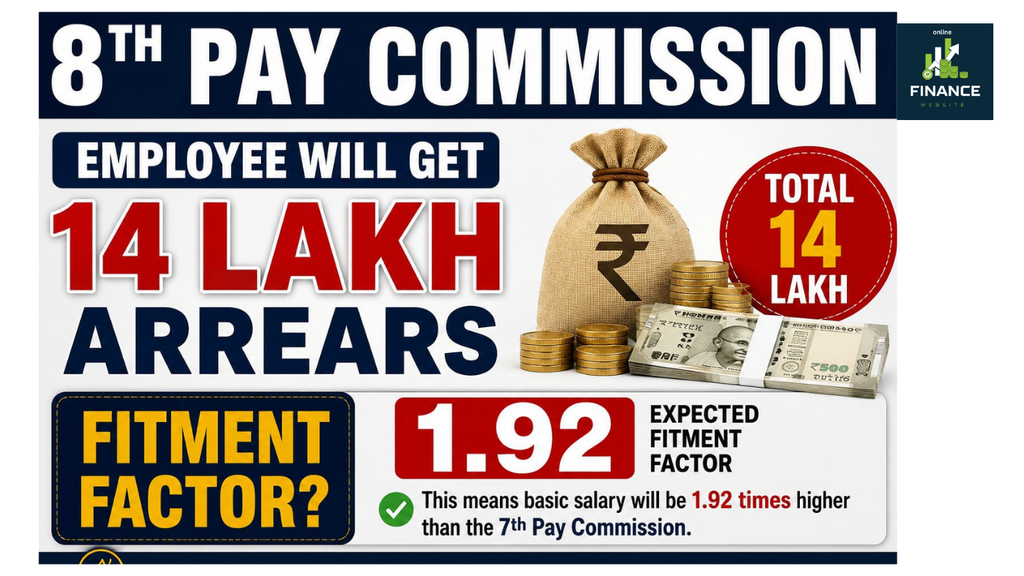
8મા પગારપંચમાં વિલંબ થાય તો કેન્દ્ર સરકારના કર્મચારીઓને વધેલા પગારનું એરિયર મળવાની શક્યતા છે. 2.57ના ફિટમેન્ટ ફેક્ટરની ધારણા હેઠળ Level-8 કર્મચારીઓ માટે 24 મહિનાનું એરિયર અંદાજે ₹17.94 લાખ સુધી પહોંચી શકે છે.
8માં પગારપંચમાં કર્મચારીઓને મળશે ₹17.94 લાખનું એરિયર? કેન્દ્ર સરકારના કર્મચારીઓ માટે 8મા પગારપંચને લઈને એરિયરની ચર્ચા તેજ થઈ છે. જો પગારપંચની ભલામણો લાગુ થવામાં વિલંબ થાય અને સુધારેલો પગાર 1 જાન્યુઆરી 2026થી લાગુ ગણવામાં આવે તો વચ્ચેના સમયગાળાનું એરિયર મળવાની શક્યતા બની શકે છે. જોકે ₹17.94 લાખની રકમ માત્ર અંદાજ છે અને અંતિમ ચુકવણી સરકારના નિર્ણય પર નિર્ભર રહેશે.
8મા પગારપંચનો રિપોર્ટ ક્યારે આવી શકે? સરકારે 8મા કેન્દ્રીય પગારપંચને તેની રચનાની તારીખથી 18 મહિનામાં ભલામણો રજૂ કરવાની સમયમર્યાદા આપી છે. 8મા પગારપંચની રચના 3 નવેમ્બર 2025ની નોટિફિકેશનથી કરવામાં આવી હતી. આ પ્રમાણે રિપોર્ટ રજૂ કરવાની સમયમર્યાદા મે 2027ની આસપાસ બને છે. જરૂર પડે તો કમિશન સમય વધારવાની માંગ પણ કરી શકે છે.કેન્દ્ર સરકારે પણ જણાવ્યું છે કે 8મા પગારપંચની ભલામણોનો નાણાકીય પ્રભાવ કમિશનની ભલામણો આવ્યા અને સરકાર તેને સ્વીકારે ત્યાર બાદ જ જાણી શકાશે. એટલે હાલમાં પગાર કેટલો વધશે કે એરિયર કેટલું મળશે તે અંગે કોઈ અંતિમ સરકારી આંકડો નથી.
એરિયર કેવી રીતે મળી શકે? જો 8મા પગારપંચનો પગાર સુધારો 1 જાન્યુઆરી 2026થી અસરકારક માનવામાં આવે અને તેનો વાસ્તવિક અમલ ત્યાર બાદ થાય તો અસરકારક તારીખથી અમલની તારીખ વચ્ચેના સમયગાળાનો પગાર તફાવત એરિયર તરીકે મળવાની શક્યતા છે. પરંતુ આ માટે સરકારની અંતિમ નોટિફિકેશનમાં અસરકારક તારીખ અને એરિયરની પદ્ધતિ સ્પષ્ટ થવી જરૂરી છે.આ ગણતરી મુખ્યત્વે હાલના બેઝિક પે અને ધારેલા ફિટમેન્ટ ફેક્ટર વચ્ચેના તફાવત પર આધારિત છે. તેથી ફિટમેન્ટ ફેક્ટર વધારે હશે તો સંભવિત સુધારેલો બેઝિક પે અને તેના આધારે ગણાતું એરિયર પણ વધારે થઈ શકે છે.
Level 6ના કર્મચારીઓને કેટલું એરિયર? Level 6 માટે હાલનો ન્યૂનતમ બેઝિક પે ₹35,400 છે. જો 2.15નો ફિટમેન્ટ ફેક્ટર ધારવામાં આવે તો સુધારેલો બેઝિક પે ₹76,110 થઈ શકે છે. આ આધારે 20 મહિનાનું અંદાજિત એરિયર ₹8.14 લાખ અને 24 મહિનાનું લગભગ ₹9.77 લાખ થાય છે.જો 2.57નો ફિટમેન્ટ ફેક્ટર ધારવામાં આવે તો સુધારેલો બેઝિક પે ₹90,978 થઈ શકે છે. આ સ્થિતિમાં 20 મહિનાનું અંદાજિત એરિયર ₹11.12 લાખ અને 24 મહિનાનું લગભગ ₹13.34 લાખ થઈ શકે છે. આ આંકડા માત્ર ગણતરી આધારિત અંદાજ છે.
Level 7માં ₹16.92 લાખ સુધીનો અંદાજ Level 7નો હાલનો બેઝિક પે ₹44,900 છે. 2.15ના ફિટમેન્ટ ફેક્ટર પર સુધારેલો બેઝિક પે ₹96,535 થઈ શકે છે અને 24 મહિનાના તફાવતના આધારે એરિયર લગભગ ₹12.39 લાખ થાય છે.બીજી તરફ 2.57ના ફિટમેન્ટ ફેક્ટર પર સુધારેલો બેઝિક પે ₹1,15,393 થઈ શકે છે. આ ગણતરી પ્રમાણે 20 મહિનાનું એરિયર લગભગ ₹14.10 લાખ અને 24 મહિનાનું લગભગ ₹16.92 લાખ થઈ શકે છે.
Level 8ને મળી શકે ₹17.94 લાખ સુધીનું એરિયર Level 8ના કર્મચારી માટે હાલનો બેઝિક પે ₹47,600 ગણવામાં આવ્યો છે. 2.15ના ફિટમેન્ટ ફેક્ટર પર સુધારેલો બેઝિક પે ₹1,02,340 થઈ શકે છે. આ આધારે 20 મહિનાનું અંદાજિત એરિયર ₹10.95 લાખ અને 24 મહિનાનું લગભગ ₹13.14 લાખ થાય છે.જો 2.57નો ફિટમેન્ટ ફેક્ટર લાગુ થાય તો સુધારેલો બેઝિક પે ₹1,22,332 થઈ શકે છે. હાલના અને સુધારેલા બેઝિક પે વચ્ચેનો તફાવત ₹74,732 થાય છે. આ તફાવતને 20 મહિના માટે ગણવામાં આવે તો લગભગ ₹14.95 લાખ અને 24 મહિના માટે લગભગ ₹17.94 લાખ થાય છે.
દરેક ભથ્થા પર એરિયર મળશે નહીં એરિયરની ઉપરોક્ત ગણતરી મુખ્યત્વે બેઝિક પેમાં સંભવિત વધારા પર આધારિત છે. તેથી તેને કર્મચારીને મળનારી કુલ એરિયરની અંતિમ રકમ માનવી નહીં. HRA સહિતના ભથ્થામાં પણ ફેરફાર થઈ શકે છે, પરંતુ દરેક ભથ્થા માટે એરિયર કેવી રીતે ગણાશે તે સરકારના અંતિમ નિયમો અને નોટિફિકેશન બાદ જ સ્પષ્ટ થશે.આ ઉપરાંત DAની ગણતરી અલગ પ્રક્રિયા હેઠળ થાય છે અને અન્ય ભથ્થાઓ પણ તેમના સંબંધિત નિયમો પ્રમાણે નક્કી થાય છે. તેથી ₹17.94 લાખનો આંકડો માત્ર એક ચોક્કસ ધારણા હેઠળની ગણતરી છે. વાસ્તવિક એરિયર કર્મચારીના લેવલ, મંજૂર ફિટમેન્ટ ફેક્ટર, સુધારેલા બેઝિક પે, અસરકારક તારીખ અને સરકારના અંતિમ નિર્ણય પર નિર્ભર રહેશે.
₹17.94 લાખનો આંકડો કેટલો નક્કી છે? હાલમાં આ રકમને સરકાર દ્વારા જાહેર કરવામાં આવેલી નિશ્ચિત ચુકવણી માનવી યોગ્ય નથી. 2.57 ફિટમેન્ટ ફેક્ટર અને 24 મહિનાના વિલંબની ધારણા હેઠળ Level 8 માટે ₹17.94 લાખનો અંદાજ કાઢવામાં આવ્યો છે. અંતિમ ફિટમેન્ટ ફેક્ટર શું રહેશે, પગાર સુધારો કઈ તારીખથી લાગુ થશે અને એરિયર કેવી રીતે ચૂકવાશે તે 8મા પગારપંચની ભલામણો તથા સરકારની મંજૂરી બાદ જ સ્પષ્ટ થશે.
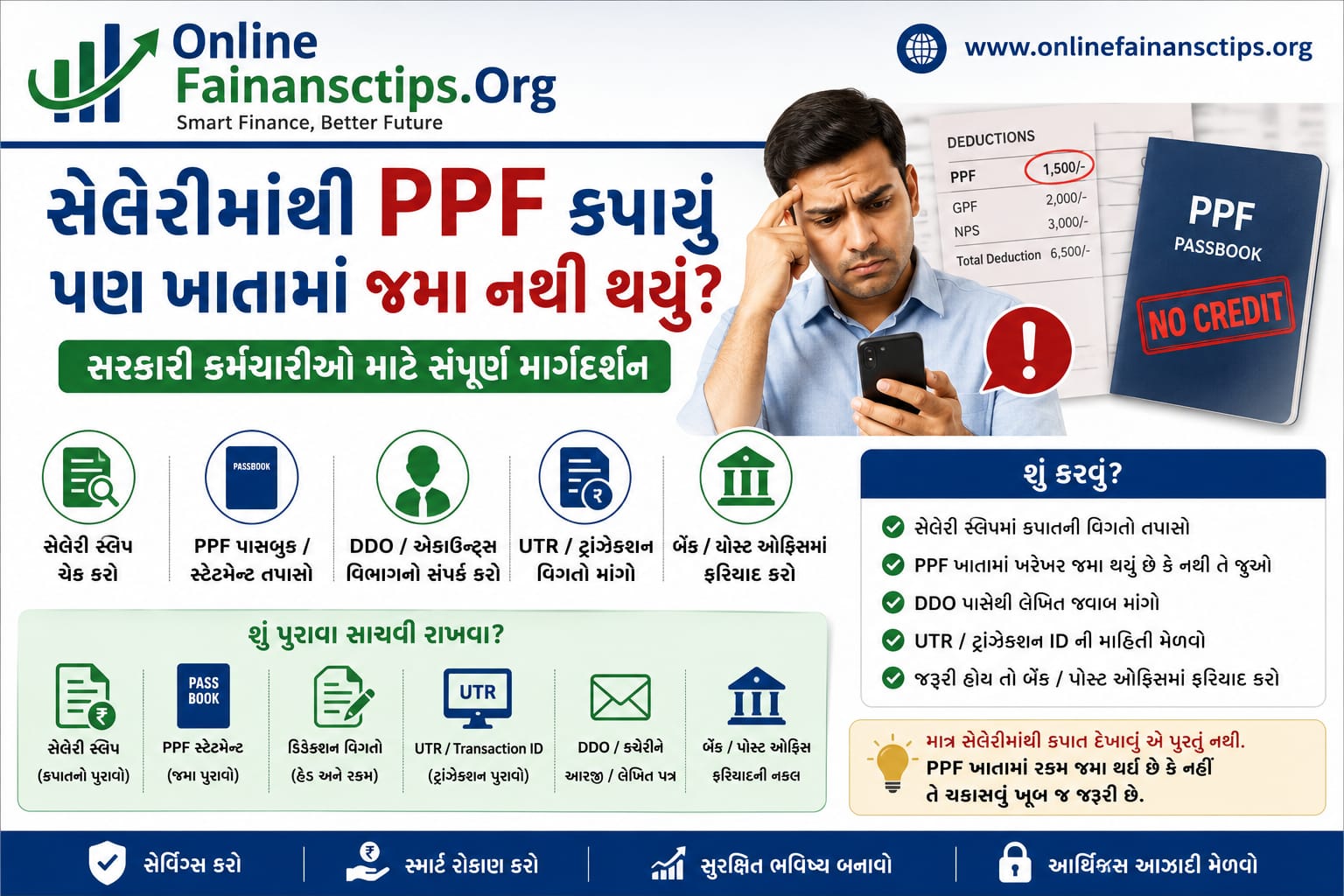
Meta Description: સેલેરીમાંથી PPFની રકમ કપાઈ પરંતુ PPF ખાતામાં જમા ન થઈ હોય તો સરકારી કર્મચારીએ શું કરવું? Salary Slip, Statement, DDO, UTR અને ફરિયાદની સંપૂર્ણ માહિતી.
💰 PPF સેલેરીમાંથી કપાયું, પરંતુ PPF ખાતામાં જમા નથી થયું? સરકારી કર્મચારીઓ માટે મહત્વની માહિતી
ઘણા સરકારી કર્મચારીઓના પગારમાંથી દર મહિને PPF (Public Provident Fund) માટે રકમ કપાતી હોય છે. પરંતુ જો સેલેરી સ્લિપમાં રકમ કપાયેલી દેખાય અને PPF ખાતાની પાસબુક/સ્ટેટમેન્ટમાં જમા ન દેખાય, તો આ બાબતને અવગણવી નહીં.
PPFમાં કર્મચારી પોતે કરેલી જમા રકમ Section 80C હેઠળ કરલાભ માટે પાત્ર હોઈ શકે છે. Income Tax Department મુજબ PPFમાં કરવામાં આવેલી જમા 80Cની નિર્ધારિત મર્યાદામાં deduction માટે પાત્ર છે.
1️⃣ સૌપ્રથમ Salary Slip તપાસો સેલેરી સ્લિપમાં PPF તરીકે કેટલી રકમ કપાઈ છે, કયા મહિનાની છે અને deduction head શું છે તે તપાસો.
2️⃣ PPF Passbook/Statement ચેક કરો બેંક અથવા પોસ્ટ ઓફિસના PPF ખાતામાં સંબંધિત મહિનાની એન્ટ્રી છે કે નહીં તે જુઓ. PPF ખાતું પોસ્ટ ઓફિસ અથવા અધિકૃત બેંકમાં રાખી શકાય છે.
3️⃣ DDO/કચેરીના Accounts વિભાગનો સંપર્ક કરો સેલેરીમાંથી કપાયેલી રકમ ખરેખર કયા ખાતામાં મોકલવામાં આવી અને તેની ચલણ/ટ્રાન્ઝેક્શન વિગતો શું છે તે લેખિતમાં પૂછો.
4️⃣ UTR/Transaction Reference માંગો જો કચેરી કહે કે રકમ PPF ખાતામાં મોકલી છે, તો સંબંધિત UTR/Transaction ID, તારીખ અને રકમની વિગતો માંગવી યોગ્ય છે.
5️⃣ PPF Bank/Post Officeમાં ફરિયાદ કરો જો રકમ ટ્રાન્સફર થયાની વિગતો મળે પરંતુ PPF ખાતામાં ક્રેડિટ ન થઈ હોય, તો સંબંધિત બેંક/પોસ્ટ ઓફિસમાં સ્ટેટમેન્ટ સાથે ફરિયાદ કરો.
⚠️ ખાસ ધ્યાન રાખો
Salaryમાંથી deduction દેખાય છે એટલે PPF ખાતામાં રકમ જમા થઈ ગઈ છે એવું માનવું નહીં. PPF સ્ટેટમેન્ટમાં actual credit થયેલી એન્ટ્રી તપાસવી જરૂરી છે.
PPFમાં નાણાં જમા કરવાની વાર્ષિક મર્યાદા હાલમાં ₹1.50 લાખ છે અને એક વ્યક્તિ પોતાના નામે માત્ર એક PPF ખાતું રાખી શકે છે.
મારી સેલેરીમાંથી રૂ. __ PPF પેટે કપાત કરવામાં આવી છે. પરંતુ મારા PPF ખાતાની સ્ટેટમેન્ટમાં આ રકમ જમા થયેલ દેખાતી નથી. તેથી સંબંધિત કપાતની તારીખ, રકમ, ટ્રાન્ઝેક્શન/UTR નંબર તથા રકમ કયા ખાતામાં જમા કરવામાં આવી તેની વિગતો આપવા વિનંતી છે અને જરૂરી કાર્યવાહી કરી રકમ મારા PPF ખાતામાં જમા કરાવવા વિનંતી.
✅ અંતિમ વાત
સરકારી કર્મચારીઓએ Salary Slip + PPF Statement બંને દર મહિને ચેક કરવાની ટેવ રાખવી જોઈએ. ખાસ કરીને વર્ષના અંતે Income Tax માટે PPFની જમા રકમ દર્શાવતી વખતે actual deposit proof સાચવી રાખવો ઉપયોગી છે. Income Tax Department પણ PPF contributionને 80C હેઠળ માન્ય investment તરીકે દર્શાવે છે.
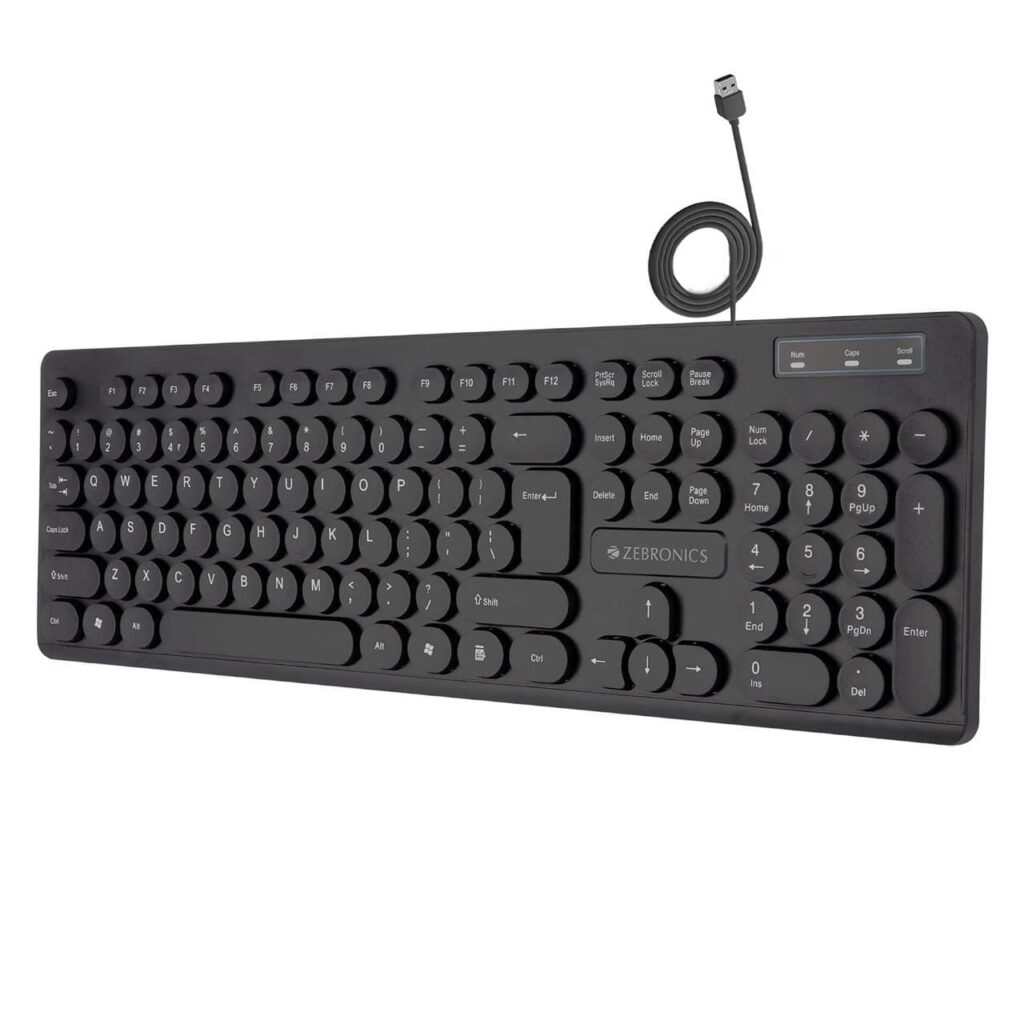
🔥🔥ZEBRONICS K24 Wired USB Keyboard, 104 Keys, Long Life 8 Million Keystrokes
નોંધ: PPF અને GPF/EPF એક જ વસ્તુ નથી. જો તમારી સેલેરી સ્લિપમાં GPF, NPS, PPF અથવા અન્ય કોઈ અલગ deduction code હોય, તો નિયમ અને પ્રક્રિયા અલગ હોઈ શકે છે. તેથી deduction head ચોક્કસ તપાસવો જરૂરી છે.
Sukanya Samriddhi Yojana: Invest just ₹1,500 regularly and build a substantial maturity corpus for your daughter. Know the 15-year deposit rule, 6-year interest benefit, compound interest and maturity calculation.
15 વર્ષના નિયમિત રોકાણ પછી વધારાના 6 વર્ષ સુધી વ્યાજનો ઉત્તમ લાભ ચક્રવૃદ્ધિ વ્યાજની અસરે નાની બચત બનશે મોટો આધાર.
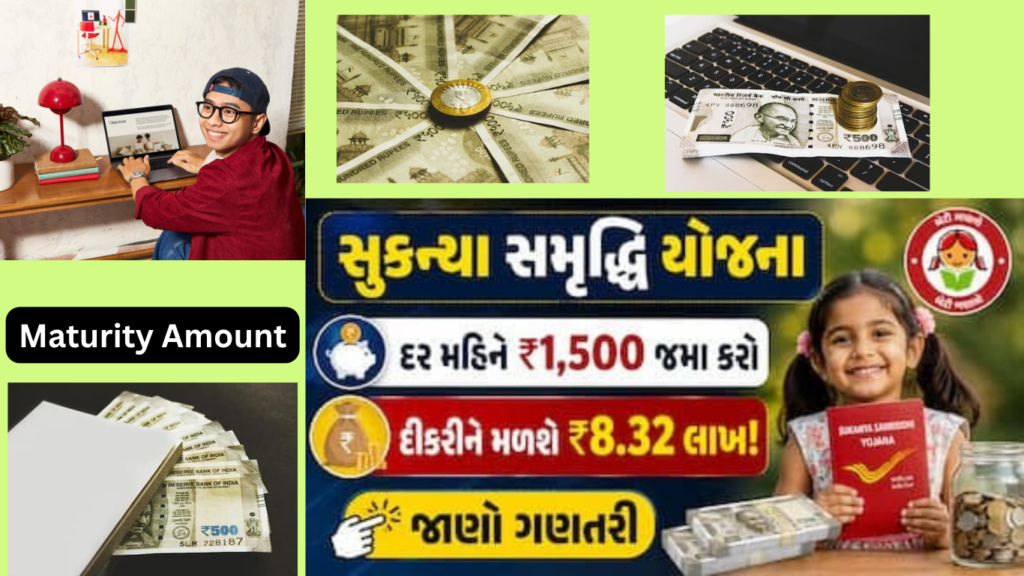
પોતાની વહાલી દીકરીના ભવિષ્યને આર્થિક રીતે સુરક્ષિત કરવા માટે કેન્દ્ર સરકાર સંચાલિત સુકન્યા સમૃદ્ધિ યોજના (SSY) હાલના સમયમાં માતાપિતા માટે સૌથી લોકપ્રિય અને ભરોસાપાત્ર માધ્યમ બની રહી છે. જો તમે શરૂઆતથી જ નાની રકમનું સાતત્યપૂર્ણ આયોજન કરો, તો દીકરીના ઉચ્ચ શિક્ષણ તેમજ લગ્ન જેવા મહત્વના પ્રસંગો માટે લાંબાગાળે એક નોંધપાત્ર ભંડોળ આસાનીથી એકત્ર થઈ શકે છે. જો કોઈ પરિવાર દર મહિને સામાન્ય ગણાતી ₹1,500 જેવી રકમનું નિયમિત રોકાણ આ યોજનામાં કરે, તો પાકતી મુદતે તેમાંથી લાખો રૂપિયાનું મોટું ભંડોળ તૈયાર થઈ શકે છે.
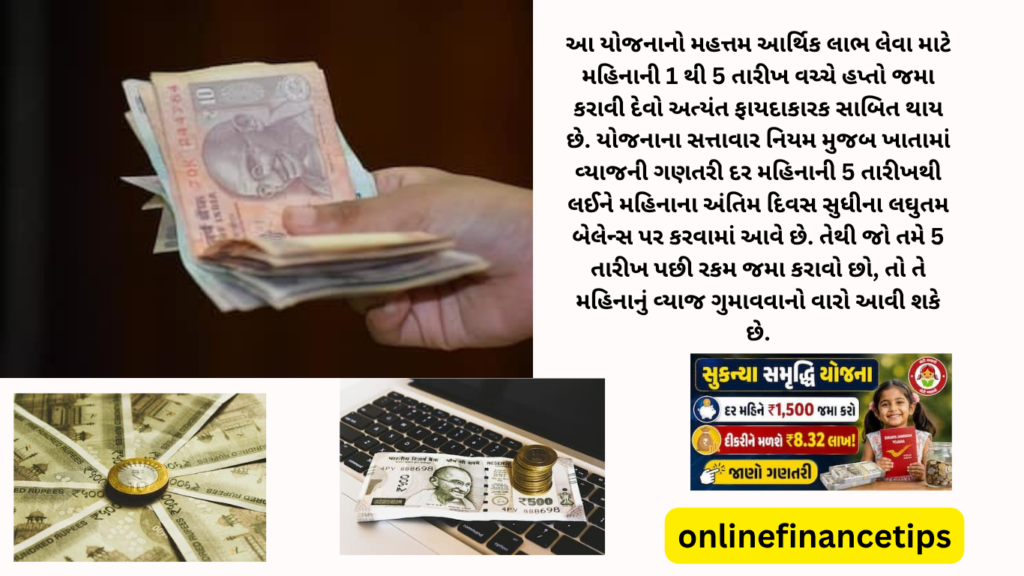
સુકન્યા સમૃદ્ધિ યોજનાના નિયમ અનુસાર ખાતાધારકે માત્ર 15 વર્ષ સુધી જ નાણાં જમા કરાવવાના હોય છે, જ્યારે ખાતાની કુલ પાકતી મુદત 21 વર્ષની રહે છે. દર મહિને ₹1,500 નું રોકાણ કરવાનો અર્થ એ થાય કે વાર્ષિક ધોરણે ₹18,000 (₹1,500 × 12) જમા થાય છે. આ રીતે સતત 15 વર્ષ સુધી રોકાણ ચાલુ રાખવામાં આવે તો વાલીના ખિસ્સામાંથી 15 વર્ષમાં કુલ ₹2,70,000 (₹18,000 × 15) એટલે કે ₹2.70 લાખની મૂળ રકમ જમા થાય છે.
સપ્ટેમ્બરની આ 6 તારીખ નોટ કરે કર્મચારી-પેન્શનર્સ, પગાર-પેન્શન પર મળશે ગુડ ન્યૂઝ
આ સ્કીમની સૌથી મોટી વિશેષતા એ છે કે 15 વર્ષ પૂર્ણ થયા બાદ આગામી 6 વર્ષ સુધી વાલીએ એક પણ રૂપિયો ભરવાનો રહેતો નથી. તેમ છતાં, ખાતામાં જમા થયેલી સમગ્ર રકમ પર સરકાર દ્વારા નિર્ધારિત ચક્રવૃદ્ધિ વ્યાજ સતત જમા થતું રહે છે. જો હાલના વાર્ષિક 8.2% ના વ્યાજદરને આધાર ગણીએ, તો 21 વર્ષની પાકતી મુદતે કુલ ₹8.32 લાખ જેટલી માતબર રકમ પ્રાપ્ત થઈ શકે છે. જેમાં ₹2.70 લાખનું મૂળ રોકાણ અને અંદાજે ₹5.62 લાખ જેટલું માત્ર વ્યાજ એકઠું થાય છે, એટલે કે રોકાણ કરતાં વ્યાજની આવક બમણાથી પણ વધુ થઈ જાય છે.
ચક્રવૃદ્ધિ વ્યાજના પ્રભાવથી રોકાણ સમય સાથે ઝડપથી વધે છે, જેમાં 5 વર્ષના અંતે ભંડોળ ₹1.11 લાખ, 10 વર્ષના અંતે ₹2.75 લાખ અને 15 વર્ષના અંતે ₹5.18 લાખ સુધી પહોંચી જાય છે. ત્યારપછીના રોકાણ વિનાના સમયગાળામાં રકમ ઝડપથી વધતાં 16 વર્ષે ₹5.61 લાખ, 17 વર્ષે ₹6.07 લાખ અને 18 વર્ષના અંતે ₹6.57 લાખ થાય છે. આ વૃદ્ધિ આગળ વધતાં 19 વર્ષે ₹7.11 લાખ, 20 વર્ષે ₹7.69 લાખ અને આખરે 21 વર્ષની પરિપક્વતા પર કુલ રકમ ₹8.32 લાખ સુધી પહોંચવાનો અંદાજ રહે છે.
આ યોજનાનો મહત્તમ આર્થિક લાભ લેવા માટે મહિનાની 1 થી 5 તારીખ વચ્ચે હપ્તો જમા કરાવી દેવો અત્યંત ફાયદાકારક સાબિત થાય છે. યોજનાના સત્તાવાર નિયમ મુજબ ખાતામાં વ્યાજની ગણતરી દર મહિનાની 5 તારીખથી લઈને મહિનાના અંતિમ દિવસ સુધીના લઘુતમ બેલેન્સ પર કરવામાં આવે છે. તેથી જો તમે 5 તારીખ પછી રકમ જમા કરાવો છો, તો તે મહિનાનું વ્યાજ ગુમાવવાનો વારો આવી શકે છે.
સુકન્યા સમૃદ્ધિ ખાતું 10 વર્ષથી ઓછી વય ધરાવતી કોઈપણ દીકરીના નામે તેના માતાપિતા કે કાયદેસરના વાલી દ્વારા કોઈપણ અધિકૃત પોસ્ટ ઓફિસ અથવા સરકારી બેંકમાં સરળતાથી ખોલાવી શકાય છે. એક દીકરીના નામે માત્ર 1 ખાતું ખોલી શકાય છે અને નિયમ મુજબ એક પરિવારમાં મહત્તમ 2 દીકરીઓ માટે આ લાભ ઉપલબ્ધ બને છે.
સુકન્યા સમૃદ્ધિ ખાતું 10 વર્ષથી ઓછી વય ધરાવતી કોઈપણ દીકરીના નામે તેના માતાપિતા કે કાયદેસરના વાલી દ્વારા કોઈપણ અધિકૃત પોસ્ટ ઓફિસ અથવા સરકારી બેંકમાં સરળતાથી ખોલાવી શકાય છે. એક દીકરીના નામે માત્ર 1 ખાતું ખોલી શકાય છે અને નિયમ મુજબ એક પરિવારમાં મહત્તમ 2 દીકરીઓ માટે આ લાભ ઉપલબ્ધ બને છે.
ખાતાને સક્રિય રાખવા માટે કોઈપણ એક નાણાકીય વર્ષ દરમિયાન ન્યૂનતમ ₹250 અને મહત્તમ ₹1.5 લાખ સુધીની થાપણ જમા કરાવી શકાય છે. કેન્દ્ર સરકાર દ્વારા દર 3 મહિને વ્યાજદરોની સમીક્ષા કરવામાં આવતી હોવાથી ભવિષ્યના દર મુજબ આખરી રકમમાં આંશિક ફેરફાર શક્ય છે, છતાં સરકારી ગેરંટી અને કરમુક્તિના લાભો સાથે દીકરીના સુરક્ષિત ભવિષ્ય માટે આ યોજના શ્રેષ્ઠ રોકાણ વિકલ્પ સાબિત થાય છે.
Bank Holidays / 31 ઓગસ્ટથી 6 સપ્ટેમ્બર વચ્ચે 2 દિવસ બેંકો બંધ રહેશે, રાજ્ય પ્રમાણે રજામાં ફેરફાર જુઓ લિસ્ટ
Bank Holiday: તમારે બેંક સાથે જોડાયેલ કોઈ મહત્વપૂર્ણ કામ હોય તો આ અઠવાડિયે બેંક જતા પહેલા રજાઓની યાદી જરૂર જૂઓ. 31 ઓગસ્ટથી 6 સપ્ટેમ્બર 2026 દરમિયાન કેટલાક સ્થળોએ બેંકો બંધ રહેશે.
ડિજિટલ સેવાઓ કાર્યરત આ દરમિયાન બેંક શાખાઓ બે દિવસ બંધ રહી શકે છે. જોકે આ રજાઓ સમગ્ર દેશમાં એકસરખી રહેશે નહીં. કેટલીક રજાઓ ફક્ત ચોક્કસ રાજ્યો અને શહેરો માટે લાગુ પડશે. જોકે બેંક શાખાઓ બંધ હોવા છતાં UPI, ATM, ઇન્ટરનેટ બેંકિંગ અને મોબાઇલ બેંકિંગ જેવી ડિજિટલ સેવાઓ કાર્યરત રહેશે.
રજા કેલેન્ડર ભારતીય રિઝર્વ બેંક (RBI) ના રજા કેલેન્ડર મુજબ દર રવિવારે બેંકો બંધ રહે છે. બેંક શાખાઓ હવે 31 ઓગસ્ટ સોમવારના સામાન્ય સમયે ખુલશે. આ અઠવાડિયામાં બેંકિંગ સેવાઓ સામાન્ય રીતે પાંચથી છ દિવસ સુધી કાર્યરત રહી શકે છે. નોંધપાત્ર રીતે 5 સપ્ટેમ્બર શનિવાર છે, મહિનાનો પહેલો શનિવાર, તેથી તે દિવસે બેંકો ખુલ્લી રહેશે.
4 સપ્ટેમ્બરના ઘણા શહેરોમાં બેંકો બંધ આ અઠવાડિયાની મુખ્ય રજા 4 સપ્ટેમ્બર શુક્રવારે છે. જન્માષ્ટમી નિમિત્તે આ દિવસે ઘણા શહેરોમાં બેંક શાખાઓ બંધ રહેશે. આમાં અમદાવાદ, ભોપાલ, ભુવનેશ્વર, ચંદીગઢ, ચેન્નાઈ, દેહરાદૂન, હૈદરાબાદ, જયપુર, જમ્મુ, કોલકાતા, લખનૌ, પટના, રાયપુર, શિમલા, શ્રીનગર જેવા શહેરોનો સમાવેશ થાય છે.
આગામી અઠવાડિયામાં ત્રણ દિવસ બેંકો બંધ 7 થી 13 સપ્ટેમ્બર વચ્ચે ત્રણ દિવસ બેંકો બંધ રહી શકે છે. જોકે દેશભરમાં બધી રજાઓ લાગુ નહીં પડે. જયપુર મ્યુનિસિપલ કોર્પોરેશનની ચૂંટણીને કારણે, શુક્રવાર 11 સપ્ટેમ્બરના રોજ જયપુર શહેરમાં બેંકો બંધ રહેશે. 13 સપ્ટેમ્બર, રવિવારના પણ બેંકો બંધ રહેશે
બેંકો બંધ હોવા છતાં પણ ઓનલાઈન કાર્ય બંધ થશે નહીં બેંક શાખાઓ બંધ થવાનો અર્થ એ નથી કે બેંકિંગ સેવાઓ સંપૂર્ણપણે સ્થગિત થઈ જશે. ગ્રાહકો હજુ પણ રજાના દિવસે UPI, ATM, ઈન્ટરનેટ બેંકિંગ અને મોબાઈલ બેંકિંગ જેવી ડિજિટલ સેવાઓનો ઉપયોગ કરી શકે છે.
(NC-JCM):: નેશનલ કાઉન્સિલ જોઈન્ટ કન્સલ્ટેટિવ મશીનરી (NC-JCM) દ્વારા કેબિનેટ સચિવ સમક્ષ બોનસની રકમમાં ત્રણ ગણો વધારો કરવા માટે ઔપચારિક પ્રસ્તાવ રજૂ કરાયો; કર્મચારીઓમાં ભારે આશા
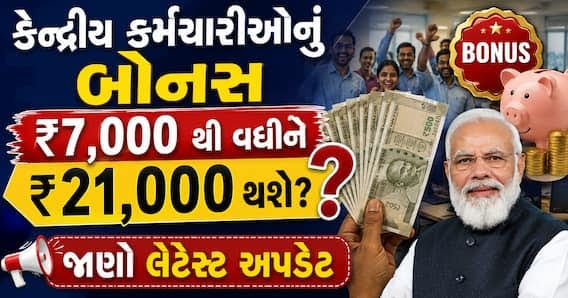
કેન્દ્રીય કર્મચારીઓનું બોનસ ₹7,000 થી વધીને ₹21,000 થશે? જાણો લેટેસ્ટ અપડેટ Central Government Employees Bonus Calculation Hike Proposal Update
Quick ReadKey points
કેન્દ્રીય કર્મચારીઓ રૂ. 21,000 બોનસ કરવાની પ્રબળ માંગ કરી.
વર્તમાન બોનસ ઓછું છે, કાયદેસર રીતે વધુ મળવાપાત્ર છે.
Central government bonus hike: દશેરાના પાવન તહેવાર પહેલા કેન્દ્ર સરકારના લાખો કર્મચારીઓ માટે એક અત્યંત ઉત્સાહજનક સમાચાર સામે આવી રહ્યા છે. લાંબા સમયથી પડતર રહેલી બોનસની માંગણીઓએ હવે જોર પકડ્યું છે. કર્મચારી સંગઠનોએ વર્તમાન બોનસ મર્યાદા, જે માત્ર 7,000 રૂપિયા છે, તેને સીધી ત્રણ ગણી વધારીને 21,000 રૂપિયા કરવાની પ્રબળ માંગ સરકાર સમક્ષ મૂકી છે. જો સરકાર આ પ્રસ્તાવ પર મહોર મારશે, તો આ વર્ષનો તહેવાર કર્મચારીઓ માટે બમણી ખુશીઓ લઈને આવશે.
કેન્દ્રીય કર્મચારીઓના હિતોનું પ્રતિનિધિત્વ કરતી અગ્રણી સંસ્થા નેશનલ કાઉન્સિલ જોઈન્ટ કન્સલ્ટેટિવ મશીનરી (NC-JCM) એ આ અંગે સત્તાવાર રીતે કેબિનેટ સચિવને પત્ર લખ્યો છે. સંસ્થાના સચિવ શિવ ગોપાલ મિશ્રાએ 27 ઓગસ્ટ, 2026 ના રોજ લખેલા પત્રમાં સ્પષ્ટ ઉલ્લેખ કર્યો છે કે દશેરાનો તહેવાર નજીક છે, ત્યારે સરકાર દ્વારા ટૂંક સમયમાં પ્રોડક્ટિવિટી લિંક્ડ બોનસ (PLB) અને એડહોક બોનસ સંબંધિત આદેશો જારી કરવામાં આવે તેવી પ્રબળ શક્યતા છે. આથી, જૂની અને નિશ્ચિત બોનસ રકમ 7,000 રૂપિયામાં ધરમૂળથી ફેરફાર કરી તેને 21,000 રૂપિયા કરવી એ સમયની માંગ છે.
કર્મચારી સંગઠને પોતાની આ માંગણીના સમર્થનમાં શ્રમ અને રોજગાર મંત્રાલય દ્વારા 25 ઓગસ્ટ, 2026 ના રોજ બહાર પાડવામાં આવેલા એક જાહેરનામાનો મજબૂત આધાર લીધો છે. આ સૂચના મુજબ, દર મહિને 21,000 રૂપિયા સુધીનો પગાર મેળવતા કર્મચારીઓને બોનસ માટે પાત્ર ગણવામાં આવ્યા છે. પ્રાપ્ત માહિતી અનુસાર, આ નવો નિયમ 21 નવેમ્બર, 2025 થી અમલમાં આવેલો માનવામાં આવે છે. આ નવા નિયમના આધારે જ બોનસની મર્યાદા વધારવી તર્કસંગત છે.
ઓલ ઈન્ડિયા NPS એમ્પ્લોયીઝ ફેડરેશનના રાષ્ટ્રીય પ્રમુખ મનજીત સિંહ પટેલે જૂની બોનસ મર્યાદા પર આકરા સવાલો ઉઠાવ્યા છે. તેમણે ધ્યાન દોર્યું છે કે છેલ્લા 10 વર્ષ કરતાં પણ વધુ સમયથી મોંઘવારી કૂદકે ને ભૂસકે વધી રહી હોવા છતાં, કર્મચારીઓને હજુ પણ માત્ર 6,908 રૂપિયા જેટલું મામૂલી નોન-પ્રોડક્ટિવિટી લિંક્ડ બોનસ ચૂકવવામાં આવી રહ્યું છે.
સરકારના પોતાના જ આંકડાઓ મુજબ, એપ્રિલ 2026 માં લઘુત્તમ દૈનિક વેતન 783 રૂપિયાથી લઈને 1,035 રૂપિયા સુધી નિર્ધારિત કરવામાં આવ્યું છે. જો આ નવી સરેરાશ કમાણીને ગણતરીમાં લેવામાં આવે, તો કાયદેસર રીતે કર્મચારીઓને ઓછામાં ઓછું 27,694 રૂપિયા સુધીનું બોનસ મળવાપાત્ર થાય છે.
અગાઉની બેઠકો અને ભવિષ્યની આશા
આ મુદ્દો સરકાર માટે સાવ નવો નથી. NC-JCM ના જણાવ્યા અનુસાર, ગત 11 મે, 2026 ના રોજ કેબિનેટ સચિવની અધ્યક્ષતામાં મળેલી 49 મી ઉચ્ચસ્તરીય બેઠકમાં પણ બોનસની ટોચમર્યાદા વધારવાનો મુદ્દો ગંભીરતાથી ઉઠાવવામાં આવ્યો હતો. તે સમયે સરકારે હકારાત્મક વલણ દાખવતા આશ્વાસન આપ્યું હતું કે બોનસ મર્યાદામાં જરૂરી સુધારા કર્યા બાદ જ કેન્દ્રીય કર્મચારીઓના બોનસ અંગે યોગ્ય વિચારણા કરવામાં આવશે.
હવે જ્યારે શ્રમ મંત્રાલય દ્વારા 21,000 રૂપિયાની નવી પગાર મર્યાદા સત્તાવાર રીતે જારી કરી દેવામાં આવી છે, ત્યારે તમામ કર્મચારી સંગઠનોને પૂરી આશા છે કે સરકાર દશેરાના શુભ અવસર પહેલા સુધારેલા બોનસ અંગે વિધિવત આદેશ જારી કરશે. જોકે, અત્રે એ નોંધવું અત્યંત જરૂરી છે કે 21,000 રૂપિયાની આ રકમ હજુ સુધી સરકાર દ્વારા સત્તાવાર રીતે મંજૂર કરવામાં આવી નથી; હાલમાં તે માત્ર કર્મચારી સંગઠનો દ્વારા કરવામાં આવેલી એક વ્યાજબી માંગણી છે.
Frequently Asked Questions
કેન્દ્ર સરકારના કર્મચારીઓ માટે બોનસ અંગેની મુખ્ય માંગ શું છે? કર્મચારી સંગઠનો વર્તમાન બોનસ મર્યાદા ₹7,000 ને ત્રણ ગણી વધારીને ₹21,000 કરવાની માંગ કરી રહ્યા છે. આ માંગ દશેરા પહેલા મંજૂર થાય તેવી આશા છે.
કેન્દ્રીય કર્મચારીઓના બોનસ વધારવાની માંગ કઈ સંસ્થા દ્વારા કરવામાં આવી રહી છે? બોનસની મર્યાદા ₹21,000 કરવાની માંગણીનો આધાર શું છે? શું સરકારે ₹21,000 ની બોનસ મર્યાદાને મંજૂરી આપી દીધી છે?
Post Office Time Deposit: આજના સમયમાં દરેક વ્યક્તિ પોતાની બચતને સુરક્ષિત રાખવાની સાથે તેના પર સારું વળતર મેળવવા ઈચ્છે છે. જો તમે પણ શેરબજારના જોખમોથી દૂર રહીને શૂન્ય-જોખમ (Zero Risk) ધરાવતો રોકાણનો વિકલ્પ શોધી રહ્યા છો, તો પોસ્ટ ઓફિસની બચત યોજનાઓ તમારા માટે શ્રેષ્ઠ સાબિત થઈ શકે છે. પોસ્ટ ઓફિસની યોજનાઓમાં રોકાણ નાનું હોય કે મોટું, ભારત સરકાર તેના પર સંપૂર્ણ સુરક્ષાની ગેરંટી આપે છે. આ જ કારણ છે કે સામાન્ય નાની બચત કરનારથી લઈને મોટા રોકાણકારો આજે પણ પોસ્ટ ઓફિસમાં રોકાણ કરવાનું વિશેષ પસંદ કરે છે.
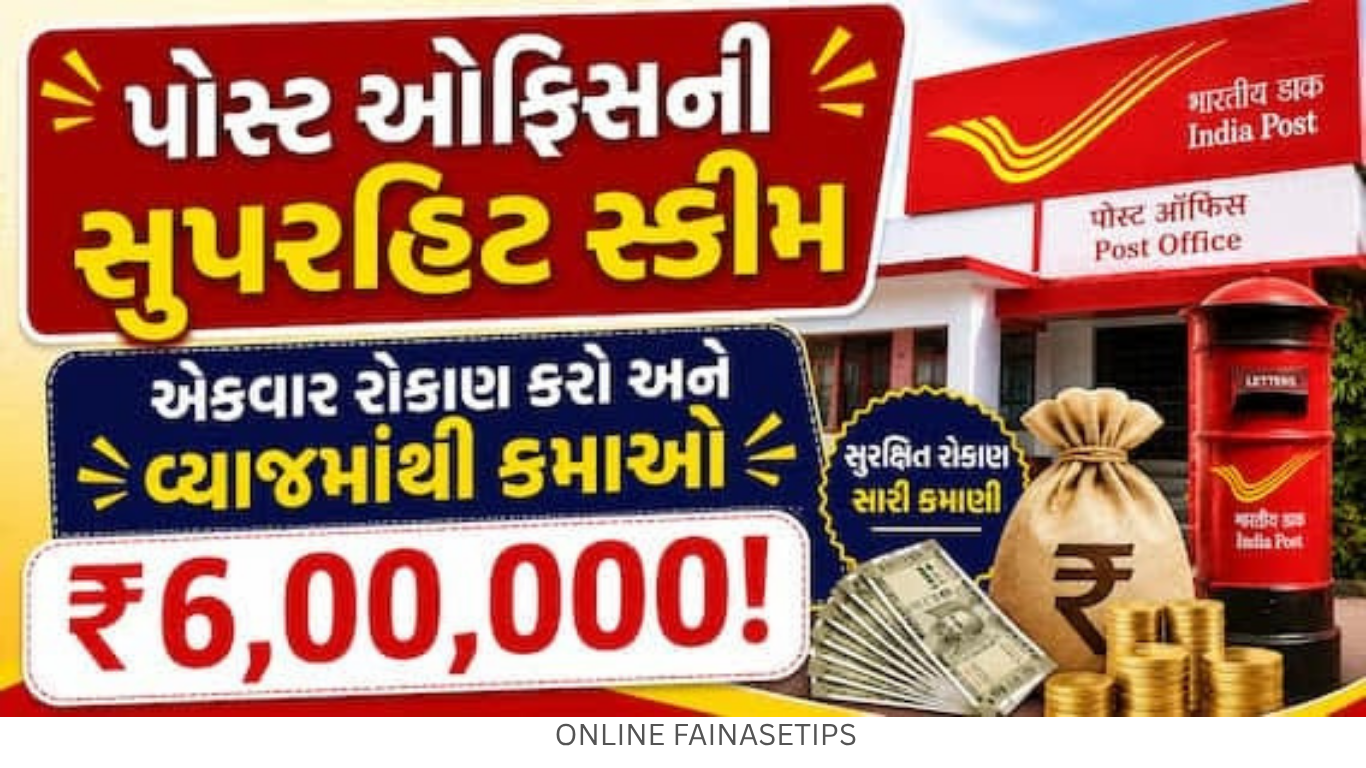
આવી જ એક અત્યંત લોકપ્રિય અને નફાકારક યોજના એટલે પોસ્ટ ઓફિસ ટાઈમ ડિપોઝિટ સ્કીમ (Post Office Time Deposit Scheme). બેંકની ફિક્સ ડિપોઝિટ (FD) જેવી જ આ યોજનામાં તમારે માત્ર એક જ વાર રોકાણ કરવાનું હોય છે. આ યોજના એટલી શક્તિશાળી છે કે યોગ્ય આયોજન સાથે રોકાણ કરવાથી, પાકતી મુદતે તમે માત્ર વ્યાજની રકમમાંથી જ 6 લાખ રૂપિયાથી વધુની જંગી કમાણી કરી શકો છો.
સરકાર દ્વારા આ યોજના હેઠળ અલગ-અલગ સમયગાળા માટે આકર્ષક વ્યાજ દરો નક્કી કરવામાં આવ્યા છે. તમે જેટલા લાંબા સમય માટે રોકાણ કરશો, તમારી ગેરંટીકૃત આવક એટલી જ વધારે હશે:
પોસ્ટ ઓફિસની આ સ્કીમ સામાન્ય માણસથી લઈને ધનિક વર્ગ માટે અનુકૂળ છે. તમે માત્ર 1,000 રૂપિયાથી ખાતું ખોલાવીને રોકાણની શરૂઆત કરી શકો છો, અને તેમાં મહત્તમ રોકાણની કોઈ જ મર્યાદા નક્કી કરવામાં આવી નથી. ગ્રાહકો પોતાની સુવિધા અનુસાર સિંગલ (એકલું) અથવા જોઈન્ટ (સંયુક્ત) ખાતું ખોલાવી શકે છે. આ યોજનાનો સૌથી મોટો અને બેવડો ફાયદો એ છે કે જો તમે 5 વર્ષ માટે ટાઈમ ડિપોઝિટમાં રોકાણ કરો છો, તો તમને આવકવેરા ધારાની કલમ 80C હેઠળ ઈન્કમ ટેક્સમાં પણ મોટી રાહત મળે છે.
Frequently Asked Questions
પોસ્ટ ઓફિસ ટાઈમ ડિપોઝિટ યોજના શું છે? આ એક શૂન્ય-જોખમવાળી રોકાણ યોજના છે જે બેંકની ફિક્સ ડિપોઝિટ (FD) જેવી જ છે. તેમાં ભારત સરકાર દ્વારા રોકાણની સંપૂર્ણ સુરક્ષાની ગેરંટી મળે છે.
પોસ્ટ ઓફિસ ટાઈમ ડિપોઝિટમાં સૌથી વધુ વ્યાજ દર કઈ મુદત પર મળે છે? આ યોજનામાં રોકાણની લઘુત્તમ અને મહત્તમ મર્યાદા શું છે અને શું ટેક્સ લાભ મળે છે?
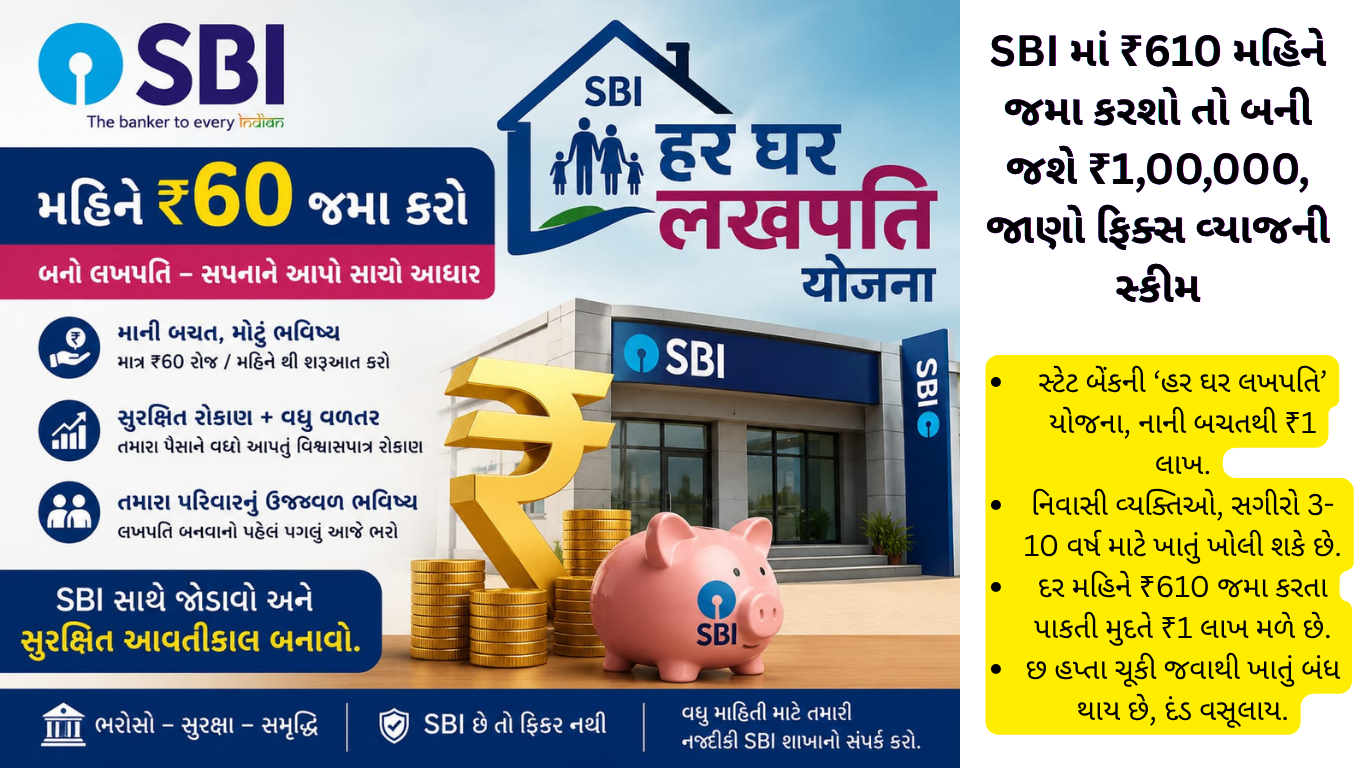
આ યોજના હેઠળ, ગ્રાહકો નાની માસિક બચત થાપણો કરીને તેમના ખાતામાં ₹1 લાખ કે તેથી વધુ રકમ જમા કરાવી શકે છે અને પરિપક્વતા પર “લખપતિ” બની શકે છે. SBI માં ₹610 મહિને જમા કરશો તો બની જશે ₹1,00,000, જાણો ફિક્સ વ્યાજની સ્કીમ
સ્ટેટ બેંક ઓફ ઈન્ડિયા પાસે હર ઘર લખપતિ યોજના નામની એક ખાસ બચત યોજના છે. આ યોજના હેઠળ, ગ્રાહકો નાની માસિક બચત થાપણો કરીને તેમના ખાતામાં ₹1 લાખ કે તેથી વધુ રકમ જમા કરાવી શકે છે અને પરિપક્વતા પર “લખપતિ” બની શકે છે. આ યોજના એવા લોકો માટે આદર્શ છે જેઓ નાની રકમથી સુરક્ષિત અને શિસ્તબદ્ધ રોકાણ યાત્રા શરૂ કરવા માંગે છે. નિયમિત બચત અને નિશ્ચિત વ્યાજ દર સાથે, આ યોજના ધીમે ધીમે મજબૂત નાણાકીય મજબૂત બનાવવામાં મદદ કરે છે.
Quick ReadKey points by sbi benk
સ્ટેટ બેંકની ‘હર ઘર લખપતિ’ યોજના, નાની બચતથી ₹1 લાખ.
નિવાસી વ્યક્તિઓ, સગીરો 3-10 વર્ષ માટે ખાતું ખોલી શકે છે.
દર મહિને ₹610 જમા કરતા પાકતી મુદતે ₹1 લાખ મળે છે.
છ હપ્તા ચૂકી જવાથી ખાતું બંધ થાય છે, દંડ વસૂલાય.
ખાતું કોણ ખોલી શકે છે ?
એક રીતે, આ રિકરિંગ ડિપોઝિટ યોજનાનો એક નવો પ્રકાર છે. બધા નિવાસી વ્યક્તિઓ આ યોજના હેઠળ ખાતું ખોલી શકે છે, એકલા અથવા સંયુક્ત રીતે. સગીરો (10 વર્ષથી વધુ ઉંમરના અને સ્પષ્ટ રીતે સહી કરી શકતા) એકલા અથવા તેમના માતાપિતા/કાનૂની વાલીઓ સાથે ખાતું ખોલી શકે છે. આ યોજનાઓ માટે ડિપોઝિટનો સમયગાળો 3 થી 10 વર્ષનો છે. એ પણ ધ્યાનમાં લેવું જોઈએ કે હપ્તાઓની એડવાન્સ ચુકવણી પરિપક્વતા મૂલ્યમાં ફેરફાર કરતી નથી. જો કે, મોડી હપ્તાની ચુકવણી માટે પરિપક્વતા રકમમાંથી દંડ કાપવામાં આવે છે. 10 વર્ષ સુધી દર મહિને ₹610 જમા કરાવવા પરના વળતરને સમજો આ યોજના મુજબ, જો કોઈ સામાન્ય ગ્રાહક 6.30 ટકાના વ્યાજ દરે સતત 10 વર્ષ સુધી માત્ર ₹610 જમા કરાવે છે, તો પાકતી મુદતે તેમની પાસે કુલ ₹1,02,144 નું ભંડોળ હશે. આ યોજના હેઠળ, તમને વ્યાજ તરીકે ₹28,944 મળશે, અને બાકીની રકમ તમારી રોકાણ રકમ હશે.
હપ્તાઓ અને સર્વિસ ચાર્જ જો હર ઘર લખપતિ યોજના હેઠળ ખોલવામાં આવેલા ખાતામાં સતત છ હપ્તા જમા કરવામાં ન આવે તો ખાતું સમય પહેલા બંધ થઈ જશે અને બાકીની રકમ ખાતાધારકના લિંક્ડ સેવિંગ્સ બેંક ખાતામાં ટ્રાન્સફર કરવામાં આવશે. વધુમાં, પરિપક્વતા તારીખે અથવા તે પછી ચૂકવવામાં આવતા RD ખાતાઓ પર ₹10નો સર્વિસ ચાર્જ વસૂલવામાં આવે છે જ્યાં ત્રણ કે તેથી વધુ સળંગ હપ્તાઓની ચુકવણીમાં ડિફોલ્ટ થાય છે અને ખાતું નિયમિત કરવામાં આવ્યું નથી.
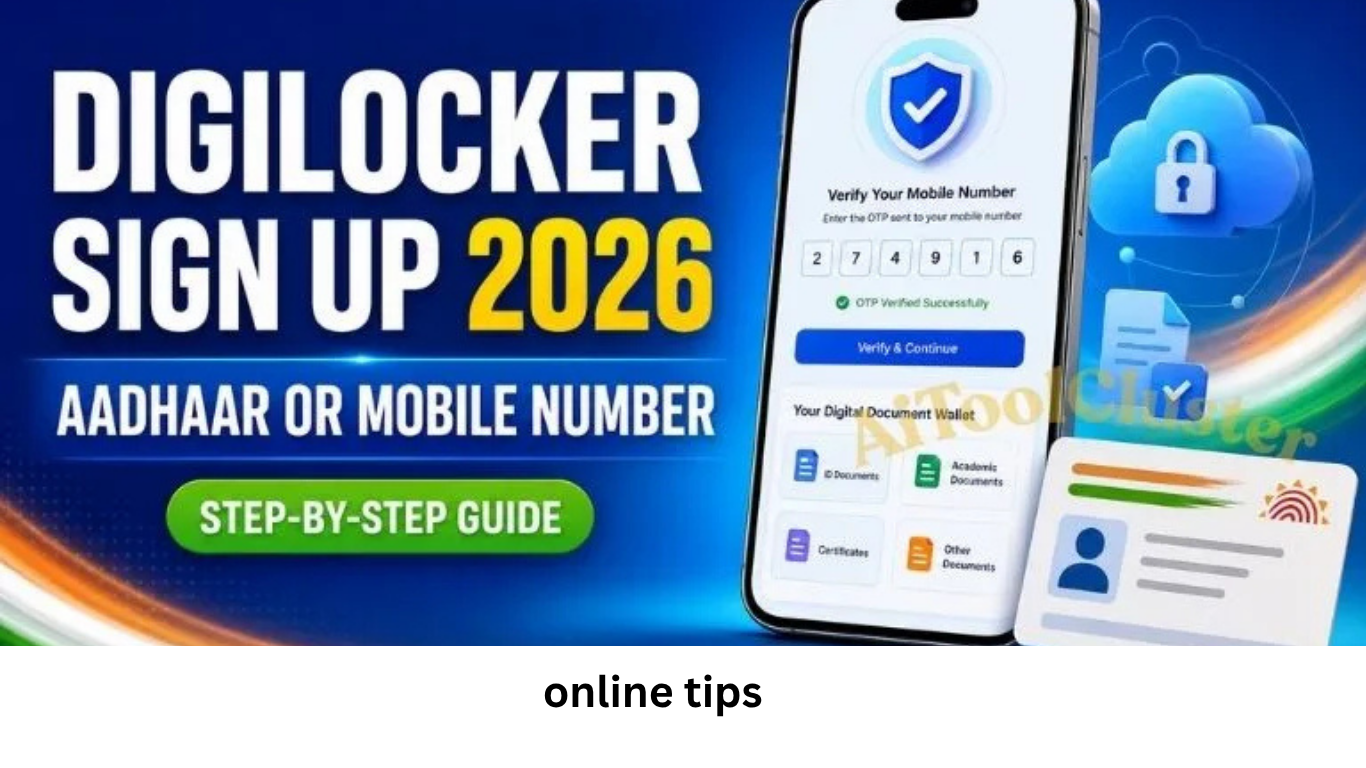
DigiLocker sign up takes only a few minutes when you have an active Indian mobile number and access to the OTP sent to it. You can start account creation with a mobile number or use Aadhaar/VID. For full access to verified documents issued by government departments, education boards and other authorised institutions, completing Aadhaar verification is generally the most useful option.
Quick answer: Open the official DigiLocker sign-up page, enter your 10-digit mobile number, verify the OTP, provide the requested personal details and create a secure 6-digit security PIN. If you want to fetch verified issued documents, complete Aadhaar verification using the official DigiLocker flow. Never share your OTP, Aadhaar OTP or security PIN with another person.
This updated guide explains how to sign up for DigiLocker on a phone or computer, how DigiLocker sign up with Aadhaar works, what to do when an OTP does not arrive, how to set a safe DigiLocker security PIN, and how to fetch marksheets and other digital certificates after registration.
Security warning: Use only a website ending in digilocker.gov.in or the official apps linked above. Do not download a “DigiLocker APK” from an unknown website and do not pay anyone to create an account. DigiLocker registration is free.
DigiLocker is a secure cloud-based digital document wallet under the Government of India’s Digital India programme. It allows citizens to access, store, share and verify documents and certificates in digital form. Depending on the issuing authority and available records, users may be able to fetch documents such as Aadhaar, driving licence, vehicle registration certificate, PAN-related records, school marksheets, migration certificates, degrees and other government-issued documents.
The main benefit is not simply online storage. When a document is pulled directly from an authorised issuer and appears in the Issued Documents section, its source and authenticity can be verified electronically. This makes DigiLocker useful for digital document verification, online applications, education admissions, recruitment forms and government services online
Issued Documents vs Uploaded Documents
Document Type
What It Means
Best Use
Issued Document
Fetched from an authorised issuer through DigiLocker and digitally verifiable
Official online verification and document submission, subject to the receiving authority’s rules
Uploaded Document
A scan or file uploaded by the user to personal cloud document storage
Personal backup and convenient access; it is not automatically the same as an issuer-fetched record
What You Need Before DigiLocker Sign Up
Keep the following details ready before starting the DigiLocker account creation process:
An active 10-digit Indian mobile number that can receive an OTP.
Your correct full name, date of birth and gender.
An active email address, if requested during registration.
Your 12-digit Aadhaar number or 16-digit VID if you plan to complete Aadhaar authentication.
Access to the mobile number linked with Aadhaar when Aadhaar OTP verification is required.
A memorable but difficult-to-guess 6-digit security PIN.
Name matching tip: Enter your details exactly as they appear in Aadhaar and in the document you want to fetch. A difference in spelling, date of birth or other identity details may prevent the issuer’s record from matching your account.
How to Sign Up for DigiLocker with Mobile Number
1
If you searched for sign up DigiLocker, sign up for DigiLocker, how to DigiLocker sign up or digilocker gov in sign up, the safest method is the official web registration flow below. Button names may change slightly when the portal interface is updated, but the core identity verification process remains similar.
Open the official sign-up pageVisit digilocker.gov.in/web/signup. Confirm that the address bar shows the official digilocker.gov.in domain before entering personal information.
2
Enter your mobile numberType your active 10-digit Indian mobile number and select Continue. Read the Terms of Service shown on the page before proceeding.
3
Verify the OTPEnter the one-time password received on your mobile. Wait for the official resend timer if the message is delayed. Never tell the OTP to a caller or an unofficial “support agent.”
4
Provide accurate personal detailsFill in your full name, date of birth, gender and email address when the form asks for them. Use information that matches your identity records.
5
Create a 6-digit security PINSet a DigiLocker security PIN that is not an obvious sequence, repeated pattern, date of birth or part of your mobile number. This PIN adds another layer of protection to your account.
6
Complete Aadhaar verification when neededAfter mobile registration, follow the official Aadhaar verification prompt if you want to access verified documents. Review the consent shown on the screen, enter Aadhaar or VID only on the official portal, and verify through the available official method.
Registration complete: After successful verification, sign in to the DigiLocker dashboard. Go to Browse Documents or search for an issuer, select the document type, enter the requested record details and choose Get Document. A successfully fetched record normally appears under Issued Documents.
DigiLocker Sign Up with Aadhaar or VID
Users often type digilocker sign up with aadhar; the official spelling is Aadhaar. DigiLocker currently also provides an Aadhaar/VID route from its login or account-creation flow. A VID is a 16-digit Virtual ID generated through UIDAI that can be used instead of exposing the Aadhaar number in supported authentication flows.
Open the official DigiLocker account page and choose the Aadhaar or VID option.
Enter the 12-digit Aadhaar number or 16-digit VID.
Read the consent and Terms of Service displayed on the official screen.
Complete the available Aadhaar identity verification method.
Provide any additional profile details requested by DigiLocker.
Create or confirm your security PIN and finish account setup.
An Aadhaar-verified account is particularly useful when you need issuer-backed documents. DigiLocker’s current registration screen states that verified documents are available through an Aadhaar-verified account. If your current mobile number is not linked with Aadhaar, you can still begin with mobile-number registration, but some issuer services or Aadhaar authentication steps may remain unavailable until the identity requirement is completed.
Mobile Sign Up vs Aadhaar-Verified Account
Feature
Mobile Registration
Aadhaar-Verified Account
Start account creation
Yes, with mobile OTP
Yes, through the official Aadhaar/VID option
Feature Mobile Registration Aadhaar-Verified Account Start account creation Yes, with mobile OTP Yes, through the official Aadhaar/VID option Identity verification level
Mobile number verified
Access to verified issued documents
May be limited until Aadhaar verification is completed
Designed for accessing verified issuer documents, subject to record availability
Best for
Beginning registration and basic account access
Fetching authentic digital certificates and government-issued records
How to Sign Up on DigiLocker App
The app process is broadly similar to the website. Use the official DigiLocker download for Android or DigiLocker app for iPhone. On the store listing, verify that the official app is associated with the National e-Governance Division rather than a similarly named private developer.
Install and open the official DigiLocker app.
Select Sign Up or Create Account.
Enter your mobile number and verify the OTP.
Fill in the requested profile details accurately.
Set a 6-digit security PIN.
Complete Aadhaar verification if you need verified issued documents.
Sign in and search for the relevant issuer or document.
How to Download a CBSE Marksheet from DigiLocker
Searches such as digilocker.gov.in CBSE marksheet 2020 and DigiLocker CBSE marksheet 2021 refer to retrieving an academic record from the current DigiLocker platform; there is no need to use an unofficial year-specific website. Availability depends on the records supplied by CBSE and whether your details match the issuer’s database.
Sign in to your Aadhaar-verified DigiLocker account.
Open Browse Documents and select the Education category.
Search for the Central Board of Secondary Education or the relevant education board.
Select the document type, such as Class X Marksheet, Class XII Marksheet, Passing Certificate or Migration Certificate.
Enter the roll number, year of passing and other details requested by the issuer.
Give the required consent and select Get Document.
Open Issued Documents to view or download the fetched certificate.
If the marksheet cannot be found, first check the roll number, passing year, name and date of birth. DigiLocker cannot create a missing academic record on its own; the authorised board or institution must make the record available. For an unresolved issue, contact the board and raise a ticket through official DigiLocker support.
How to Fetch Other Documents After Sign Up
Once DigiLocker account creation and identity verification are complete, the general retrieval process is straightforward:
Sign in using your registered mobile number, username or other option shown on the current portal.
Open Browse Documents.
Choose a category such as Transport, Education, Central Government or State Government.
Select the authorised issuer.
Choose the required document type.
Enter the exact record details requested and provide consent.
Select Get Document and check the Issued Documents section.
Not every issuer provides every document or every year of record. A failed search does not always mean the account has a problem. It may mean that the issuer has not supplied that record, the entered details do not match, or the service is temporarily unavailable.
DigiLocker Security PIN: Create, Use and Recover It Safely
The 6-digit DigiLocker security PIN protects account access alongside mobile or identity verification. Treat it like a banking or payment-app PIN even though DigiLocker is not a banking app.
Do not use 123456, 000000, your birth date or the last digits of your mobile number.
Do not save the PIN in an unprotected screenshot, chat or contact name.
Never share it with a person claiming to be from customer support.
Use the official Forgot security PIN or account-recovery flow if you cannot remember it.
Do not repeatedly guess the PIN, as security controls may temporarily restrict access.
During recovery, DigiLocker may ask for identity details and OTP verification. Enter this information only on the official website or app. If the recovery screen does not work, submit a ticket through official support instead of using a third-party service.
Common DigiLocker Sign-Up Problems and Solutions
Problem
Likely Reason
What to Do
Mobile OTP not received
Weak network, SMS delay, incorrect number or repeated requests
Check the number and signal, wait for the resend timer, then request one fresh OTP
Aadhaar OTP not received
The mobile number may not be linked with Aadhaar or the service may be delayed
Confirm the linked mobile status and retry later through the official flow
Account already exists
The mobile number or identity may already be registered
Use Sign In or Forgot PIN/Username instead of creating a duplicate account
Details do not match
Name, date of birth, roll number or other details differ from issuer records
Enter details exactly as printed on the source document and contact the issuer if its record is wrong
Document not found
The issuer may not have uploaded that year or record
Check issuer availability, retry with correct details and contact the board or department when necessary
Page or app is not working
Temporary maintenance, outdated app, cache or connection issue
Update the official app, switch networks, retry later or use the official website
Is DigiLocker Safe?
DigiLocker is designed for secure storage, sharing and verification of digital documents. Its official security information explains that issued documents are digitally signed to support authenticity and integrity. However, user behaviour remains an important part of data security and cybersecurity.
Check the website domain before entering Aadhaar, mobile number or OTP.
Install only the official app from Google Play or the Apple App Store.
Keep your phone screen lock and app security enabled.
Avoid signing in on a public computer or unknown Wi-Fi network.
Do not forward a document-sharing link unless you trust the recipient.
Review the information requested before giving consent to a service.
Sign out after using DigiLocker on a shared device.
For online document management, an issuer-fetched certificate is usually more useful than a photograph or scan because its authenticity can be checked. Still, always follow the rules of the authority receiving the document.
How to Delete DigiLocker Account
People searching for how to delete DigiLocker account should avoid unofficial instructions that promise instant deletion. Account controls and identity-linked record policies can change. First check the current profile or settings section in the official app or website. If a clear closure option is not available, submit a request through DigiLocker Support and follow the identity-verification instructions provided there.
Uninstalling the mobile app does not necessarily delete the DigiLocker account or the issuer records connected to it. Before requesting closure, download any documents you may need and understand whether account deletion, deactivation and removal of user-uploaded files are treated as separate actions under the current policy.
Benefits of Creating a DigiLocker Account
Anytime access: View available certificates and records without carrying every physical document.
Authentic records: Fetch digital certificates from participating authorised issuers.
Faster applications: Use supported documents for recruitment, education and government-service workflows.
Online verification: Issued documents can carry secure verification features such as a QR code.
Reduced risk of loss: Digital access can help when the physical copy is misplaced or damaged.
Paperless document management: Store and share records more efficiently where electronic documents are accepted.
Frequently Asked Questions
How to sign up in DigiLocker?
Open the official DigiLocker sign-up page, enter an active Indian mobile number, verify the OTP, provide the requested details and create a 6-digit security PIN. Complete Aadhaar verification if you want to access verified issued documents.
How to DigiLocker sign up with Aadhaar?
Select the Aadhaar or VID option in the official DigiLocker account flow, enter the requested number, read the consent and complete official identity verification. Use only a digilocker.gov.in page and never share the Aadhaar OTP.
How to sign up for DigiLocker without Aadhaar?
You can begin account creation with a valid Indian mobile number. However, DigiLocker indicates that Aadhaar verification is needed for access to verified documents, so a mobile-only account may have limited issuer-document functionality.
How to sign up on DigiLocker from a computer?
Use a modern browser to open the official sign-up page, enter your mobile number and complete OTP verification. The account can later be accessed through the official mobile app using the same registered credentials.
Is DigiLocker sign up free?
Yes. Creating and using a citizen DigiLocker account is free. Do not pay a third-party website or agent for registration.
Can I use DigiLocker if my mobile number is not linked with Aadhaar?
You can create an account with mobile-number verification, but Aadhaar-linked verification or another official authentication method may be required for verified issued documents. Follow the current instructions shown on the official portal.
What is a DigiLocker security PIN?
It is a 6-digit PIN used as an additional account-security step. Choose a PIN that cannot be easily guessed and never share it with another person.
Are DigiLocker documents valid?
Documents fetched from an authorised issuer and stored under Issued Documents are digitally verifiable. Acceptance can depend on the applicable law, notification and the receiving organisation’s process, so check the requirement for your specific application.
Why is my marksheet not showing in DigiLocker?
The board or institution may not have made that record available, or the entered details may not match its database. Recheck the issuer, roll number, year and personal details, then contact the issuing board if the record remains unavailable.
Can I create two DigiLocker accounts?
A duplicate account can create identity and document-matching problems. If the system says an account already exists, recover the existing account through the official sign-in or security-PIN recovery flow instead of registering again.
Disclaimer:https://onlinefinancetips.org/ is not a government website and is not affiliated with DigiLocker, UIDAI, MeitY, NeGD, CBSE or any document-issuing authority. This independent guide is provided for educational and informational purposes and was reviewed against official sources available on 5 August 2026. Portal screens, eligibility for a document, authentication options and policies may change. Always verify the current instructions on the official DigiLocker website before entering personal information or relying on a digital document.
જો તમારું ખાતું બેંક ઓફ બરોડા (BOB) માં છે, તો આ સમાચાર તમારા માટે છે! માત્ર આધાર અને PAN કાર્ડ દ્વારા ₹૫૦,૦૦૦ થી ₹૪૦ લાખની Bank of Baroda Loan 2025 મેળવો. સંપૂર્ણપણે ડિજિટલ, પેપરલેસ અને ઇન્સ્ટન્ટ લોન પ્રોસેસની માહિતી અહીં મેળવો.
નમસ્કાર મિત્રો, શું તમને અચાનક પૈસાની જરૂર પડી છે? ક્યારેક એવું બને છે કે તાત્કાલિક ખર્ચ આવી જાય અને રોકડ હાથ પર ન હોય. જો તમે બેંક ઓફ બરોડા (BOB) ના ગ્રાહક છો, તો તમારી મુશ્કેલી દૂર થઈ જશે! બેંક ઓફ બરોડા તમને એક શાનદાર Bank of Baroda Loan 2025 ઓફર કરી રહી છે, જે તમને ઘરબેઠા મળી શકે છે. ચાલો જાણીએ આ ડિજિટલ પર્સનલ લોન વિશે.
💥Bank Of Baroda Highlight
વિશેષતા
વિગતો
લોન રકમ
₹૫૦,૦૦૦ થી ₹૪૦,૦૦,૦૦૦
પ્રોસેસ
સંપૂર્ણપણે ઓનલાઈન (ડિજિટલ અને પેપરલેસ)
બ્યાજ દર
૧૦.૫૦% થી શરૂ
લોન અવધિ
૧૨ મહિના થી ૬૦ મહિના
મુખ્ય દસ્તાવેજો
આધાર કાર્ડ, PAN કાર્ડ
💥બેંક ઓફ બરોડા ડિજિટલ પર્સનલ લોન શું છે?
બેંક ઓફ બરોડાની આ ડિજિટલ પર્સનલ લોન ખાસ કરીને BOB ના વર્તમાન ગ્રાહકો માટે બનાવવામાં આવી છે, જેમણે તાત્કાલિક નાણાંની જરૂર છે. આ લોનનો સૌથી મોટો ફાયદો એ છે કે આખી પ્રક્રિયા ૧૦૦% ઓનલાઈન અને પેપરલેસ છે. તમારે બેંકના ધક્કા ખાવાની જરૂર નથી. ફક્ત તમારા મોબાઇલ ફોનનો ઉપયોગ કરીને, તમે ₹૫૦,૦૦૦ ની ન્યૂનતમ અને ₹૪૦ લાખની મહત્તમ લોન રકમ માટે અરજી કરી શકો છો. આ Bank of Baroda Loan 2025 ને “ઈન્સ્ટન્ટ લોન” પણ કહી શકાય, કારણ કે મંજૂરી મળતાં જ રકમ તમારા ખાતામાં જમા થઈ જાય છે.
💥BOB World App દ્વારા લોન લેવાની સરળ પ્રક્રિયા
જો તમારી પાસે બેંક ઓફ બરોડાનું ખાતું છે, તો BOB World App એ BOB Personal Loan મેળવવાનું સૌથી ઝડપી માધ્યમ છે:
💡એપ્લિકેશન ખોલો: તમારા સ્માર્ટફોનમાં BOB World App ખોલો અને લોગિન કરો.
💡લોન વિભાગ: એપ્લિકેશનમાં ‘Loans’ સેક્શન પર જાઓ.
💡વિકલ્પ પસંદ કરો: ત્યાં તમને ‘Digital Personal Loan’ નો વિકલ્પ દેખાશે, તેના પર ક્લિક કરો.
તાત્કાલિક વિતરણ: જો તમે પાત્ર હશો અને તમારો ક્રેડિટ સ્કોર સારો હશે, તો લોન તરત જ મંજૂર થઈ જશે અને રકમ તમારા Bank of Baroda એકાઉન્ટમાં ટ્રાન્સફર થઈ જશે.
💥પાત્રતા માપદંડ અને જરૂરી દસ્તાવેજો
આ BOB ડિજિટલ પર્સનલ લોન માટે કોણ અરજી કરી શકે છે, તે જાણી લો:
ઉંમર: તમારી ઉંમર ૨૧ થી ૬૦ વર્ષની વચ્ચે હોવી જોઈએ.
ખાતું: બેંક ઓફ બરોડામાં તમારું સક્રિય (Active) ખાતું હોવું ફરજિયાત છે.
CIBIL Score: BOB Digital Personal Loan માટે ૬૫૦ કે તેથી વધુ સારો ક્રેડિટ સ્કોર હોવો જરૂરી છે.
આવશ્યક દસ્તાવેજો:
૧. આધાર કાર્ડ
૨. PAN કાર્ડ
૩. બેંક ઓફ બરોડા એકાઉન્ટ વિગતો
૪. આધાર સાથે લિંક મોબાઇલ નંબર
૫. આવકનો પુરાવો (સેલરી સ્લિપ અથવા બિઝનેસ પ્રૂફ)
નિષ્કર્ષ જો તમે ઝડપી, hassle-free અને ઓનલાઈન લોન શોધી રહ્યા છો, તો બેંક ઓફ બરોડાની આ ડિજિટલ સુવિધા ખરેખર ઉત્તમ છે. ઓછા ડોક્યુમેન્ટ્સ અને ઇન્સ્ટન્ટ મંજૂરી સાથે, તમે સરળતાથી ₹૪૦ લાખ સુધીની Bank of Baroda Loan 2025 મેળવી શકો છો. આ પર્સનલ લોન લેતા પહેલા વ્યાજ દર અને અન્ય શરતો ચોક્કસ વાંચી લેજો.
Tanvi Patel, will provide information about finance, online work, digital work, stock market and tips under it, money and the benefits under it, schemes.